23
STEPS TO PRINT WITH TWO EXTRUDERS
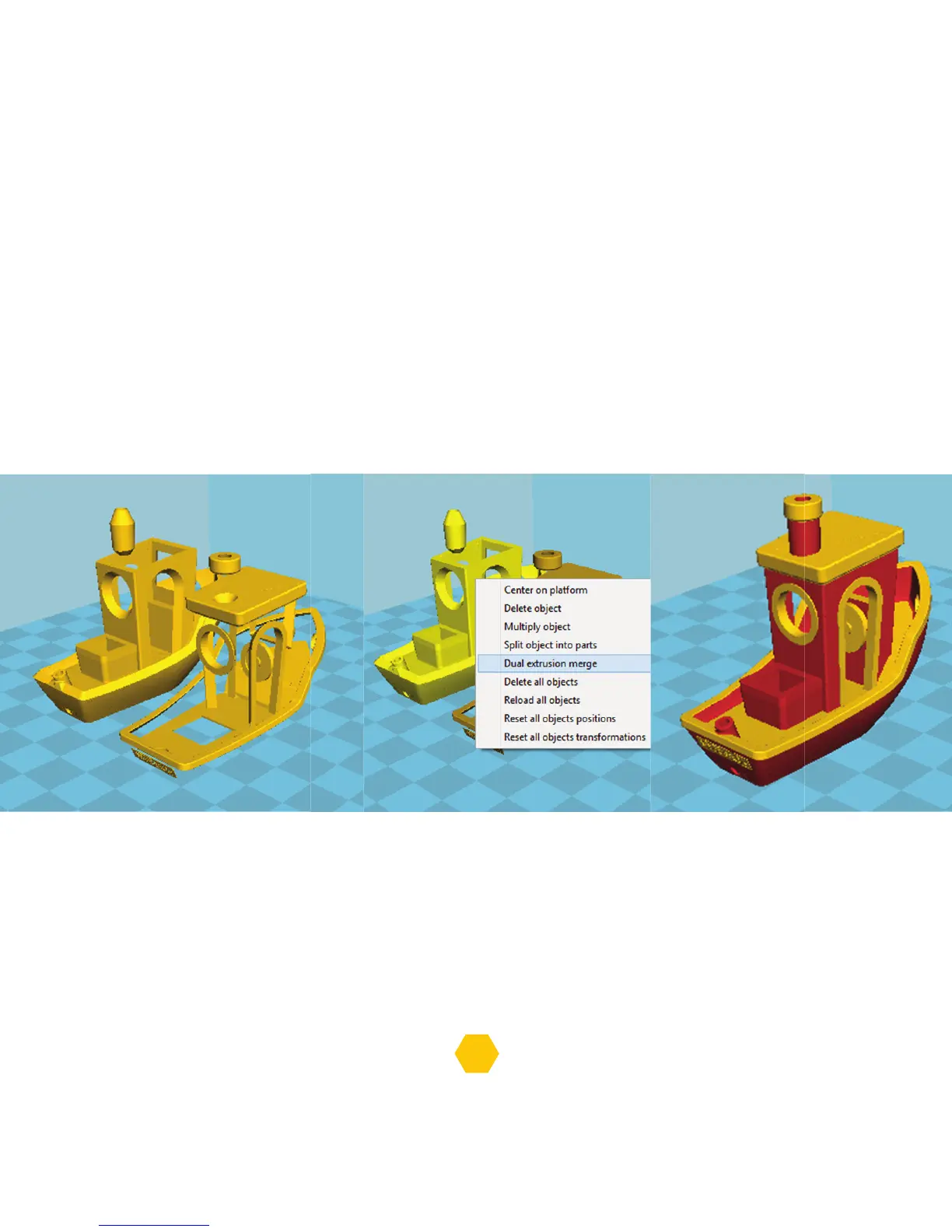
1. Load the two STL files in to the Cura, for instance these 3DBenchy files.
The first loaded STL file will be printed on extruder 0 and the second one on extruder 1.
2. Select any object and with mouse right click, select the “Dual extrusion merge”.
3. After the merge, the model will have 2 different colours.
The yellow part will be printed by extruder 0 and the red part by the extruder 1.
4. Now export the G-Code and it’s ready to print.


 To Next Page