30
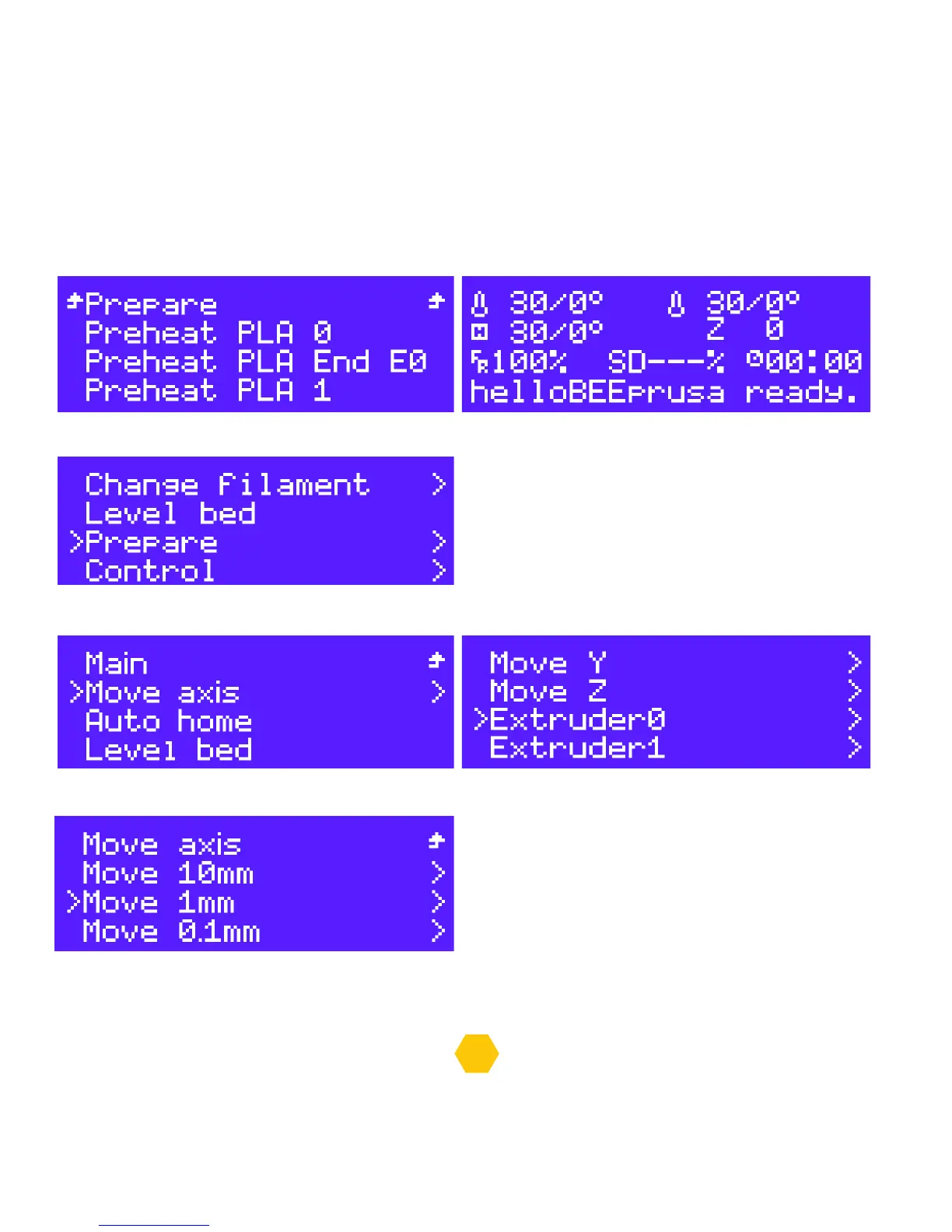
In “Preheat PLA” select “Preheat PLA 0”, the printing table and the extruder 0 will start heating or
select “Preheat PLA 1”, the printing table and the extruder 1 will start heating.
After finishing heating, push the button to go to the “info screen” and select “Prepare”.
In “Prepare” go to “Move axis” and select “Extruder 0” or “Extruder 1.
Select “Move 1mm”.
In this screen you rotate the button to the right if you want to load and to the left if you want to unload.


 To Next Page