20
Export the G-Code and print.
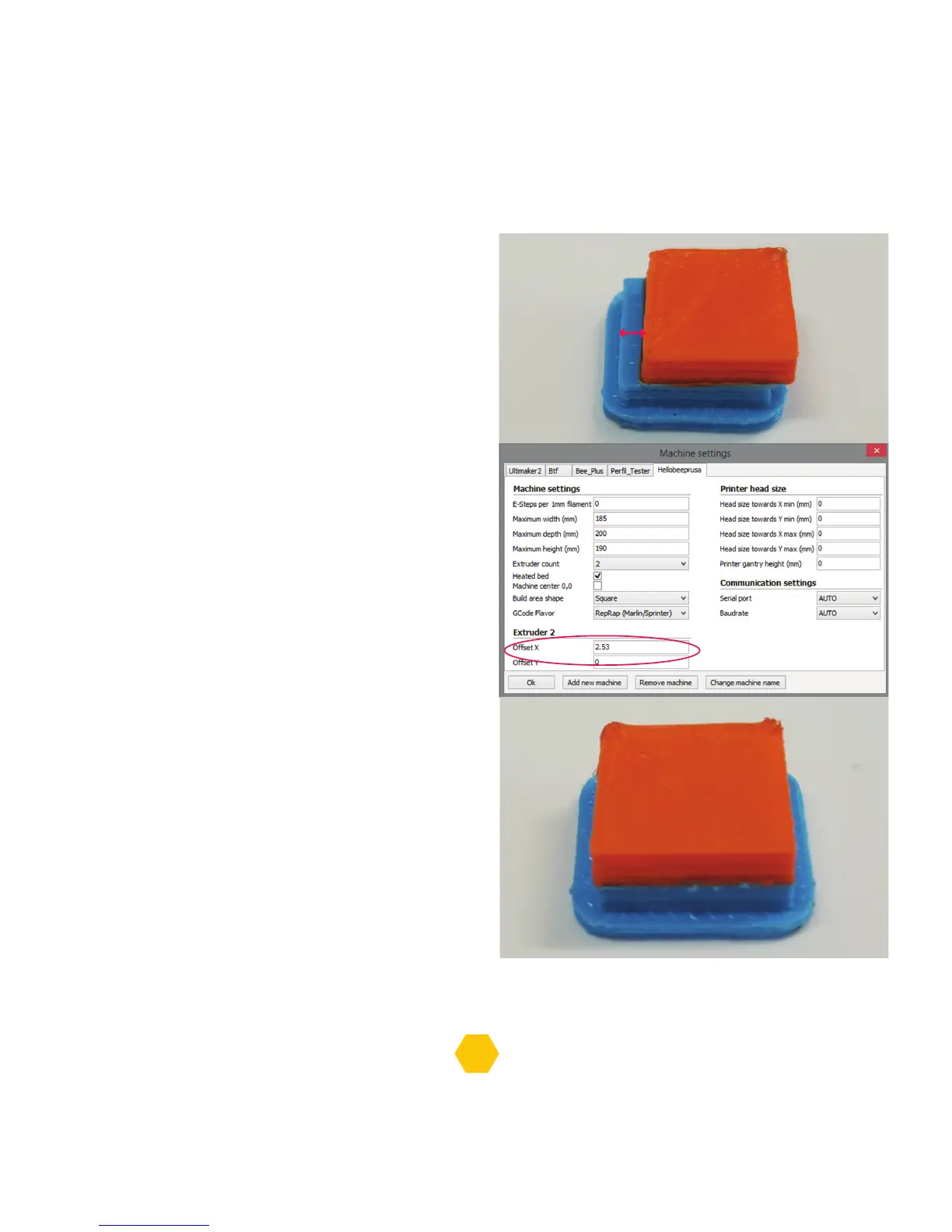
Grab a metric ruler and measure the distance
of any axis offset in the 3D printed object.
(E.g.: The red rectangle and the blue rectangle
should coincide. If not, measure the offset between them as
precisely as possible).
Now you need to setup the offset in Cura.
Go to Machine > Machine Settings,
under Extruder 2 change the Offset X
and the Offset Y to the number that
was measured before - in this example,
offset of 2.53mm for X and 0 for Y.
Test the offset and repeat the process if the print
does not look good. On the right, an example of a
printed object with a good offset setup.
2,53mm


 To Next Page