14
Notes on playing self-compiled CD-R/RW or USB flash drive with MP3/MP3+G
songs: If you try to play a self-compiled CD-R/RW disc or USB flash drive with
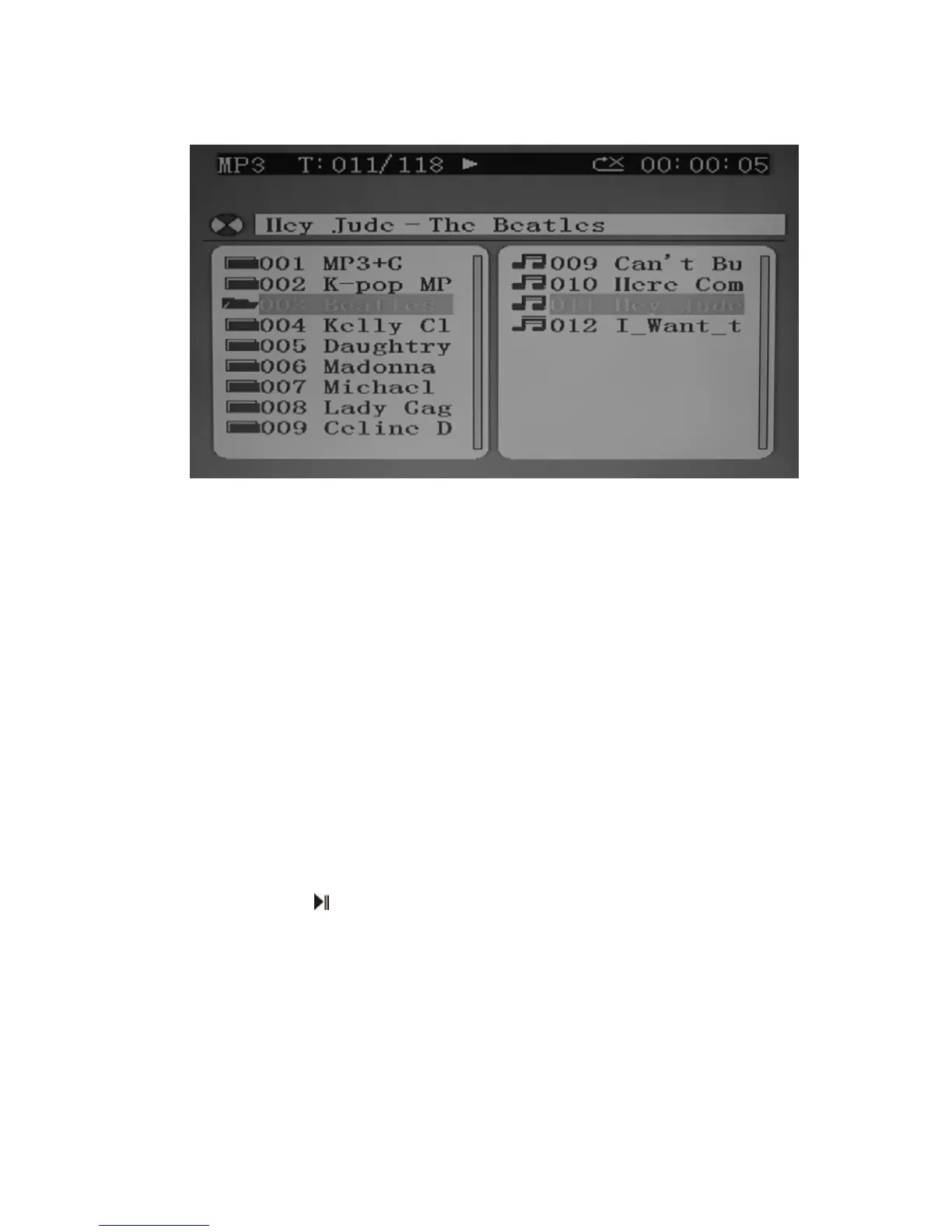
MP3/MP3+G songs (both are not included), you will see the following menu instead.
On the top line of the menu, “T: 011/118 means track #11 out of total 118 tracks is
now playing. The elapsed time of current track is shown on the right.
♦ The USB flash drive will always be played at a higher priority than the compact
disc. So, once the USB flash drive is removed, the unit will read the compact disc
inside the CD compartment again automatically.
♦ If the number of songs on the disc/USB drive is more than 99, the LED DISPLAY
will only display the last two digits. For example, if it contains “118” songs, “18”
will flash on the LED DISPLAY. However, if you have connected to a TV, full disc
content information will be shown as above.
♦ When a MP3+G file is detected and being played, the CDG INDICATOR in the
LED DISPLAY will flash and the TV screen will display “MP3G” in its top left
corner.
♦ All basic play/pause, stop and skip controls are identical to CDG mode.
♦ Tap the +10 BUTTON if you want to skip forward by 10 songs each time.
♦ When in stop mode, tap PAGE LIST+ or PAGE LIST- BUTTON to swiftly navigate
between the folders on the left column of the menu. Songs in the selected folder
will be displayed on the right column.
4. Select your favorite song using the NEXT / PREV BUTTON.
5. Tap PLAY/PAUSE
BUTTON to start playing.
6. Turn ON your microphone and starting singing. Adjust the MASTER VOLUME, MIC
VOLUME and TV VOLUME if necessary.
7. You may change the key of the song using the Digital Key Control DKC+/DKC–
BUTTON each by 7 levels up or down to suit your own voice. You may also use the
BALANCE, AVC and ECHO controls to enhance your singing experience.


 To Next Page