EasyManua.ls Logo

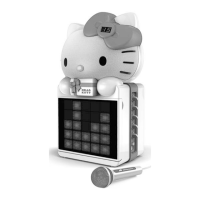
Hello Kitty KT2008B - Troubleshooting Guide

Hello Kitty KT2008B
21 pages
Print Icon
To Next Page IconTo Next Page
To Previous Page IconTo Previous Page
Loading...
16
4. Turn on your microphone and start singing. Adjust the MASTER VOLUME and/or
MIC VOLUME if necessary.
5. You may also use the BALANCE and ECHO CONTROLS to enhance your singing
experience.
6. Turn off both devices after use.
USING THE UNIT AS A PUBLIC ADDRESS SYSTEM
This unit can also be used as a PA (Public Address System).
Note: To prevent feedback or whistling from occurring, please be sure that the
microphone is not held too close to unit’s speakers.
1. Set the FUNCTION SELECTOR to “AUX IN” and unplug any 3.5mm audio cable (not
included) that may have been connected to the AUX IN JACK previously.
2. Turn on your MICROPHONE (one included) and start your performance. Adjust the
MASTER VOLUME, MIC VOLUME and ECHO control if necessary.
TROUBLESHOOTING GUIDE
If you have followed the instructions and are having difficulty operating the unit, locate
the PROBLEM in the left column below. Check the corresponding POSSIBLE CAUSE
and SOLUTION columns to locate and fix the problem.

PROBLEM
POSSIBLE CAUSE
SOLUTION
No power when
POWER ON/OFF
BUTTON is pressed
DC plug of the AC adapter is
not plugged into the DC
JACK properly.
Re-insert the DC plug of the AC
adapter properly.
No power when
plugged in
The AC outlet may not have
power.
Check the outlet with a working
lamp or other electrical
appliance.
No sound
MASTER VOLUME of this
unit is set to minimum.
Turn up the MASTER
VOLUME.
Volume control on TV
set/PA system is set to
minimum.
Turn up the volume of the
TV/PA system.
TV set/PA system power is
OFF.
Turn ON the power of TV/PA
system.
CD player of
Karaoke System
does not work
normally or the No
appears on the LED
DISPLAY.
Disc is inserted upside
down.
Insert disc correctly.
Disc is dirty.
Wipe it clean with soft cloth.
Disc is scratched.
Use a new disc.
Disc is warped.
Use a new disc.
A non-standard disc is
inserted.
Only use compatible discs
mentioned in this manual.

Related product manuals