18
CARE AND MAINTENANCE
1. Clean your unit with a damp (never wet) cloth. Solvent or detergent should never be
used.
2. Avoid leaving your unit in hot, humid or dusty places.
3. Keep your unit away from heating appliances and sources of electrical noise such
as fluorescent lamps or motors.
HANDLING CD DISCS
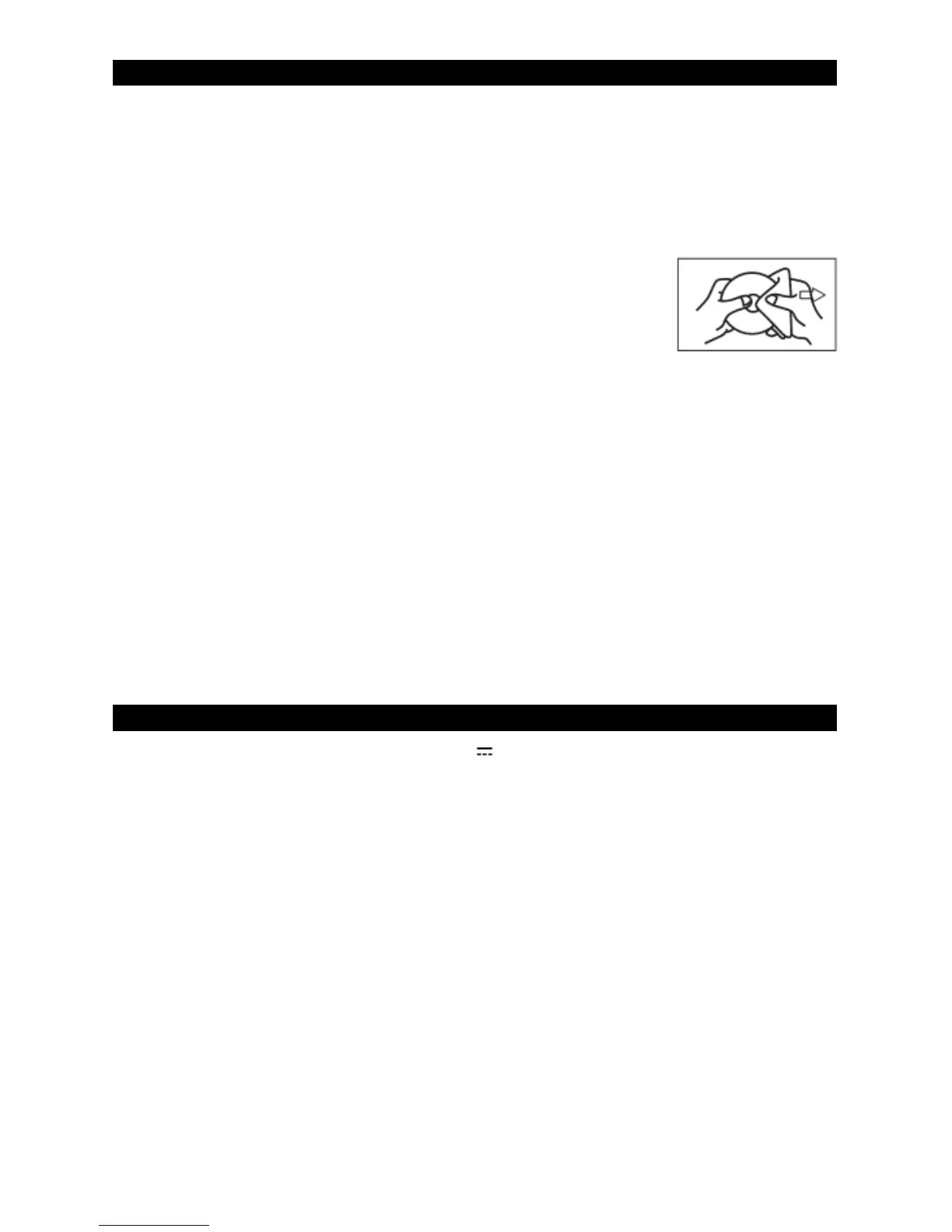
♦ If drop-outs or interruptions occur in the music during CD
play, or if the CD fails to play at all, its bottom surface may
require cleaning. Before playing, fingerprints and dust should
be carefully wiped off with a soft cloth. Wipe in a straight
motion from the center of the disc to the outside edge with a
good soft cleaning cloth.
♦ Never use chemicals, such as record cleaning sprays, antistatic sprays or fluids,
benzene or thinner to clean compact discs. These chemicals will permanently
damage the plastic surface of the disc.
♦ Always install the compact disc securely on the disc clampers with the label side
facing up. Compact discs can be played on only one side.
♦ To remove a disc from its storage case, press down on the center of the case and lift
the disc out, holding it carefully by the edges.
♦ Discs should be returned to their cases after use to protect them from dust and
scratches.
♦ To prevent warping the disc, do not expose it to direct sunlight, high humidity or high
temperature for extended periods of time.
♦ Do not apply adhesive labels or write anything on either side of the disc. The inks
used in some felt-tips pens may damage the surfaces of the disc.
SPECIFICATIONS
DC input 12V 1A
AC Adapter input 100-240V~ 50/60Hz
Speaker Output 2 x 1.5W (rms)
Video Output NTSC composite (RCA)
USB Flash Drive Support Max 32 GB (FAT32 formatted)
Microphone Jacks (x2) Each 6.3 mm (mono)
AUX IN Jack (x1) 3.5 mm (stereo)
Compact Disc Support CD/CD+G/CD-R/CD-RW
USB file types MP3/MP3+G


 To Next Page