6
SETTING UP FOR OPERATION
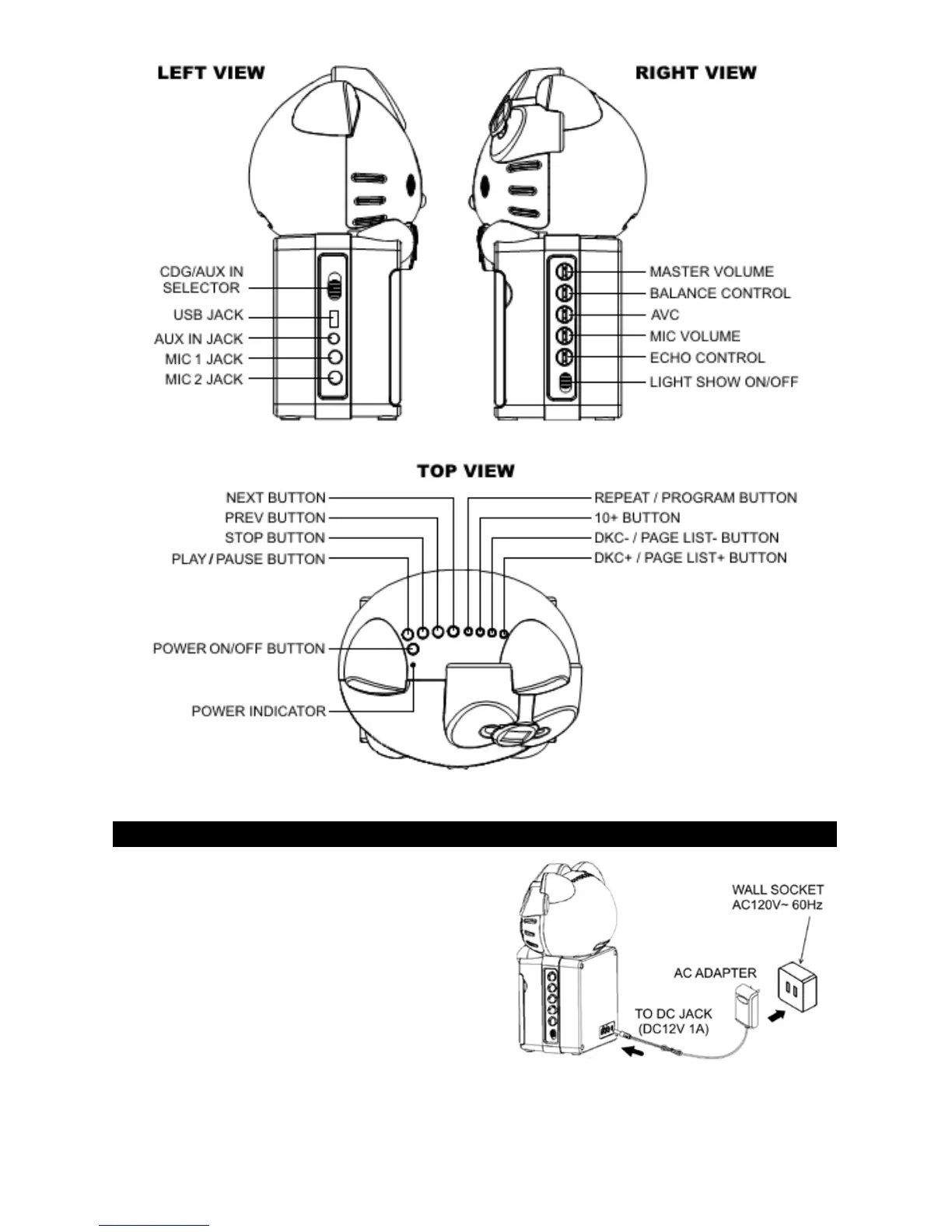
CONNECTING POWER
Plug the supplied AC adapter into the DC jack
on the rear side of the unit and connect to a
standard AC wall socket with 120V~ 60Hz
continuous power supply.
Note: When the unit is not operated for long
periods of time, unplug the AC adapter from the
unit and wall outlet.
CONNECTING TO YOUR TV
The karaoke system provides a patch cord to give you the option of connecting your unit
to an external audio/video device. The patch cord has three RCA jacks at each end. White


 To Next Page