EasyManua.ls Logo

Helmer PC2200i - User Manual

Default Icon
90 pages
Print Icon
To Next Page IconTo Next Page
Loading...
360093-1/H
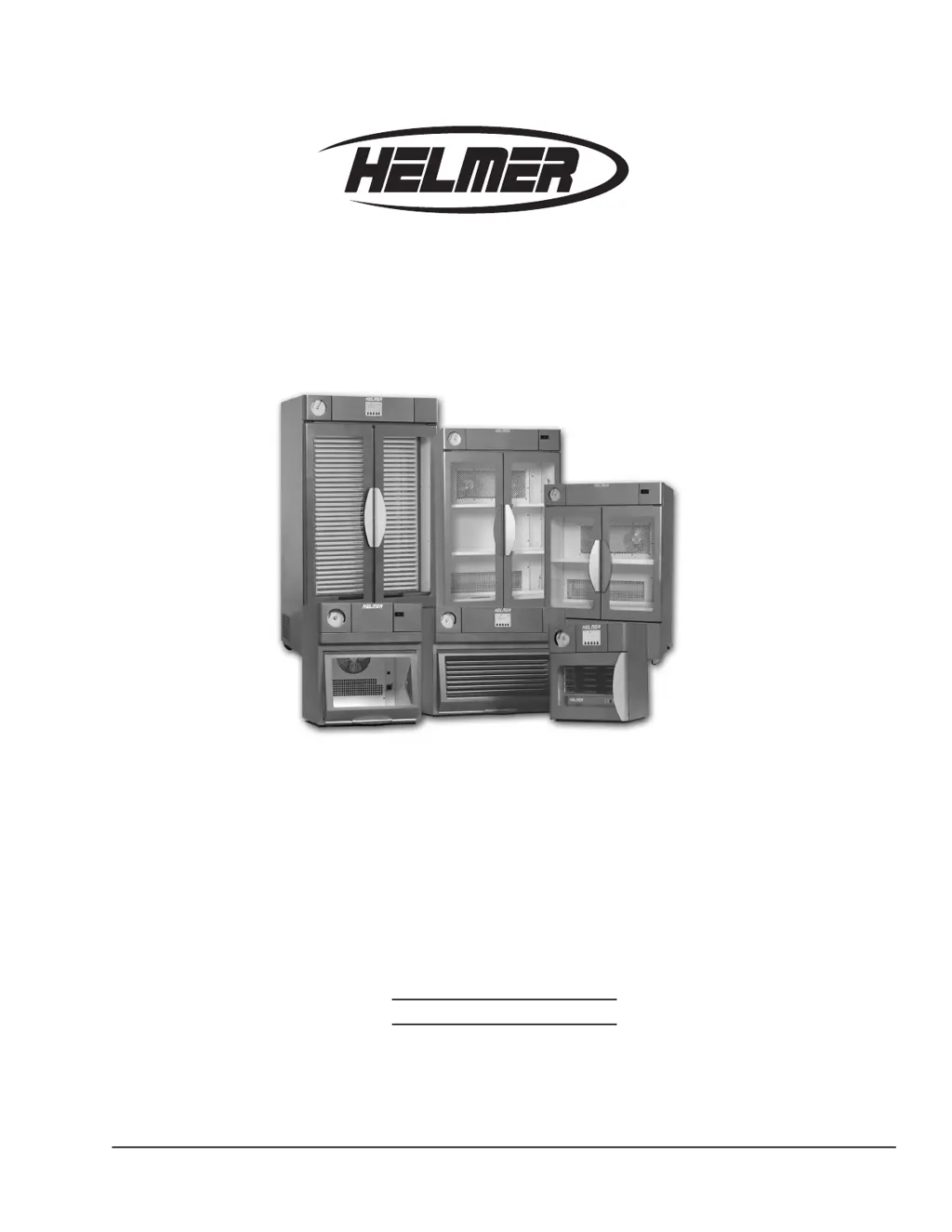
i.Series™
Countertop: PC100i, PC900i, PC1200i Version A
Floor: PC2200i, PC3200i, PC4200i Version A
Horizon Series™
Countertop: PC100h, PC900h, PC1200h Version A
Floor: PC2200h, PC3200h, PC4200h Version A
Model
S/N
HELMER, INC. 14395 BERGEN BLVD., NOBLESVILLE, IN 46060 USA
PHONE (317) 773-9073 FAX (317) 773-9082
USA and CANADA (800) 743-5637
www.helmerinc.com
Platelet Incubator Operation Manual

Table of Contents

Other manuals for Helmer PC2200i

Questions and Answers

  • V
    Vanessa MillerSep 23, 2025
    What to do if the main power switch is on, and the doors are closed, but the built-in platelet agitator is not agitating (PC4200i) in my Helmer Accessories?
    • T
      Tracy RobertsSep 23, 2025
      If the main power switch is on, and the doors are closed, but the built-in platelet agitator is not agitating, confirm the hinge cams are not damaged and replace if necessary. Also, confirm the door gaskets are sealing completely and replace the door gasket if necessary. Confirm that all circuit breakers are seated and push the circuit breaker to reset it if necessary.
  • F
    Frank JohnsonAug 25, 2025
    How to fix inaudible alarms on Helmer Accessories platelet incubator?
    • M
      Marco HessAug 26, 2025
      If your platelet incubator is in an alarm condition but the alarms are not audible, first verify that the audible alarms are not muted. If the time remaining on the Mute timer is greater than five minutes, change the Mute timer value to five minutes and wait until the timer resets. Also, check the volume and adjust it if necessary. Verify whether the active alarm should be communicated audibly and ensure that the audible alarm time delay has elapsed or change the alarm delay.
  • R
    Robin BatesAug 27, 2025
    Why is the chamber temperature displayed incorrectly on my Helmer Accessories?
    • M
      mcconnelldavidAug 27, 2025
      If the chamber temperature displayed is higher or lower than the actual temperature, it may be because the monitor is not calibrated. Confirm the upper temperature probe is reading correctly and calibrate the probe if necessary. It could also be that the digital electronics are locked due to a power interruption; in this case, reset the monitoring system.
  • D
    Danny RodriguezAug 27, 2025
    What should I do if the main power switch is on, but the temperature controller is not working on my Helmer Accessories?
    • J
      Jared AdkinsAug 27, 2025
      If the main power switch is on, but the temperature controller is not working, check the connections between the terminal board and temperature controller, securing them if necessary. Also, confirm the terminal board is supplying power to the temperature controller. If needed, replace the temperature controller or terminal board.
  • K
    Karen CooperNov 22, 2025
    What to do if the main power switch is on but nothing is working on my Helmer Accessories?
    • T
      Theresa AllenNov 22, 2025
      If the main power switch is on, but nothing is working, here are some things to check: * Verify power at the outlet and repair or connect to a different outlet if necessary. * Check the condition of the power cord and replace it if it's in poor condition. Also, check that the voltage through the cord is appropriate, and replace the cord if it is not. * For all models except 115 V floor models, check that connections between the power cord and power connector are secure and that the voltage through the power connector is appropriate. Replace the power connector if it is not. * For 230 V countertop models and all 100/115 V models, confirm that all circuit breakers are seated. Push the circuit breaker to reset if necessary. * For 230 V floor models, verify the fuse has not blown an...
  • K
    Kristina WilsonSep 14, 2025
    What causes excessive water in the chamber of my Helmer Accessories?
    • M
      Mitchell PageSep 14, 2025
      Excessive water in the chamber can be caused by humid air entering the chamber. Confirm the platelet incubator is level and the doors are aligned, closing tightly, and sealing correctly.
  • A
    Ashley TerrySep 12, 2025
    Why is the No Battery alarm activating sporadically on my Helmer Accessories?
    • L
      Lisa BraySep 12, 2025
      If the No Battery alarm is activating sporadically, replace the backup batteries for the monitoring system, as the battery voltage level on the backup batteries may be low.
  • C
    Cody MartinezSep 13, 2025
    Why is there excessive humidity on the doors of my Helmer Accessories?
    • P
      priveraSep 13, 2025
      Excessive humidity on the doors can be caused by humid air entering the chamber. Confirm the platelet incubator is level and the doors are aligned, closing tightly, and sealing correctly. It can also be due to a high relative humidity around the platelet incubator, so confirm the platelet incubator is placed appropriately.
  • P
    priceericSep 5, 2025
    How to improve the readability of the display on the Helmer Accessories monitoring system?
    • C
      christopherwilliamsSep 5, 2025
      If the display on the monitoring system is hard to read, change the screen contrast.
  • J
    jennifer63Sep 3, 2025
    Why is the motion alarm active even though the platelet agitator is moving in my Helmer Accessories?
    • M
      Mark KellySep 3, 2025
      If the motion alarm is active, but the platelet agitator is moving, it could be because a Horizon Series platelet agitator is installed, but the alarm for the corresponding position was not disabled. Disable the motion alarm for that position. If you have a model without a built-in platelet agitator, verify agitation information is being received on the platelet incubator’s monitoring system. Verify the data cable is connected securely to the platelet agitator and the corresponding port in the platelet incubator, and tighten the connections if necessary.

Summary

Working Safely

Safety Labels and General Precautions

Explains safety labels, general safety, electrical, and chemical/biological safety guidelines.

Installing the Incubator

Installation and Configuration Tasks

Outlines the essential steps for installing and configuring the incubator.

Preparing the Monitoring System (i.Series)

Alarm Configuration and Management

Covers changing alarm setpoints, volumes, and managing audible alarms.

Preparing the Alarm System (Horizon Series)

Using the Incubator

Maintaining the Incubator

Preventive Maintenance Schedule

Outlines the recommended schedule for routine maintenance tasks.

Battery Testing and Replacement

Covers testing and replacing batteries for monitoring, power failure, and motion alarms.

Maintaining the Incubator (Continued)

Temperature Controller Calibration

Explains how to calibrate the temperature controller and i.Center readings.

Alarm Testing Procedures

Details testing chamber temperature, power failure, motion, and door open alarms.

Understanding and Addressing Operational Issues

General Operation and Temperature Troubleshooting

Addresses issues like display readability, sliding problems, and temperature inaccuracies.

Alarm and Testing Troubleshooting

Covers troubleshooting alarm activation, testing failures, and condensation issues.

Motion Alarm and Power Failure Issues

Addresses problems with motion alarms, power failure alarms, and door open alarms.

Helmer PC2200i Specifications

General IconGeneral
BrandHelmer
ModelPC2200i
CategoryAccessories
LanguageEnglish

Related product manuals