49
QC Test means performing tests on control material.
NOTE: Do not analyse patient samples in QC Test mode.
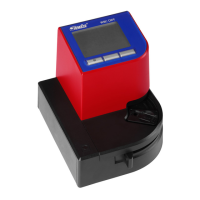
1. Start the analyzer as described in the Start-Up section. Place the cuvette moving arm in
loading position.
2. The display will show the main menu. Take a microcuvette from the package
(HemoCue WBC DIFF Microcuvette or HemoCue WBC Microcuvette). For single
packaged microcuvettes; open the wrapping and take out the microcuvette.
3. Press right button for Menu/QC Test.
4. Press center button to scroll down and choose QC Test. Press right button to accept QC
Test and move to the next window.
5. Press right button to confirm QC test.
6. Enter required data (selected in settings) e.g. Operator ID, Control ID.


 To Next Page