EasyManua.ls Logo

Henkovac T2 - User Manual

Henkovac T2
32 pages
Print Icon
To Next Page IconTo Next Page
Loading...
art.nr. 9606.041EN
User Manual
Vacuum Packaging Machines
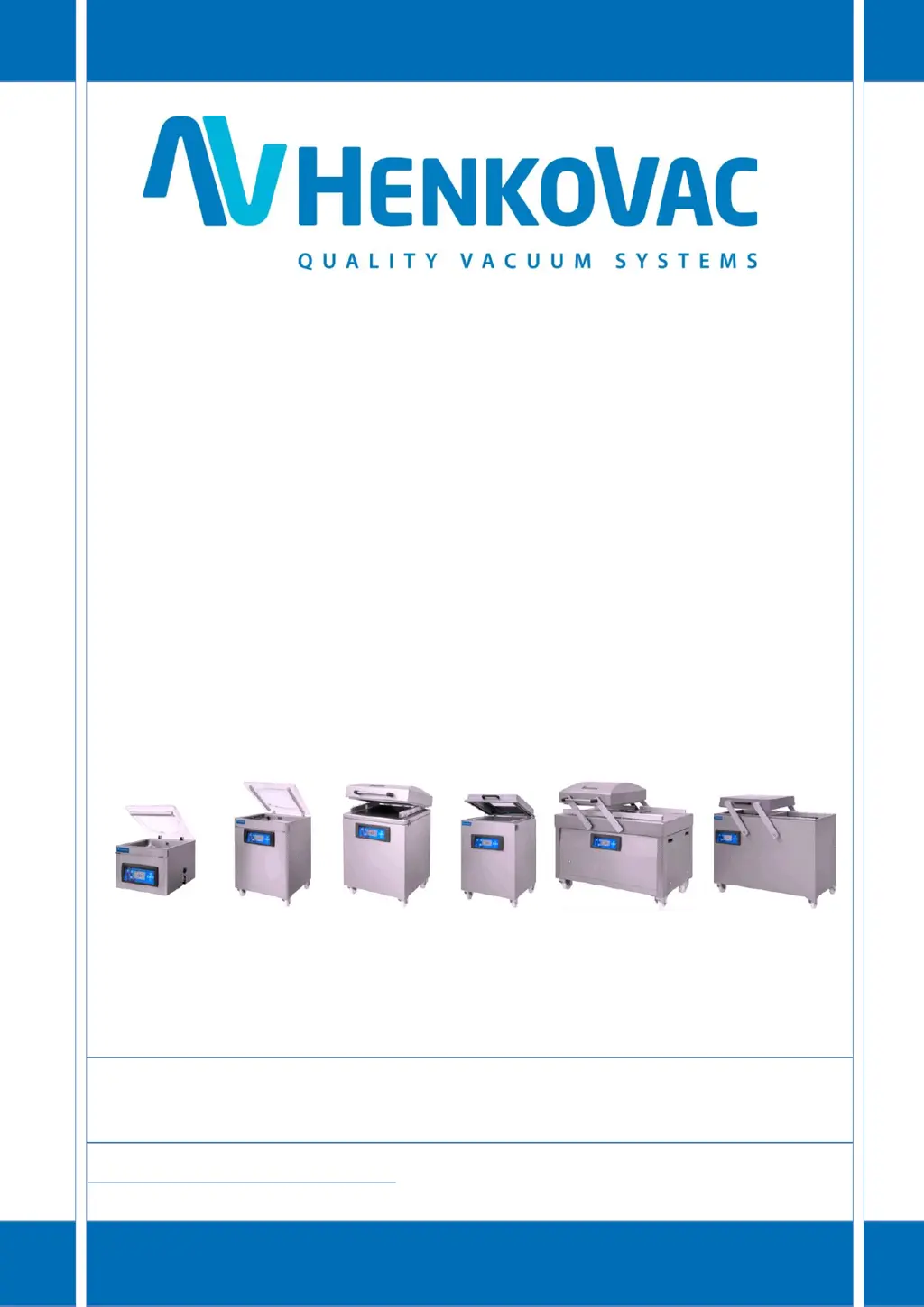
T2, T3, T4, T5, T6 M1, M2, M3 M4, M5, M6 M7, M8 D1, D3, D4 D6
http: //www.henkovac.com
e-mail: info@henkovac.com
tel: +31736271201
SERIAL NUMBER
1ST CHOICE FOR PROFESSIONALS WORLDWIDE

Table of Contents

Questions and Answers

Summary

Safety Regulations and Warnings

General Safety Guidelines

General safety guidelines and user responsibilities for operating the machine safely.

Machine Pictograms and Labels

Importance of machine labels, warnings, and instructions for safety measures.

Intended Use of the Machine

Specifies the commercial use of the machine for vacuum packaging food and other products.

Technical Specifications and Modifications

Information on unalterable technical specifications and prohibition of machine modifications.

Standard Safety Devices

Details on built-in safety devices like overload protection and pump fan guards.

Welcome and Support

Service and Dealer Contact

Information on contacting dealers for service and technical support, including required details.

Instructional Videos

Guide to accessing operational and service videos on the Henkovac YouTube channel.

General Electrical Precautions

Mandatory grounding and disconnection procedures to prevent electric shock.

Machine Installation and Setup

General Installation Guidelines

Steps for leveling, positioning, and checking oil levels for machine installation.

Electrical Connection for 3-phase Pump

Procedure for correctly connecting a 3-phase vacuum pump to prevent excessive noise.

Turning on the Machine

Instructions for powering on the machine using the main switch and control panel button.

Gas Connection for MAP Applications

Guidelines for connecting gas supply for Modified Atmospheric Packaging (MAP).

Compressed Air Connection

Details on connecting compressed air for additional sealing pressure, especially for MAP.

Machine Components Overview

Component Identification

Identification and brief description of key machine components and their locations.

Digital Control System

One-Program Control System Overview

Overview of the One-Program control system.

One-Program Functions Explained

Details on programmable vacuum and sealing times, and Plug & Play operation.

Operating the One-Program Control System

Machine On;Off Operations

Instructions for turning the machine on and off, including the cool-down phase.

Stop and Reset Functions

How to stop the cycle, aerate the chamber, or reset program values.

Adjusting Vacuum and Sealing Times

Steps to increase or decrease vacuum and sealing times and save the values.

Menu Button Functions

Explanation of the menu button's role in saving values and navigating menus.

Ten-Program Control System

Time-Based Operation

How time-controlled programs work, including factory settings and saving values.

Optional Sensor;Soft-Air Installation

Information on upgrading time-based control to sensor-based operation or adding Soft-Air.

Sensor-Based Operation

How sensor-controlled programs work, with digital display of pressure.

Operating the Ten-Program Control System

Machine On;Off Operations (Ten-Program)

Procedures for turning the Ten-Program machine on and off, including cool-down.

Stop, Reset, and Back Functions

How to stop cycles, reset values, and navigate back during programming.

Menu and Save Functions

Using the menu button to toggle between menus, save values, and return to home.

Reviewing Program Values

How to view programmed values for functions within programs P1-P9, PA, and P H2O.

Adjusting Program Values and Functions

Detailed steps for selecting, adjusting, and saving function values for programs P1-P9.

Program Types and Display Information

Program Types Explained

Details on P1-P9 customizable programs, PA Automatic, and P H2O for liquids.

Understanding Display Values

Explanation of values like pressure, time, and service indicators shown on the display.

Programming the One-Program Control System

Programmable Functions (P1)

Identifies vacuum time and sealing time as customizable functions for P1.

Programming Steps (P1)

Step-by-step guide to programming the machine for P1, including factory settings.

Reviewing Vacuum and Sealing Times (P1)

How to view the programmed vacuum and sealing times for P1.

Adjusting Vacuum Time (P1)

Procedure to adjust and save the vacuum time value for program P1.

Adjusting Sealing Time (P1)

Procedure to adjust and save the sealing time value for program P1.

Programming the Ten-Program Control System

Programmable Functions (P1-P9)

Lists functions that can be customized for programs P1-P9, including vacuum, sealing, gassing, etc.

Ten-Program Control System Operations

Reviewing Function Values (P1-P9)

How to view programmed values for functions in P1-P9.

Programming and Adjusting Values (P1-P9)

Detailed steps for selecting, adjusting, and saving function values for programs P1-P9.

Turning Functions ON;OFF (P1-P9)

How to enable or disable specific functions within programs P1-P9.

Adjusting ON;OFF Values (P1-P9)

Steps to adjust values for functions that are turned ON/OFF.

Display Symbols and Menus

Home Menu and Settings Menu

Explains the default Home menu and how to access the Settings menu for adjustments.

Program Types Overview

Details on P1-P9 customizable programs, PA Automatic, and P H2O for liquids.

Understanding Display Values

Explanation of values like pressure, time, and service indicators shown on the display.

Packing Cycle Progress Symbols

Cycle Progress Indicator

Symbol that rotates during the packing cycle to indicate progress.

Vacuum Process Symbol

Indicates vacuum measurement, either digital (sensor) or analog (time-based).

Vacuum Plus Symbol

Symbol for Vacuum Plus function, adding time to the vacuum process.

MAP Gassing Symbol

Symbol for MAP Gassing, indicating vacuum and gas filling stages.

Sealing Symbols

Overview of symbols for single, double, and clean cut sealing methods.

Clean Cut Seal Symbols

Symbols for Clean Cut Seal and Clean Cut Controlled Seal (CCC) for edge trimming.

Soft-Air Symbol

Symbol for Soft-Air, indicating slow aeration of the chamber.

Multi-Cycle Symbol

Symbol for Multi-Cycle, indicating repeated vacuum and gassing for low oxygen.

Vacuum Pump Settings and Operations

Pump Settings Overview

Details on pump behavior after vacuum cycle completion for different machine types.

Stop Cycle and Aerate (One-Program)

How to stop the cycle and aerate the chamber using the X button in One-Program.

Stop Cycle and Aerate (Ten-Program)

How to stop the cycle and aerate the chamber using the X button in Ten-Program.

Stop Cycle and Start Sealing (Ten-Program)

How to interrupt the cycle and jump to the sealing function in Ten-Program.

Packaging Concepts Explained

Sensor-Based Control Explained

How sensor-based systems measure and display air pressure digitally.

Time-Based Control Explained

How time-based systems use programmed time values and analog gauges.

P Hâ‚‚O Program for Liquid Products

Special program for liquids, detecting boiling to prevent spillage and evaporation.

Vacuum Plus Function

Adds time to vacuum process for porous products, adjustable in Settings.

MAP Gassing Function

Fills package with inert gas, controlled by time or pressure.

Sealing Methods and Pressure

Sealing Methods Overview

Overview of symbols for single, double, and clean cut sealing methods.

Extra Sealing Pressure Application

Using additional air pressure for proper seals, especially with MAP gassing.

Advanced Packaging Functions

Soft-Air Function

Slow, controlled aeration to prevent packaging puncture on products with sharp edges.

Multi-Cycle Function

Minimizes oxygen by repeatedly vacuating and gassing delicate products.

Cool-Down;Oil Dehumidification

Procedure to run the pump after use to remove moisture from pump oil.

Machine Maintenance

General Maintenance

Importance of regular maintenance for preventing malfunctions and prolonging machine life.

Vacuum Pump Maintenance

Tasks for maintaining the vacuum pump, including cleaning vents, checking oil, and using dehumidification.

Pump Oil Management

Recommended Oil Types

List of recommended oil types for different Henkovac pump sizes.

Adding Pump Oil

Step-by-step guide for adding oil to the vacuum pump.

Changing Pump Oil

Step-by-step guide for draining and refilling the vacuum pump oil.

Seal Beam Maintenance

Single-Seal Beam Operation

Procedures for removing and installing sealing wires and Teflon tape on single-seal beams.

Aluminum;Stainless Steel Seal Beam Maintenance

Aluminum;Stainless Steel Beam Wire;Tape Replacement

Steps for replacing wires and Teflon tape on aluminum/stainless steel seal beams.

Aluminum T-Shaped Seal Beam and Teflon Tape

Aluminum T-Shaped Seal Beam Maintenance

Procedures for removing and installing sealing wires on T-shaped seal beams.

Applying Teflon Tape to Seal Beam

Guide for applying Teflon tape smoothly and tightly to the seal beam.

Seals and Support Components

Counter Beam Seal Replacement

Instructions for removing the old seal and installing a new rubber seal in the counter beam.

Vacuum Chamber Cover Seal Replacement

Steps to replace the rubber seal on the vacuum chamber cover to ensure a proper seal.

Strut, Damper, and Spring Maintenance

Guidance on checking and replacing gas struts, oil dampers, and springs.

Vacuum Hose and Tube Inspection

Checking vacuum hoses and tubes for damage like kinks, tears, or porosity.

Troubleshooting and Support

Troubleshooting Checklist

A guide to diagnose and resolve common machine malfunctions and their possible causes.

Recommended Spare Parts

Spare Parts List

Categorized list of recommended spare parts including seals, wires, Teflon tape, and pump parts.

Utilities and Symbols

Electrical and Gas Specifications

Details on voltage, current, frequency, and specifications for gas connections.

General Data and Ambient Conditions

Specifications for recommended oil types, ambient, and transport temperatures.

Warning Symbols Explained

Explanation of warning symbols related to consulting the manual and electrical safety.

CE Declaration of Conformity

Declaration of Conformity

Statement of compliance with European directives and standards for Henkovac vacuum packing machines.

Henkovac T2 Specifications

General IconGeneral
BrandHenkovac
ModelT2
CategoryKitchen Appliances
LanguageEnglish

Related product manuals