16/18 17/18
7
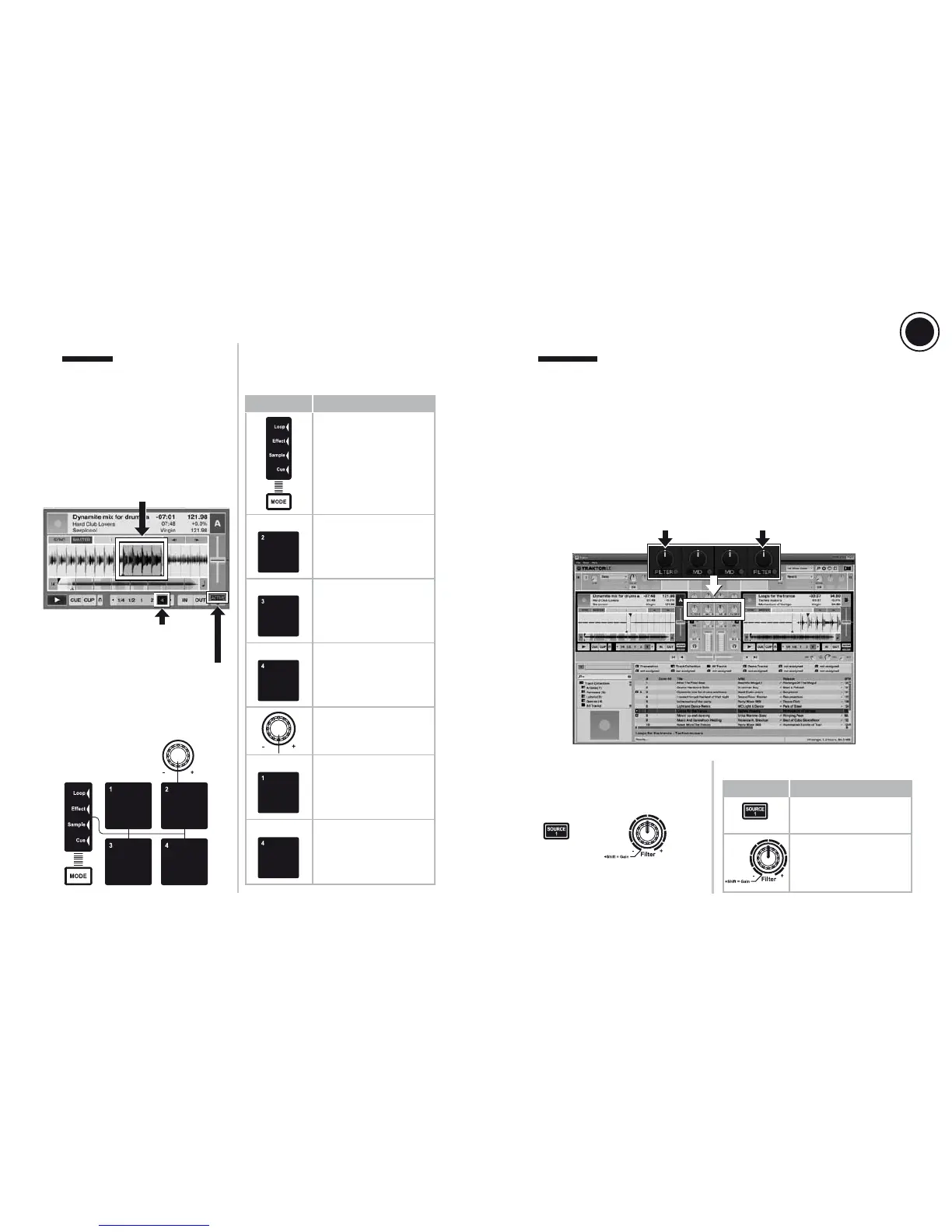
LOOPS
8
FILTERS
A loop is a section of the track played over
and over.
Loop in is the precise moment in the track
where you set the start of the loop section.
Loop out is the precise moment in the track
where you set the end of the loop section.
A lter cuts out some frequencies from the audio playback.
In the central position, the lter is inactive.
- Turning the knob to the left applies a low-pass lter: the more you turn it to the left, the more
high and medium frequencies are cut out, keeping only the low (bass) frequencies audible.
Turning the lter all the way to the left keeps only the low frequencies, so that no higher
frequencies can be heard.
- Turning the knob to the right applies a high-pass lter: the more you turn it to the right, the
more low and medium frequencies are cut out, keeping only the high (treble) frequencies
audible. Turning the lter all the way to the right keeps only the high frequencies, so that
no lower frequencies can be heard.
Filter on left deck Filter on right deck
7.1 Loops areas in Traktor LE 2
7.2 Loop controls on the DJConsole
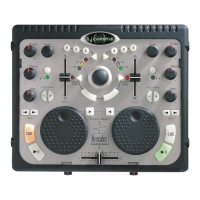
Rmx2 Premium
7.3 Controlling loops
In the waveform, the Loop section is
displayed in a dierent color
Below the tempo (pitch) virtual
fader, the ACTIVE button is
highlighted in a dierent color
Below the wave overview, the
loop length is highlighted in a
dierent color
Press the MODE button
to enter Loop mode:
light up the
- Loop or
- Sample
indicator.
Loop on 2 beats
Loop on 4 beats
Loop on 8 beats
Pad 4 lit up = active loop
(whatever the loop
length)
Set the loop length
If a loop is active: exit the
loop. If no loop is active:
activate a loop with the
last selected length.
Pad 2
Pad 3
Pad 4
Pad 4
Pad 1
Control Command
8.1 Filters area in Traktor LE 2
8.2 Filter controls on the DJConsole
Rmx2 Premium
8.3 Controlling the filter
Modulate the lter
- Left: low-pass lter
- Right: high-pass lter
Enable/disable the lter
Control Command
Filter On/O
Filter On/O
+
US
UK




 To Next Page