H8 DSP
Digital Interface Processor
User’s manual
7
19
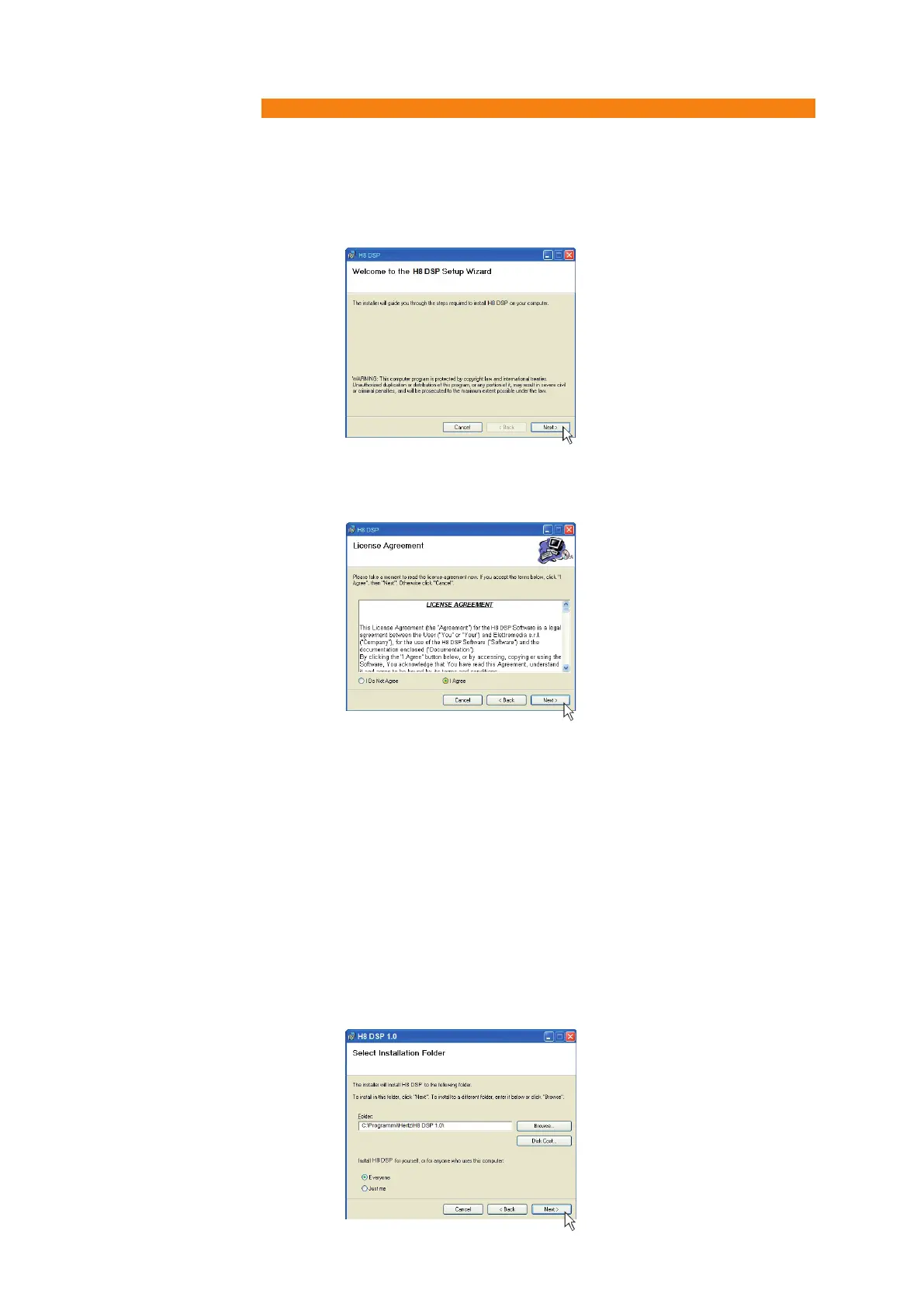
5. Windows XP: select NEXT to continue with the installation or CANCEL to interrupt it;
Windows Vista: select NEXT to continue with the installation or CANCEL to interrupt it;
Windows 7: select NEXT to continue with the installation or CANCEL to interrupt it;
Windows 8/10: select NEXT to go on with the installation or CANCEL to interrupt it:
7. Windows XP: select;
- Everyone if you have system administrator privileges, so that, once installed, the program can be used by
anyone who uses that PC;
- Just me if you want that, once installed, the program can only be used by yourself as a single system user.
Then select NEXT
Windows Vista: select
- Everyone if you have system administrator privileges, so that, once installed, the program can be used by
anyone who uses that PC;
- Just me if you want that, once installed, the program can only be used by yourself as a single system user.
Then select NEXT.
Windows 7: select
- Everyone if you have system administrator privileges, so that, once installed, the program can be used by
anyone who uses that PC;
- Just me if you want that, once installed, the program can only be used by yourself as a single system user.
Then select NEXT.
Windows 8/10: select
- Everyone if you have the system administrator privileges, so, once installed, the program can be used by
anyone who uses that PC;
- Just me if you want that, once installed, the program can only be used by yourself as single system user.
Then select NEXT.
6. Windows XP: select I Agree and then NEXT;
Windows Vista: select I Agree and then NEXT;
Windows 7: select I Agree and then NEXT.
Windows 8/10: select I Agree and then NEXT;


 To Next Page