46
| hexagon.com
Target Collection Guidance--Operation
3. TARGET-FREE SCANNING SETUP
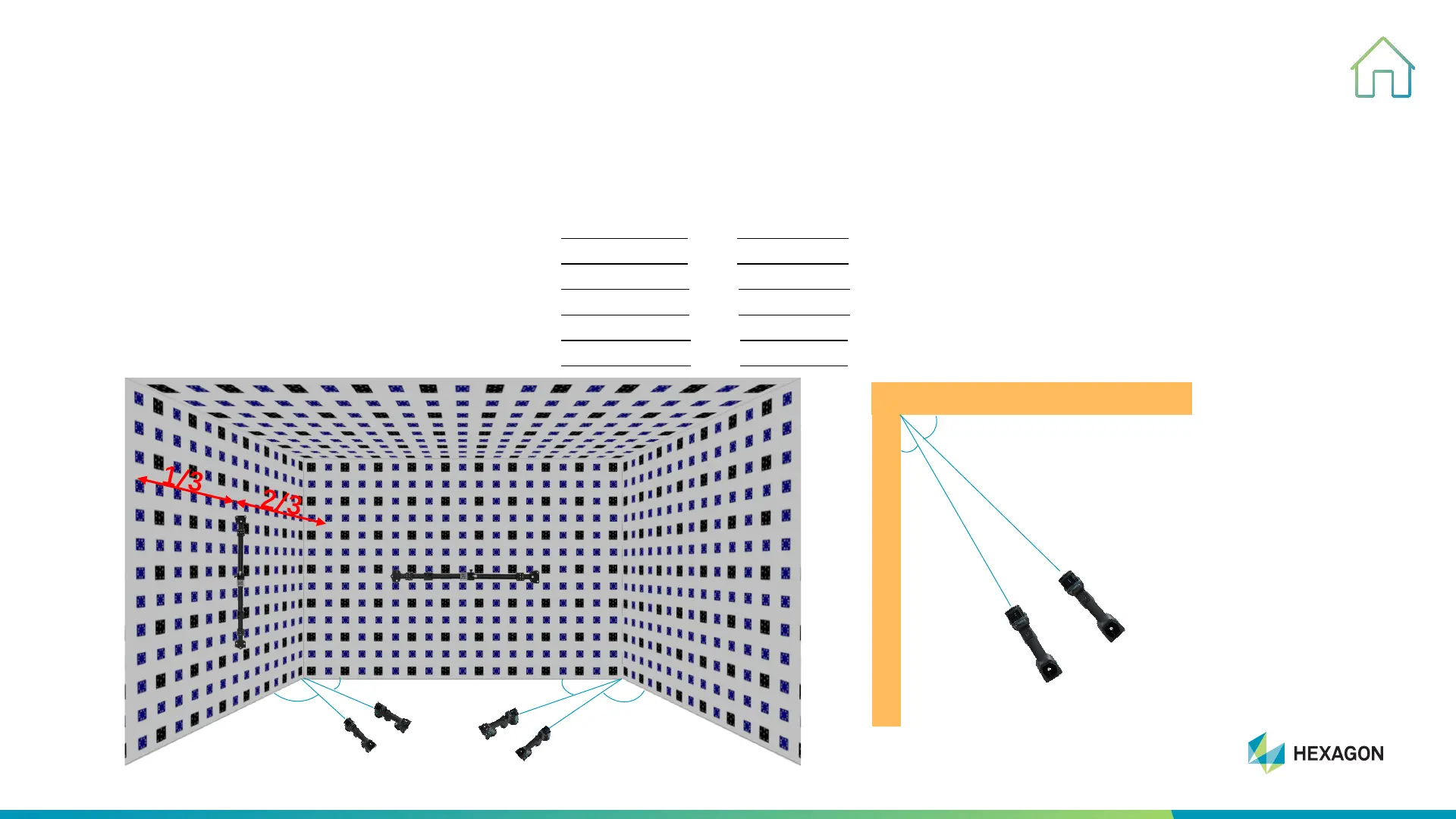
#3, Take pictures around the A target wall as below.
#3-1, Take photos of the junction between the A and B walls from up to down at a 45° angle.
#3-2, Take photos of the junction between the A and B walls
from down to up at a 30° angle.
#3-3, Take photos of the junction between the A and C walls
from up to down at a 45° angle.
#3-4, Take photos of the junction between the A and C walls
from down to up at a 30° angle.
#3-5, Take photos of the junction between the A and D walls
from left to right at a 45° angle.
#3-6, Take photos of the junction between the A and D walls
from right to left at a 30° angle.
Side View
45°
30°
A
B/C/D
Checking Bar
Control Bar
A
B
C
D
45°
30°
45°
30°
Front View



 To Next Page