65
| hexagon.com
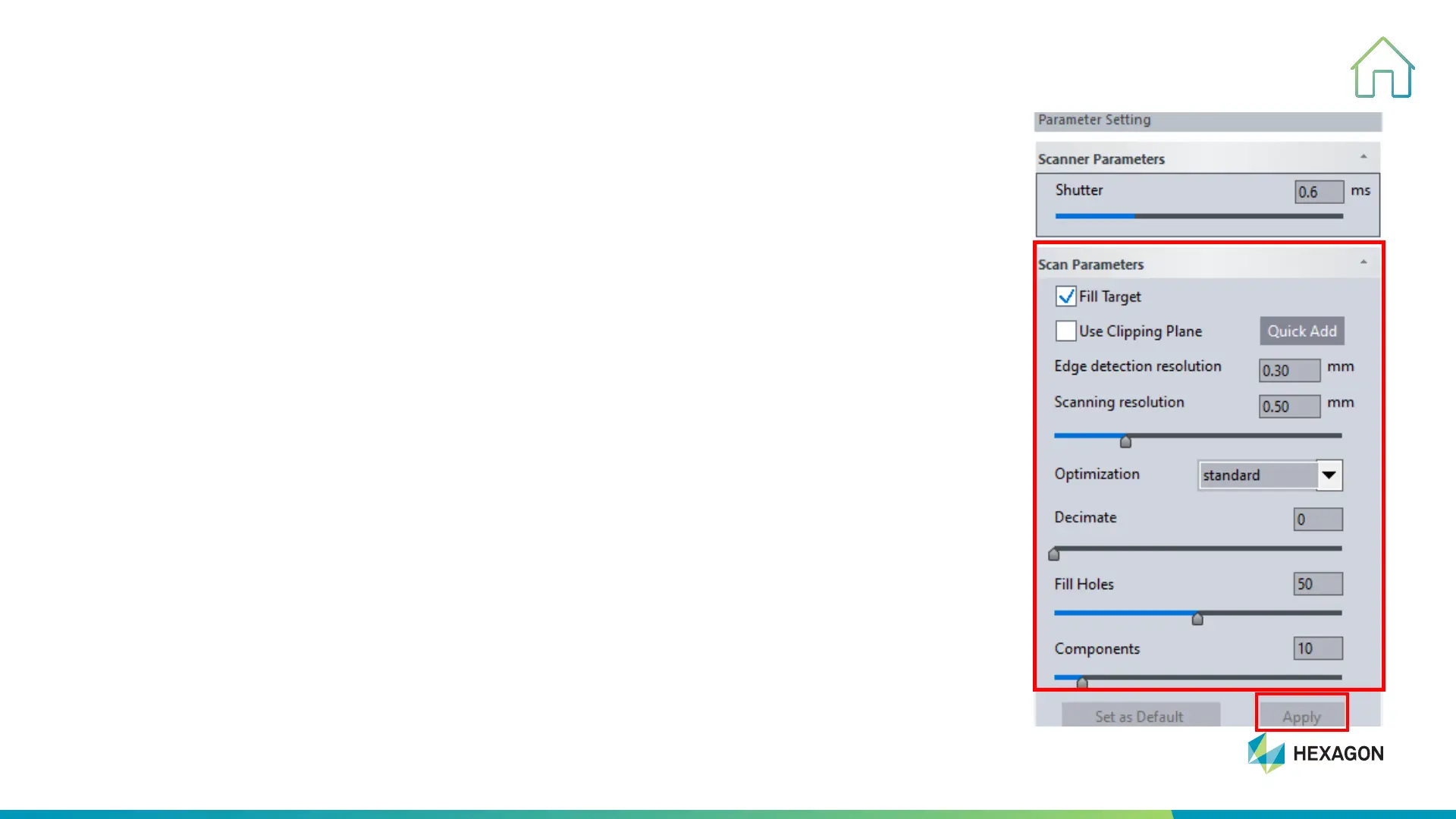
Parameters Setting
5. SCANNING PROCESS
1. Fill target: To fill target hole according to the surrounding curvature
2. Use Clipping Plane: To save the data above the clipping plane and delete the
data below the clipping plane
3. Optimization: To improve the surface quality of the curvature section and
smooth the surface data- (Without, Standard, Middle, High & High-enhance).
4. Resolution: Set the value in column and then apply to execute (value varies
from 0.02mm to 10mm)
5. Decimate: To simplify the amount of model data that is ultimately generated
6. Fill Holes: To fill the small holes that are not scanned completely (value varies
from 0 to 100, the bigger the value sets, the larger the hole fills)
7. Components: Automatically eliminate noisy data (value varies from 0 to 100,
the bigger the value sets, the larger data will be eliminated).



 To Next Page