EasyManua.ls Logo

HEXING CIU EV500 - Page 28

Default Icon
71 pages
Print Icon
To Next Page IconTo Next Page
To Previous Page IconTo Previous Page
Loading...
User manual for G3
23
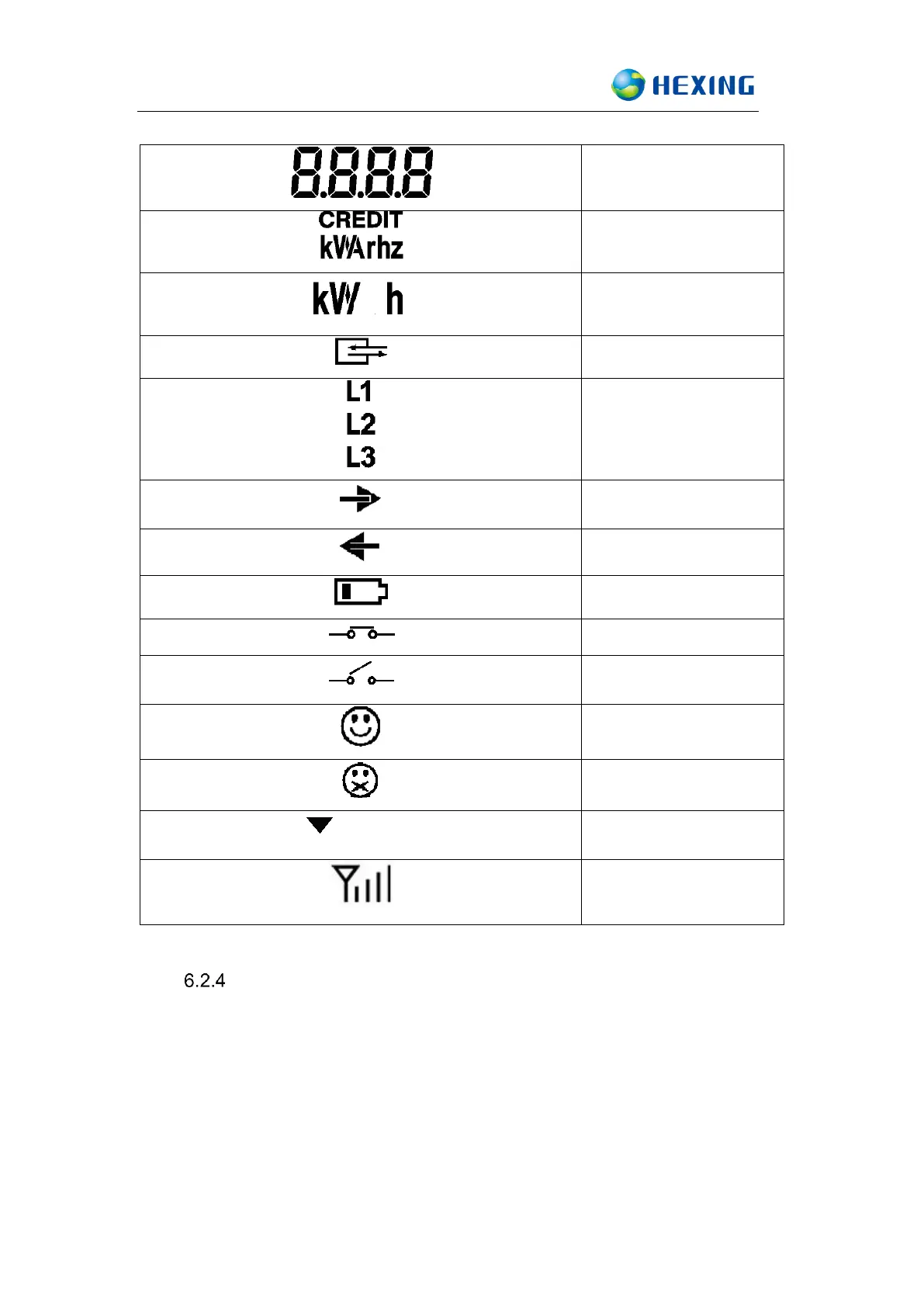
OBIS code
Unit display space
Energy unit
Communication
Phase indicator
Forward energy
Reverse energy
Low battery voltage
Relay connected
Relay disconnected
Token acceptance
Token rejection
S1~S8
Status indication
Balance credit
indication
Display Mode:
There are three types of display modes as follows,
Automatic scroll display
The default display mode of CIU is automatic scroll. After running for a
while (certain cycle period), it turns to the next display. The display
information including: Total energy consumption, Balance credit, Date,

Related product manuals