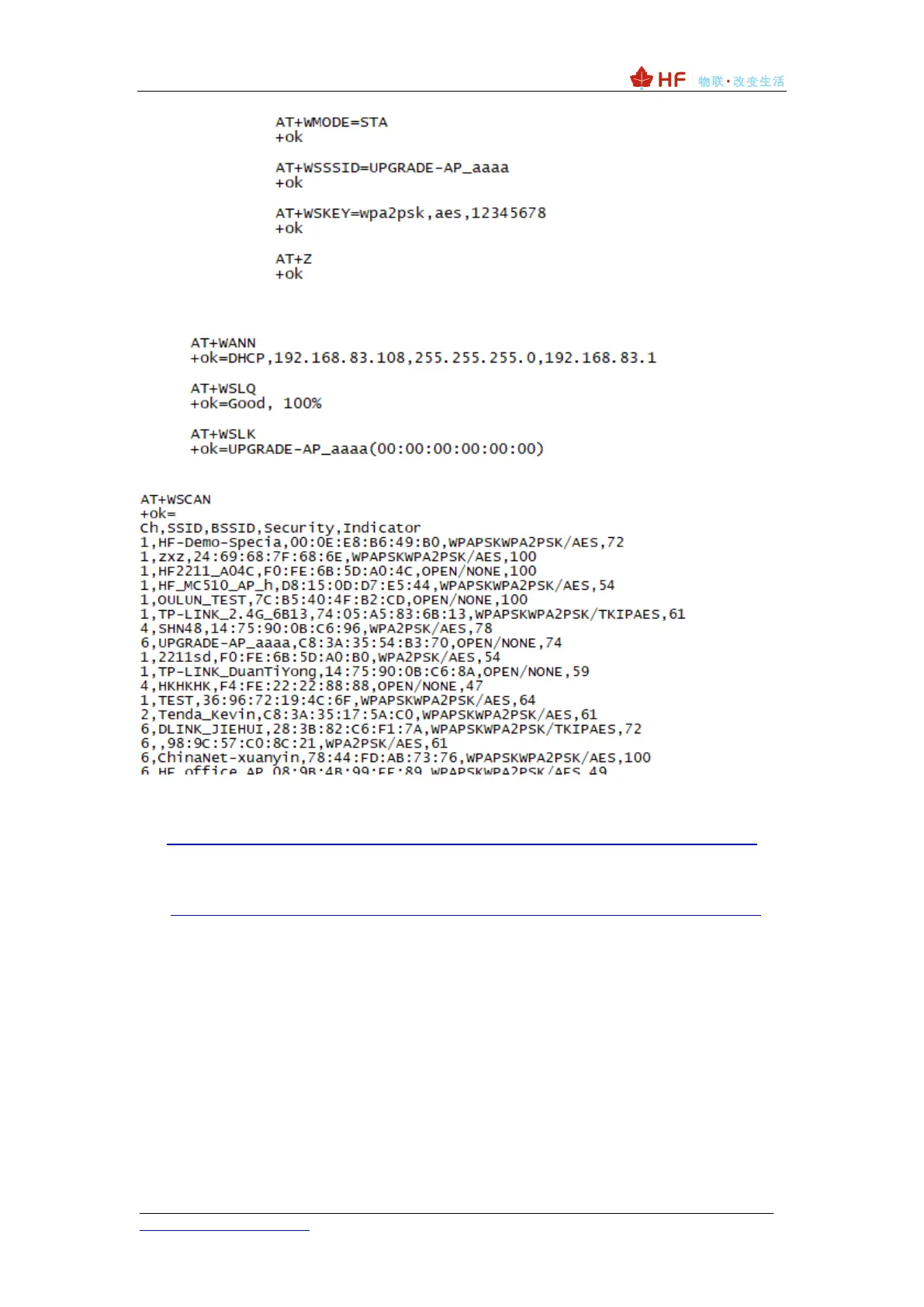
⚫ Check the connection status of the router.
⚫ You can scan and obtain information about neighboring APs.
Method 4: SmartLink, WeChat Airkiss capture mode distribution network, packet
capture mode distribution network, the current mainstream distribution network, but
the success rate is not 100%, no AP distribution network is good.
http://www.hi-flying.com/download-center-1/applications-1/download-item-smartlink-v8
Method 5: SmarBLELink mode Bluetooth distribution network, the operation mode
is detailed in the following link data, only HF-LPC300, HF-LPC330, HF-LPF100 support,
it is recommended that these modules adopt this method.
http://www.hi-flying.com/download-center-1/applications-1/download-item-smartblelink
When connected to the router, the Link light is on.



 To Next Page