4.2. Internal Web Page Firmware Upgrade
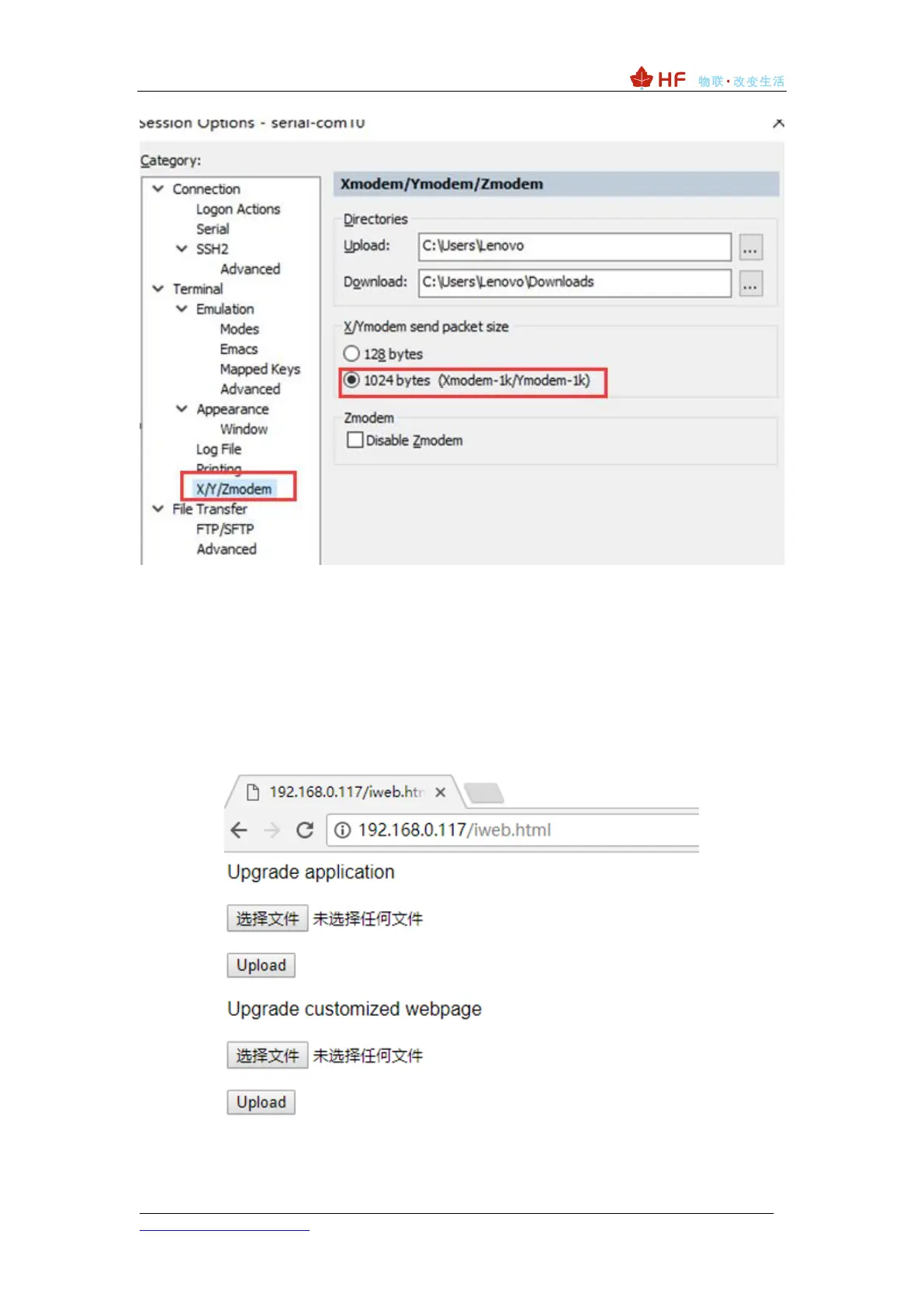
The hot spot of the PC direct connection module (IP: 10.10.100.254/iweb.html) or the
module is connected to the router with the IP assigned to the module by the router
(example: http://192.168.0.117/iweb.html), enter The internal web page of the module.
1: Upgrade Application: Load the HF-LPT230_UPGRADE_HFV4.10.03 upgrade file
upgrade application.
2: Upgrade customized webpage: Upgrade corresponding web external configuration
webpage, lpx30_webpage_1.0.14.bin: You can switch webpage language by AT+PLANG
command.



 To Next Page