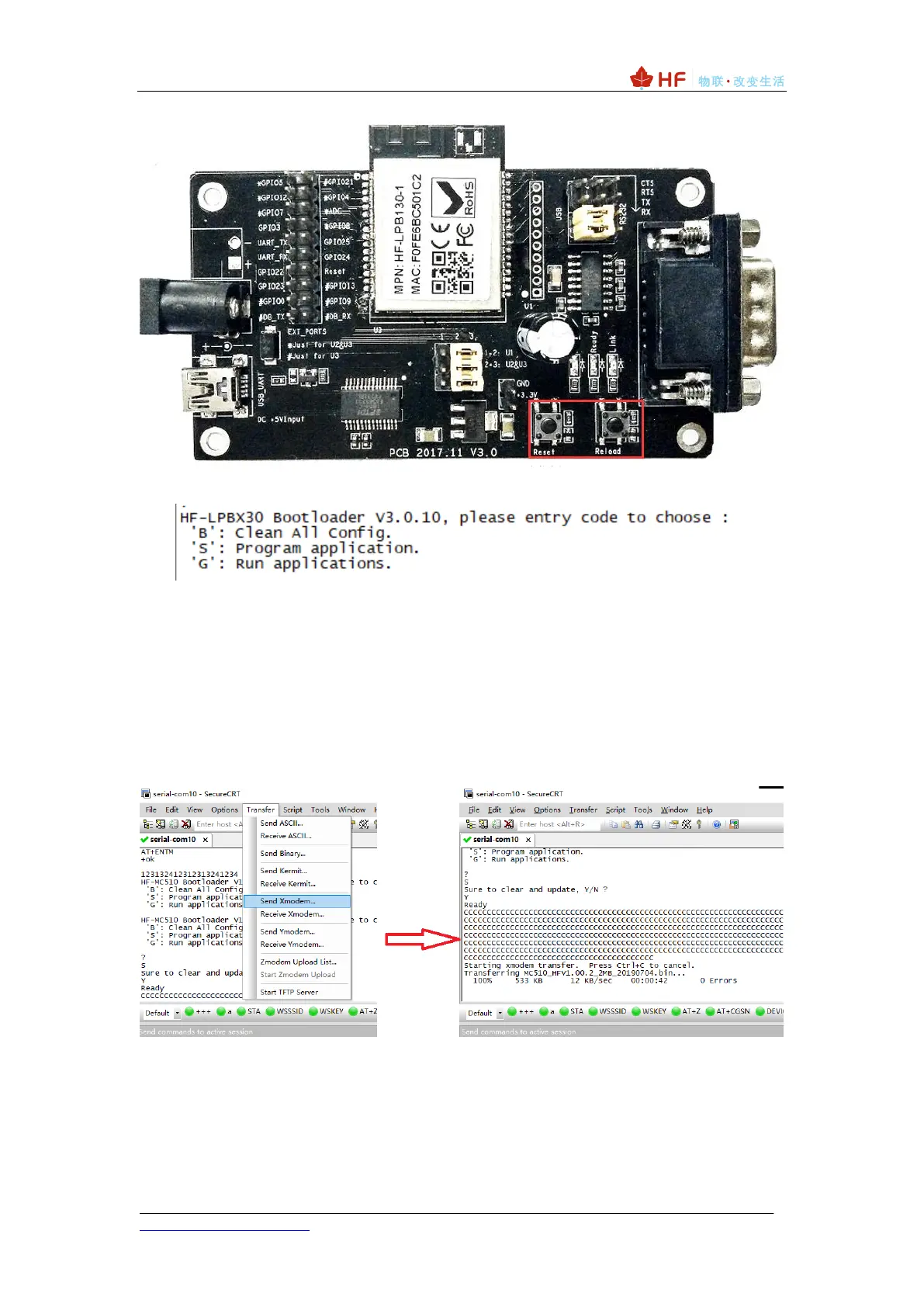
Bootloader interface is as follows.
The command description is as follows. To execute the corresponding command,
press the Enter key:
Command ‘B': Clear all setting parameters, including factory parameters.
Command ‘S’ : Upgrade the application; upgrade the file compiled by SDK (using the
serial port upgrade file) with this option, for example: HF-LPT230_HFV4.10.03.
Command ‘G’ : Execute the application.
Enter the command 'S' to upgrade the application, the screen displays Ready, wait for
the character ‘C’ to appear, select the file to be upgraded using Xmodem, and upgrade the
file example: MC510_HFV1.00.2_2MB_20190704. Wait until 100% of the time to
complete the upgrade.
You can adjust the size of the tool package to speed up the serial port upgrade.



 To Next Page