Easy HD Expressway!
WWW.HIDES.COM.TW 8
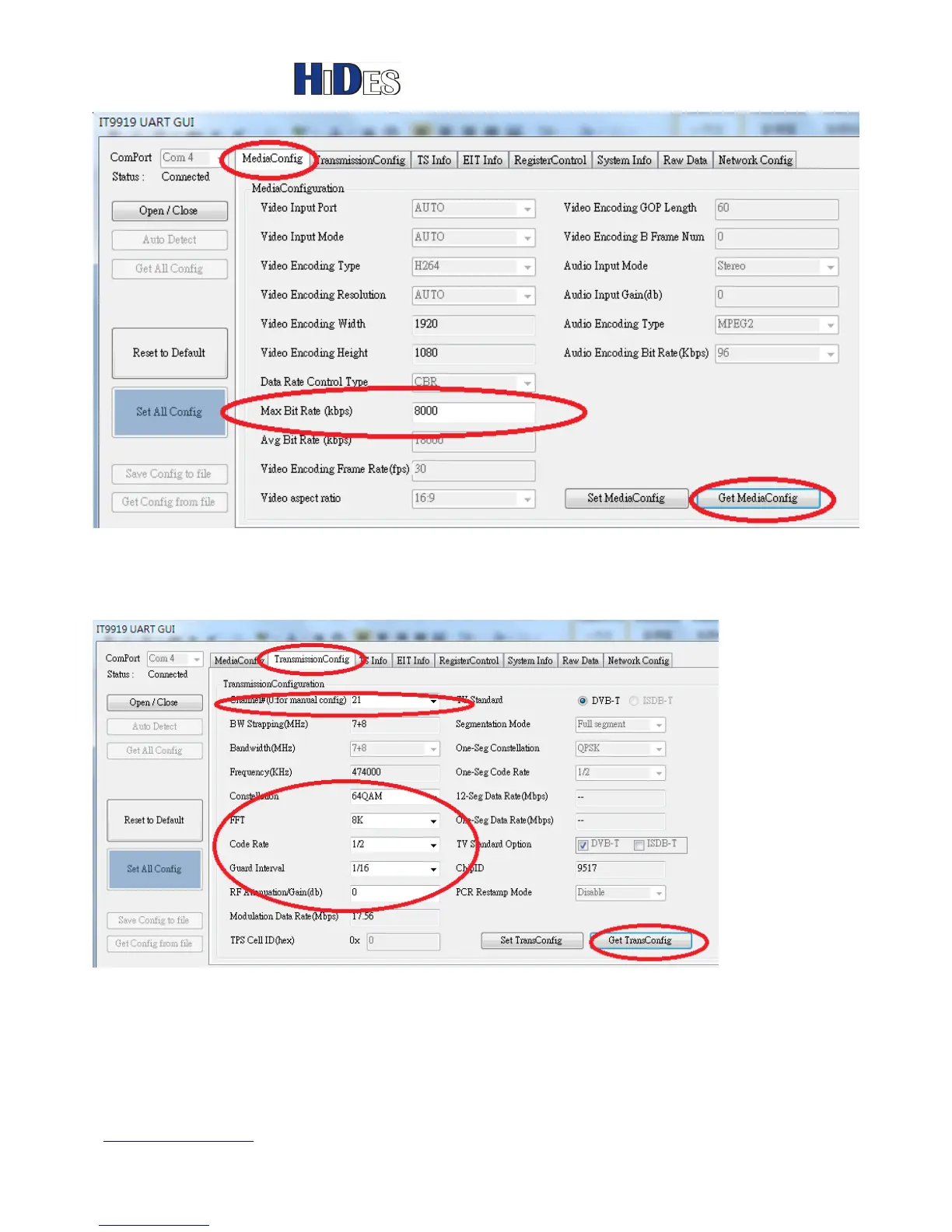
In the “TransmissionConfig” page, please click on “GetTransConfig” button first.
You can configure the Channel number or the transmission parameters.
When configuration is done, click on “SetTransConfig” button to set HV-320.
If you want to input frequency and bandwidth manually, please select Channel#
0. The bandwidth and frequency fields will be un-grayed then.



 To Next Page