
 Need help?
Do you have a question about the Hifonics BG-1000.4 and is the answer not in the manual?
Warning about anti-theft features and radio reset codes when disconnecting power.
Guide to selecting proper power and ground cable sizes and fuse sizes for amplifier models.
Step-by-step guide covering battery disconnection, cable routing, mounting, and various connections.
Configure the input MODE switch to 'MONO' for subwoofer bass performance or 'STEREO' for full-range signals.
Set XOVER mode and adjust HPF/LPF filters to limit frequencies for optimal speaker performance.
Utilize Bass EQ for enhanced bass response and manage remote bass control safely.
Critical procedure to match amplifier signal output to source unit volume to prevent distortion.
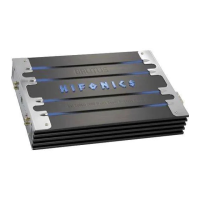
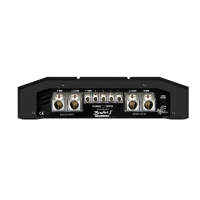
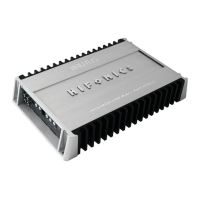
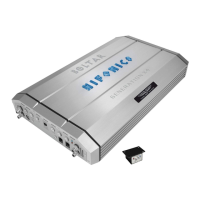
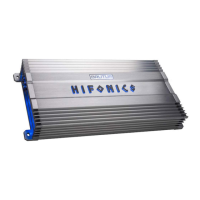
This document serves as a Quick Start Installation Guide for Hifonics amplifiers, providing essential information for setup, installation, and basic operation. It covers various models including BG-1000.4, BG-1600.4, BG-1300.1D, BG-1900.1D, BG-2200.1D, BG-2500.1D, and BG-3300.1D.
Anti-Theft Feature Warning: Many new and factory radios require a reset code when disconnected from battery power. This is an anti-theft feature. Before unplugging power, it is crucial to determine if your radio/source unit requires a reset code. Users should check their vehicle's operation manual or contact the dealer for this information.
Power Cable Size and Fusing: It is critical to use the proper power and ground cable. Users must select the size listed for their specific amplifier model and always use high-quality copper cable. For multi-amp system cable recommendations, users are advised to visit the Hifonics website. Proper fuse size for each model is also essential; some models may require an external fuse.
A. Input Mode: The input MODE switch "sums" or combines the right and left channel signals in the MONO position to improve bass performance. Select MONO only when the amplifier is used for subwoofers.
B. Xover Mode: The XOVER Mode switch sets the type of crossover that will be active. 4-channel models have two switches, one for each set of channels. Options include FULL, LPF (Low Pass Filter), and HPF (High Pass Filter).
C. High Pass Adjustment (HPF): The HPF control limits output below the selected frequency. This is typically used to protect midrange and high-frequency speakers from damage and to allow a smooth transition from a subwoofer.
D. Low Pass Adjustment (LPF): The LPF control limits output above the selected frequency. This is used to allow a smooth transition to higher frequency speakers.
E. Bass Boost (Bass EQ): The Bass EQ control increases power output at 45Hz for more pronounced bass. Users should exercise caution, increasing the level in small amounts until distortion is noticed, then backing off slightly.
F. Remote Level Control: Some models include a bass remote. Users should avoid adjusting the bass remote while operating the vehicle.
G. Level Setting: This is a critical step to ensure the amplifier is properly adjusted to match the signal output level of the source unit. This is NOT a volume control.
Maxxsonics USA Inc. warrants this product to the original consumer purchaser to be free from defects in material and workmanship for one (1) year from the date of purchase. Maxxsonics USA Inc. will, at its discretion, repair or replace defective products during the warranty period. Components that prove defective under proper installation and use must be returned to the original authorized Maxxsonics USA Inc. retailer from where it was purchased, accompanied by a photocopy of the original receipt. Costs associated with removal, re-installation, and freight are not the responsibility of Maxxsonics USA Inc. This warranty is limited to defective parts and specifically excludes any incidental or consequential damages. For the full warranty, users should visit the website. Hifonics products are designed and engineered in the USA by MAXXSONICS®.
For more detailed information on system setting, speaker and subwoofer configuration, and full specifications by model, users can visit http://hifonics.com/manuals.html.


 To Next Page
 General