ALTIWARE SERIES
TABLE OF CONTENTS
29
english
axis
TABLE OF CONTENTS
30
english
OPERATING THE CHRONOGRAPH (continued)
START TIMING
QUICK PRESS the S1 key.
TIME A LAP/SPLIT
QUICK PRESS the S1 key.
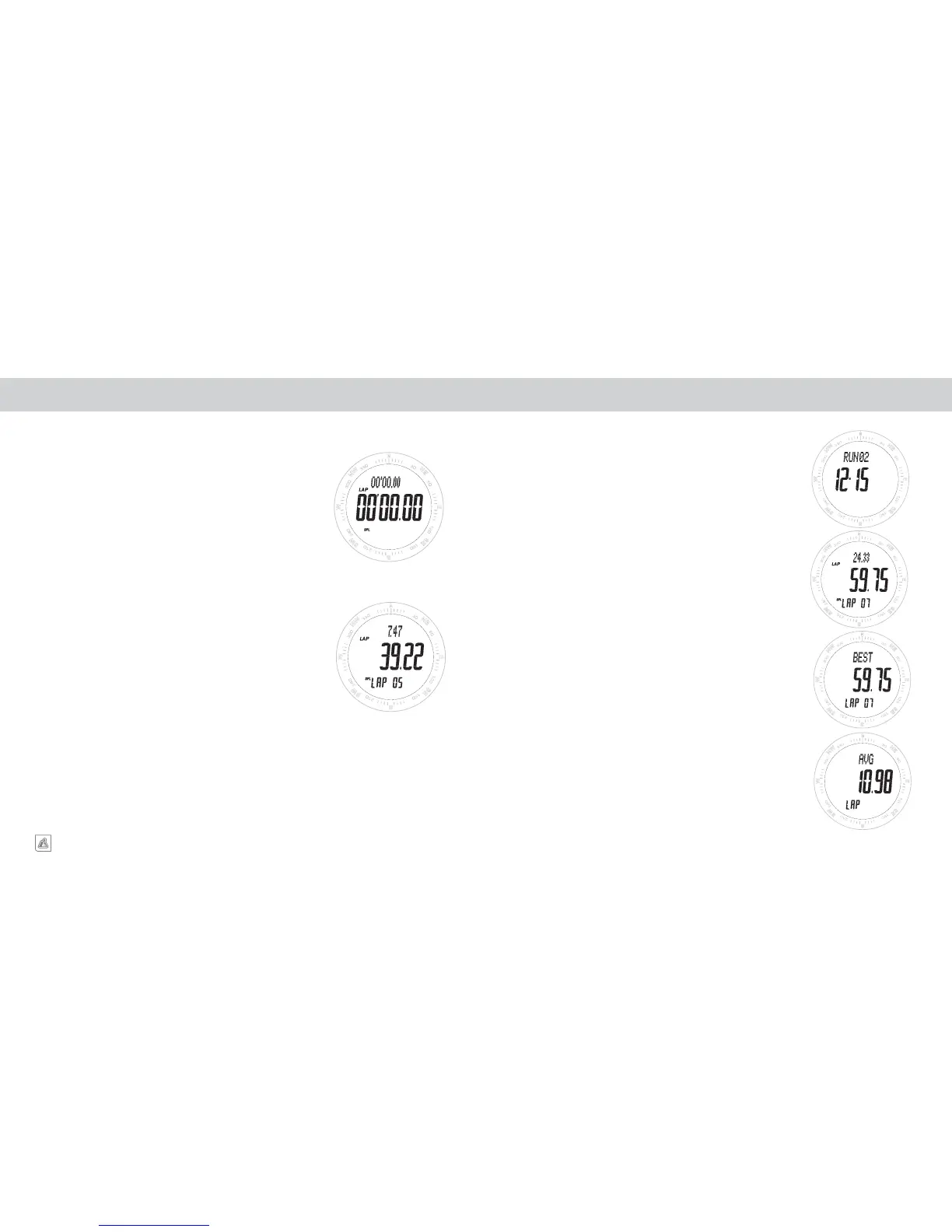
When the S1 key is pressed the display will freeze for approxi-
mately 6-seconds showing the previous lap and split time for the
timed segment as well as the number of the LAP and SPLIT on
the bottom line of the display. At the end of the 6-second period
the display will show the time for the currently timing lap and split
including the 6 seconds where the previous lap and split times.
STOP TIMING
QUICK PRESS the S2 key.
This will stop the CHRONOGRAPH and show the final times for the
last lap and split which was being timed. When timing has stopped,
you then have two options.
OPTION 1 – STORE A RUN/WORKOUT
PRESS & HOLD the S2 key.
OPTION 2 – CLEAR A RUN/WORKOUT PRIOR TO STORING
PRESS & HOLD the S4 key.
CHRONOGRAPH CHRONOGRAPH DATA LOG MEMORY
When you store a Run/Workout using a PRESS & HOLD of the S2 key it
is captured by the CHRONOGRAPH DATA LOG MEMORY.
MANAGING THE CHRONOGRAPH DATA LOG
Runs are stored in the LOG MEMORY with the oldest runs first. The
center line of the display will show the date the run was recorded and the
top line will show the number 1-20 for the stored run.
REVIEWING RUNS
Move through the stored runs using the S2 key. When you stop at a run,
the screen will automatically scroll to the time for LAP/SPLIT #1.
REVIEWING LAP/SPLIT DATA FOR EACH RUN
Once you have selected the RUN/WORKOUT. Scroll through the stored
data using the S1 key. As you scroll through the data the display will show
the following information:
1. LAP and SPLIT times for the recorded laps starting with LAP 1.
2. The top line will show the LAP.
3. The center line will show the time for the SPLIT.
4. The bottom line will show the number of the LAP/SPLIT.
After reviewing all LAP/SPLIT information the display will show the
BEST TIME OF ALL LAPS.
The final display will show the AVERAGE TIME OF ALL LAPS which
were timed.


 To Next Page