ALTIWARE SERIES
TABLE OF CONTENTS
31
english
axis
TABLE OF CONTENTS
32
english
CLEARING LAPS AND RUNS
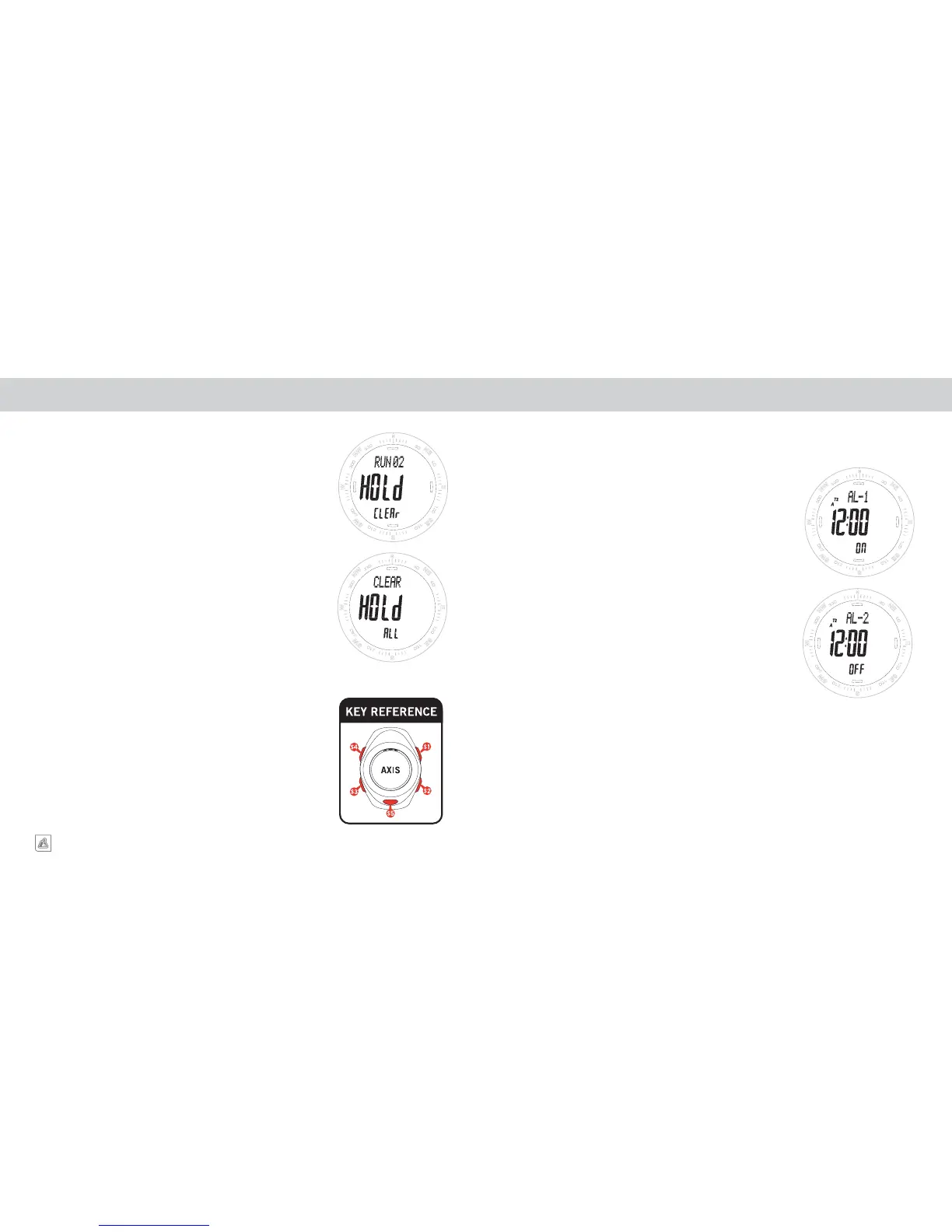
To CLEAR an individual RUN/WORKOUT, advance to the desired
Run/Workout using the S2 key. PRESS & HOLD the S4 key. The display
will show the RUN number in the top line of the display, HOLD flashing
in the center line and CLEAR in the lower line. Continue holding the S4
key until the message in the lower line changes ALL. RELEASE the S4
key before the ALL indication stops flashing, or you will clear ALL the
runs in memory.
To delete ALL RUN/WORKOUT files, continue to
PRESS & HOLD S4
key while the ALL message is displayed in the lower line. When files
are cleared, 4 DASHES will be displayed in the center line.
CHRONOGRAPH DATA LOG MEMORY DAILY ALARM
TURNING AN ALARM ON/OFF
1. Starting in ALARM mode.
2. The top line of the display will show either AL1 or AL2, the
center line will show the CURRENT ALARM SETTING and
the lower line will indicate if the alarm is ON or OFF.
3. TOGGLE between ON and OFF using QUICK PRESSES of
the S1 key.
SELECTING ALARM 1 OR 2
TOGGLE between ALARM 1 and ALARM 2 shown in the top line
of the display using the S2 key.
The Axis is equipped with two individual daily alarms which can be set to the hour and minute for
either Time Zone 1 or Time Zone 2.


 To Next Page