19
english
20
english
SETTING THE WATCH FUNCTIONS SETTING THE WATCH FUNCTIONS
SETTING THE TIMERS
Enduro watches are equipped with 3 independent 24-hour Timers with enhanced
functionality. In TIMER MODE, you can scroll through Timers 1 through 3 by PRESSING the
STOP/NEXT key.
Timer options are:
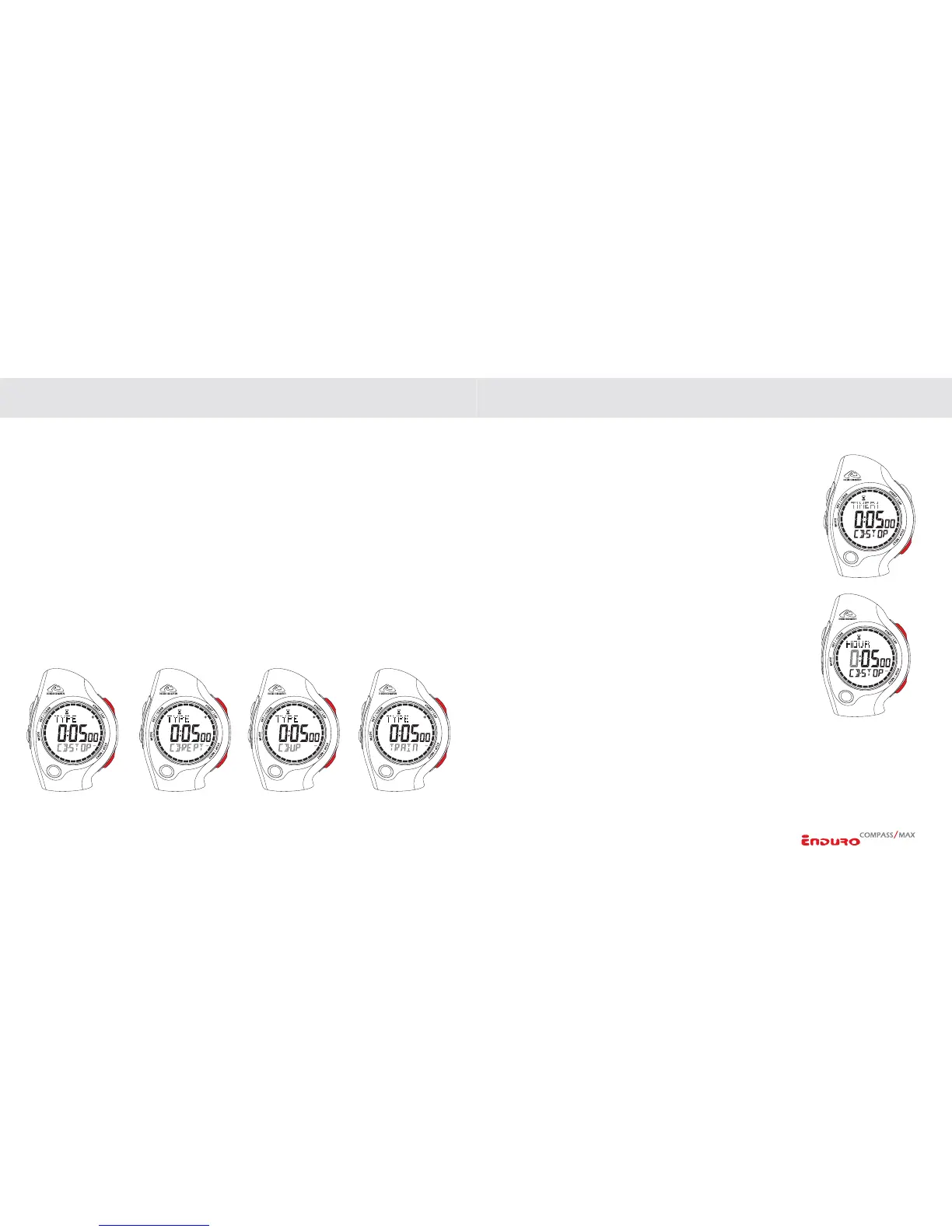
CD-STOP: Counts down, then stops at 00:00:00.
CD-REPEAT: Counts down, then automatically starts to count down again.
CD-UP: Counts down, then automatically begins counting up. Example: you can
program a 10-minute warm up followed by a 45-minute workout. The timer counts down
10 minutes, then begins timing like a regular chronograph.
TRAIN: Trainer mode has up to 9 settable segments. The length of each segment can be
set independently. Each segment counts down to 00:00:00 and automatically advances to
the next segment which begins counting down immediately in a continuous loop.
SETTING THE TIMERS (CONTINUED)
In Timer mode:
1. Select TIMER 1, 2 or 3 by
PRESSING the STOP/NEXT key.
2.
PRESS & HOLD the SET/CLEAR key to enter the setting
sequence.
3. Select TIMER MODE (CD-STOP, CD-REPEAT, CD-UP or
TRAIN) by
PRESSING the START/LAP or STOP/NEXT
keys.
4. Advance to set HOURS by
PRESSING the MODE key.
Adjust by
PRESSING the START/LAP or STOP/NEXT keys.
5. Advance to set MINUTES by
PRESSING the MODE key.
Adjust by
PRESSING the START/LAP or STOP/NEXT keys.
6. Advance to set SECONDS
by PRESSING the MODE key.
Adjust by
PRESSING the START/LAP or STOP/NEXT keys.
7.
PRESS SET/CLEAR to exit the setting sequence.
(
CONTINUED NEXT PAGE)


 To Next Page