21
english
22
english
SETTING THE WATCH FUNCTIONS SETTING THE WATCH FUNCTIONS
SETTING THE TIMERS (CONTINUED)
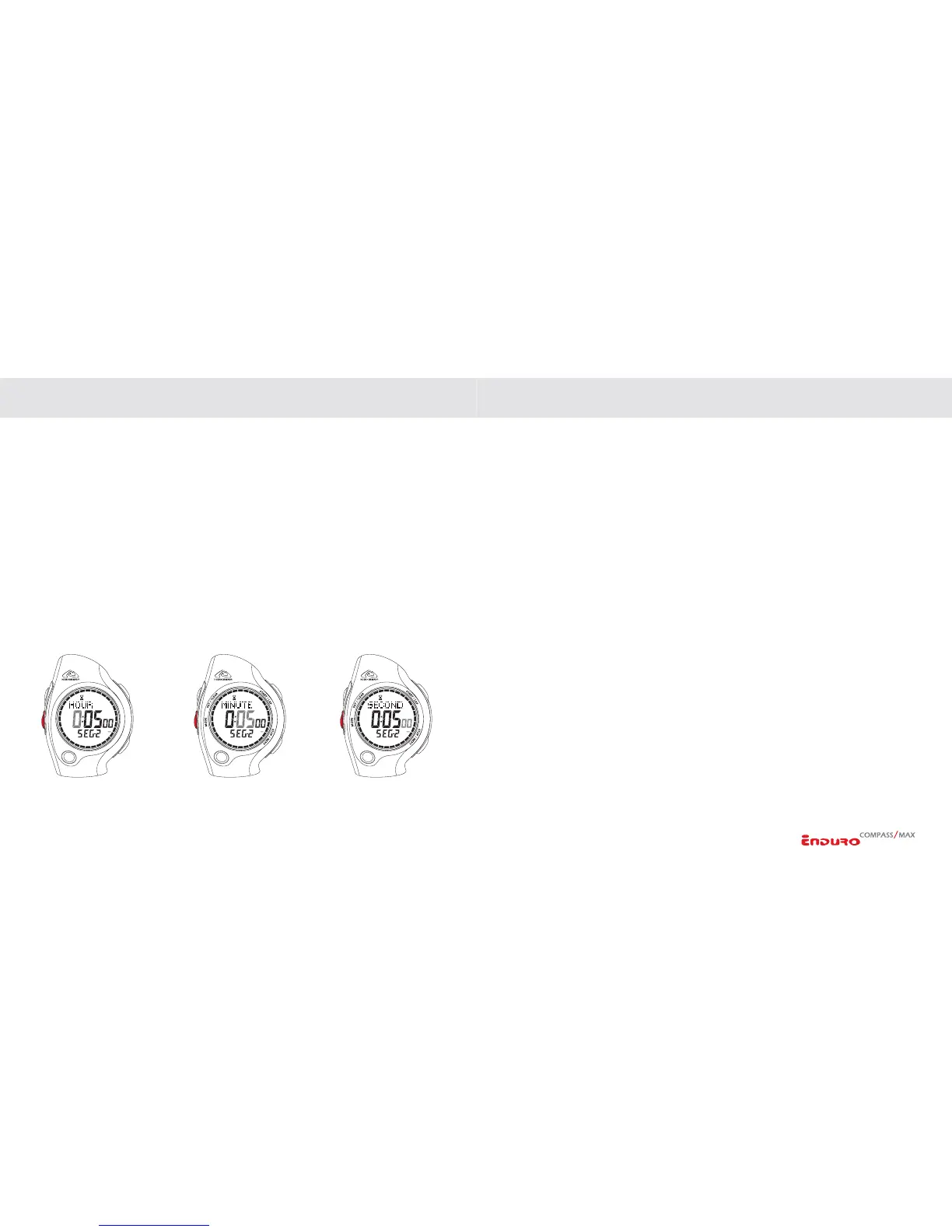
If TRAIN mode is selected:
1. Program Segment 1: Advance to set HOURS by
PRESSING the MODE key.
Adjust by
PRESSING the START/LAP or STOP/NEXT keys.
2. Advance to set MINUTES by
PRESSING the MODE key. Adjust by PRESSING
the
START/LAP or STOP/NEXT keys.
3. Advance to set SECONDS by
PRESSING the MODE key. Adjust by PRESSING
the START/LAP or STOP/NEXT keys.
4. Advance to PROGRAM NEXT SEGMENT by
PRESSING the MODE key. Repeat
programming sequence (up to 9 individual segments).
5.
PRESS SET/CLEAR to exit the setting sequence at any time.
CALIBRATING THE COMPASS (ENDURO COMPASS ONLY)
The Enduro Compass is equipped with a digital magnetic compass with reading in
one-degree increments. The compass can be adjusted to compensate for the magnetic
declination corresponding to the area where the compass is being used.
The compass must be calibrated on a regular basis. The compass should be
calibrated any time it does not seem to be working properly. We recommend calibrating
the compass prior to any activity where optimal accuracy is desired, such as a long back
country trip.
NOTE: To save power, the compass feature of the unit only remains active for
a period of 10 seconds. To reactivate the compass display, PRESS the START/
LAP or STOP/NEXT key.
(
CONTINUED NEXT PAGE)


 To Next Page