27
english
28
english
OPERATING THE WATCH
OPERATING THE CHRONOGRAPH
Enduro watches are equipped with a 24-hour, 100-lap Chronograph with 1/100-second
resolution.
In Chronograph mode:
1.
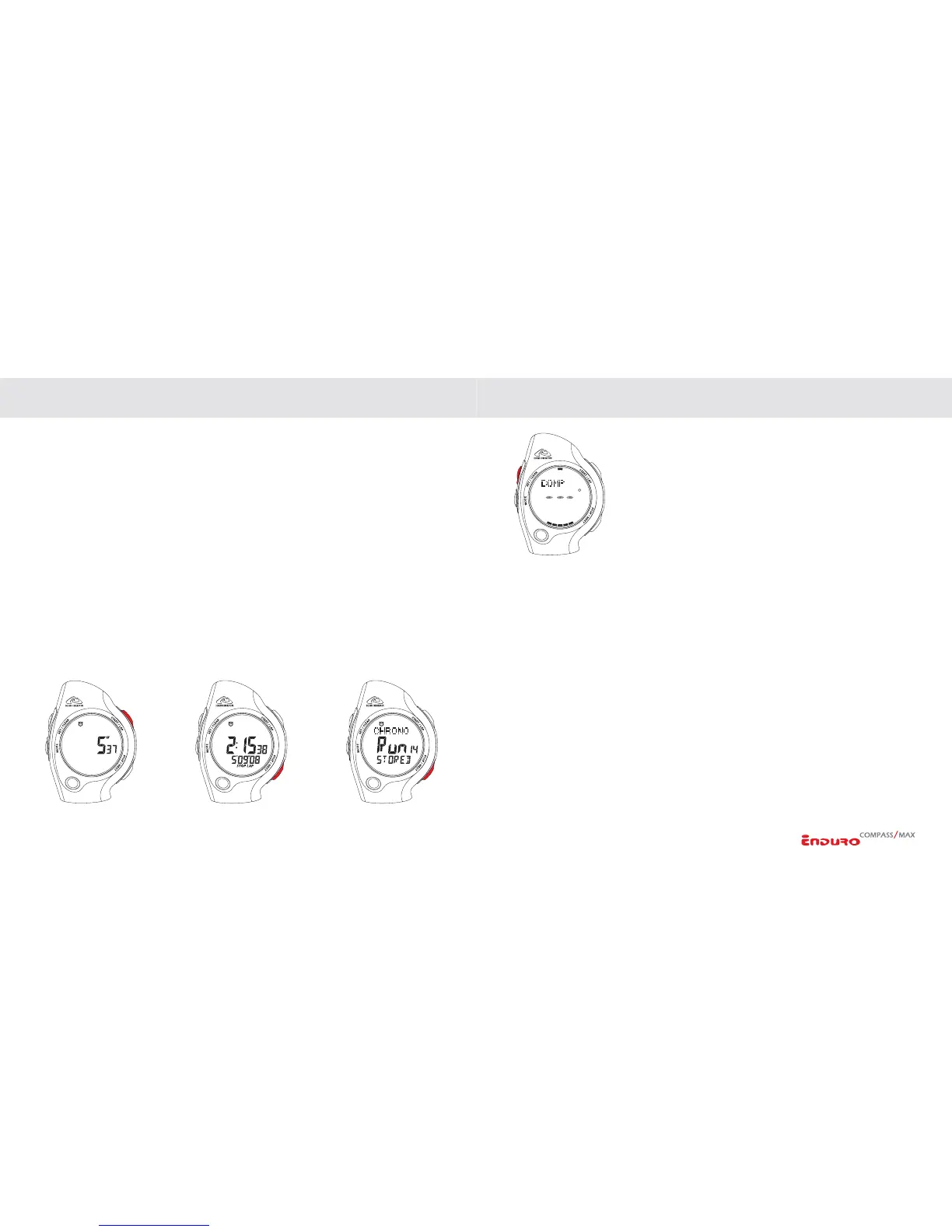
PRESS the START/LAP key to BEGIN TIMING.
2. To ACTIVATE A LAP,
PRESS the START/LAP key.
3. To STOP TIMING,
PRESS the STOP/NEXT key.
4. To RESUME TIMING,
PRESS the START/LAP key.
5. To SAVE CHRONOGRAPH DATA, when chronograph is stopped,
PRESS &
HOLD
the STOP/NEXT key. File will be saved to memory and chronograph will
reset to 00:00:00.
6. To RESET CHRONOGRAPH (without saving data),
PRESS & HOLD the SET/
CLEAR
key.
COMPASS QUICKACCESS (ENDURO COMPASS ONLY)
When Chronograph is running, you can access the compass by
PRESSING the SET/CLEAR key. Compass will display for 10
seconds then return to Chronograph screen.
NOTE: When chronograph is running, and Time mode is
active: CHRONO icon is displayed. The 32-segment ring around
the outer portion of the display will indicate the chronograph is
running.
CHRONOGRAPH DATA REVIEW MEMORY
Enduro watches have a memory that allows you to store up to 20 runs/workouts.
Information recorded includes time and split for each lap, best (fastest) lap, average lap
time and total time for workout. When you store a Run/Workout it is captured by the
Chronograph Data Review memory.
MANAGING THE CHRONOGRAPH DATA LOG
Runs are stored in chronological order (earliest to latest). The center line of the
display will indicate the number 1-20 and the lower line will display the DATE the
run/workout was recorded.
(
CONTINUED NEXT PAGE)
OPERATING THE WATCH


 To Next Page