RocketRAID 2640X4 Hardware Description/Installation
4 - Installing the RocketRAID Host Adapter
Note: Make sure the system is powered-off before installing the RocketRAID host
adapter.
The RocketRAID 2640X4 include both standard and low-profile brackets. It may be
necessary to attach the low-profile bracket in place of the standard bracket, depend-
ing upon the chassis design. The RocketRAID 2640X4 is a full-height card, and is not
designed for use with low-profile chassis.
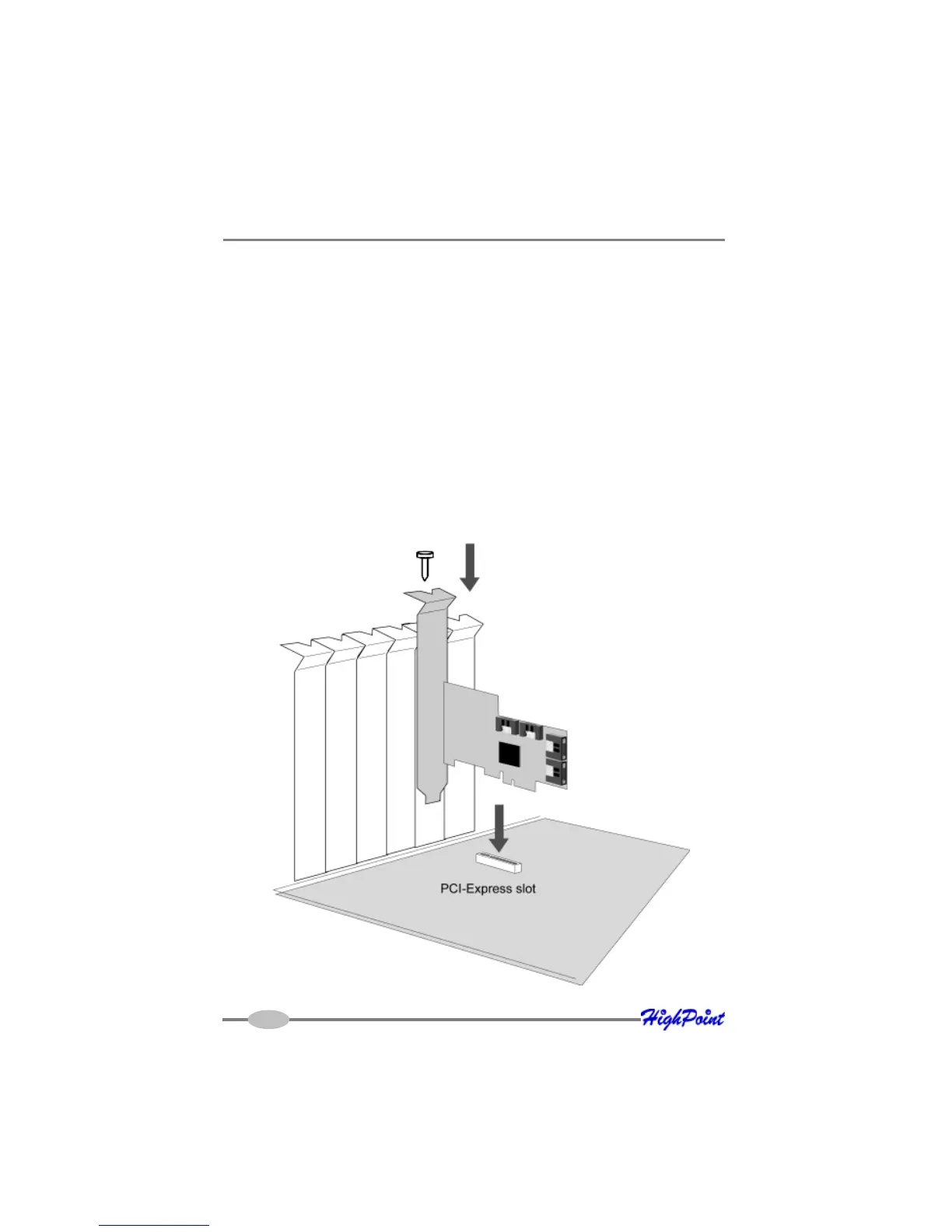
1. Open the system chassis and locate an unused PCI-Express x4.
2. Remove the PCI slot/bracket cover.
3. Gently insert the RocketRAID card into the PCI-Express slot, and secure the
bracket to the system chassis (illustration below shows RR2640X4).
2-3



 To Next Page