45
Password: hpt
Username and Password are Case-Sensitive (Username is not changeable)
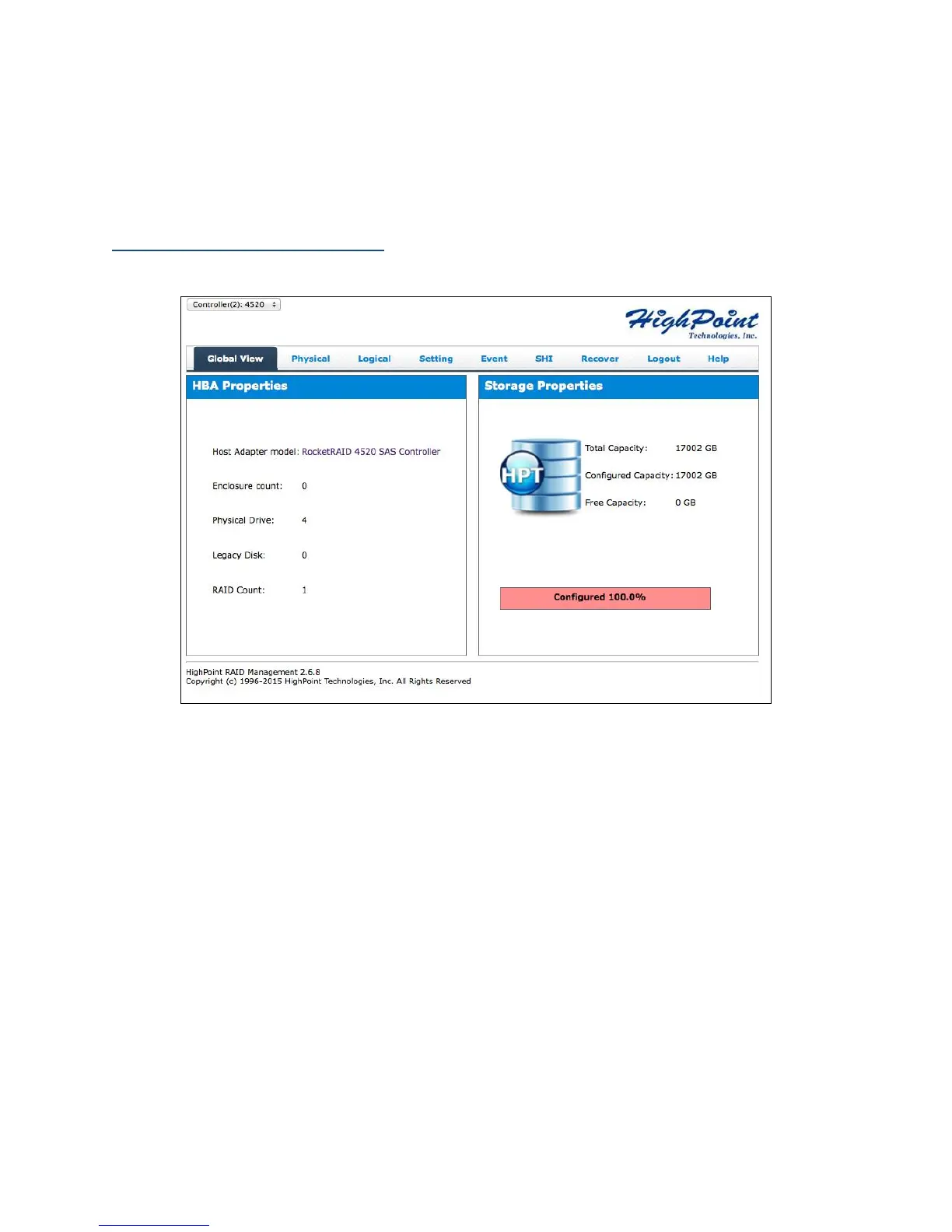
Appendix A-1: Global Tab
The GUI Global view provides an overview of what each HighPoint controller card
connected to your computer detects. It is also the first page you see when logging in.
Host Bus Adapter Properties
Storage Properties
On the top left of the page is a drop down menu that allows you to select which
controller you want to manage (if you have multiple HighPoint controllers connected).
HBA Properties
Host Adapter model: the model name of the controller
Enclosure Count: number of external enclosures detected
Physical drives: number of drives seen by the controller
Legacy Disks: number of Legacy disks connected. Legacy disks are physical
drives that have previous partitions stored on them.



 To Next Page