5
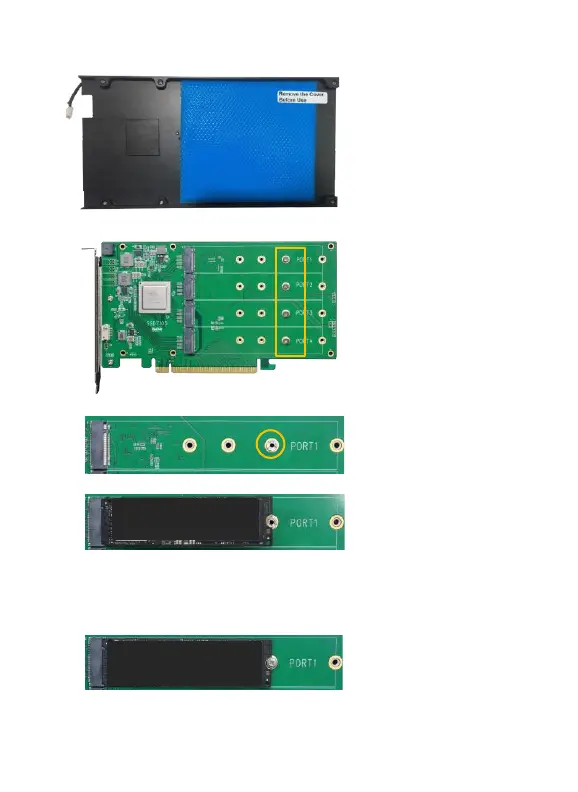
Step 3. These 4 screws are used to install the NVMe SSDs.
Step 4. Please remove the screws on the right side of SSD7105
Step 5. Gently insert the SSD into the slot.
Note: Please make sure all disks are clean before you insert them
into the slot to avoid unexpected situations.
Step 6. Refasten the screw to secure the SSD.
Repeat Steps 3 to 5 to install the remaining SSD.















 To Next Page