Chapter 3 Accessing via Web Browsers
System Requirement:
Operating System: Microsoft Windows XP SP1 and above version / Vista / Win7 / Server 2003 /
Server 2008 32bits
CPU: Intel Pentium IV 3.0 GHz or higher
RAM: 1G or higher
Display: 1024×768 resolution or higher
Web Browser: Internet Explorer 6.0 and above version, Apple Safari 5.02 and above version, Mozilla
Firefox 3.5 and above version and Google Chrome8 and above version
Before you start:
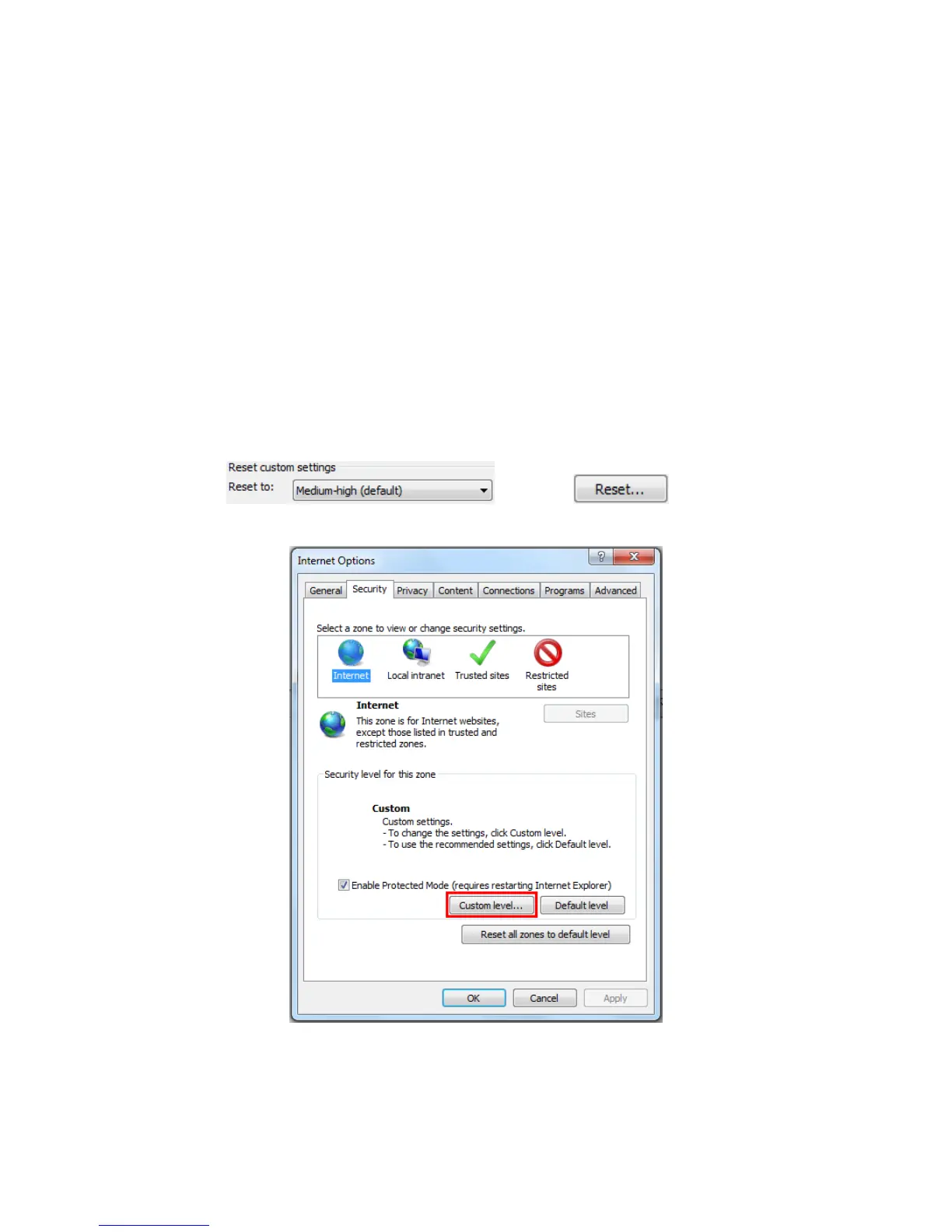
On the IE browser menu bar, navigate to Tools > Internet options > Security > Custom level as
shown in Figure 3-1.
Select LOW in and click . Select Enable or
Prompt in ActiveX controls and plug-ins list. The Security Settings interface is shown in Figure 3-2.
Figure 3-1 Navigate to Security Interface











 To Next Page