16/24-Port 100M Long-Range PoE Switch Quick Start Guide
9
Chapter 3 Physical Connection
3.1 Connecting RJ45 Port
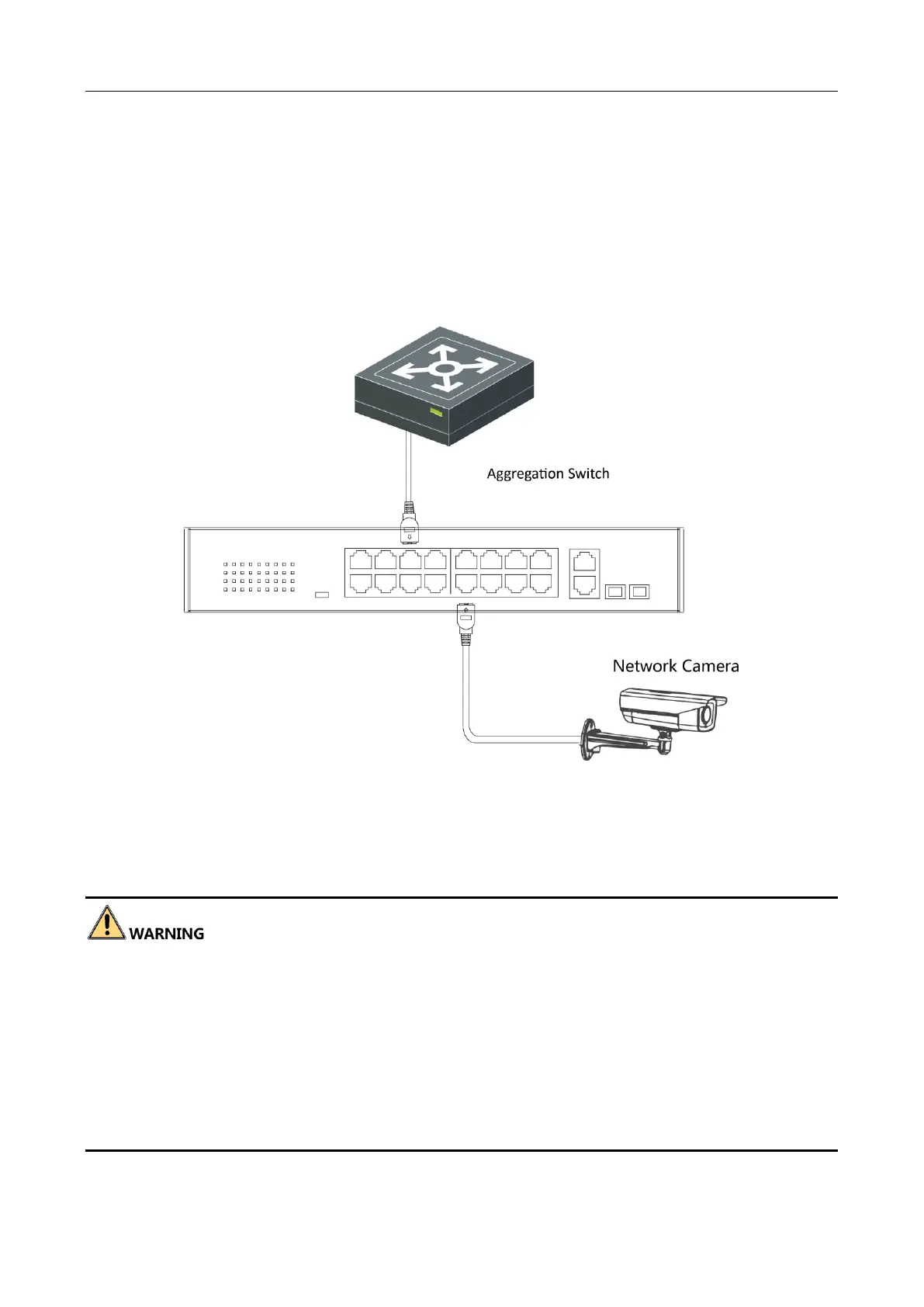
Use a network cable to connect your switch to the RJ45 port of an opposite end device. The RJ45
port can connect with network camera, IP camera, NVR, switch, etc.
Figure 3-1 RJ45 Port Connection
3.2 Connecting 1000M Combos
This section uses dual-fiber SFP optical module as an example.
When connected to a network cable, the 1000M combo is a PoE port. When plugged into with an
optical module and connected to an optical fiber, the 1000M combo functions as a fiber optical
interface.
When connected to both the network cable and optical fiber at the same time, the port works as a
fiber optical interface.
Do not bend fiber optic (curvature radius ≥ 10 cm) overly.
Do not look directly at fiber optic connector because laser is harmful to eyes.



 To Next Page
 Loading...