HIKVISION DS-7208HVI-S & 7216HVI-S User‟s Manual
25
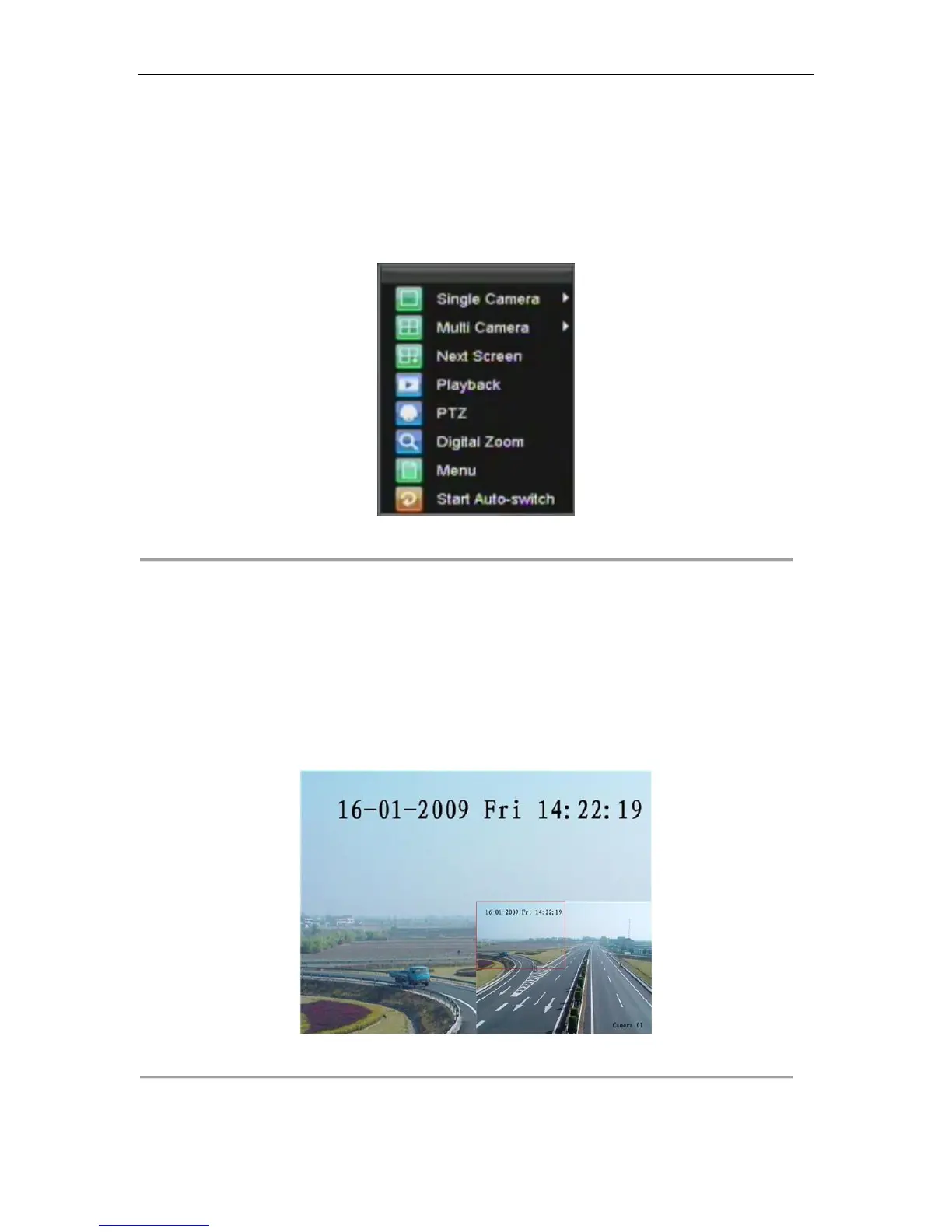
• Playback: Enter into Playback mode.
• PTZ: Enter PTZ Control mode.
• Digital Zoom: Enter Digital Zoom interface.
• Menu: Enter Main menu.
• Start Auto-switch: Enable sequencing in Live Preview mode.
Note: The dwell time of the preview configuration should be set before using Start Auto-switch.
Figure 2. Live Preview Mouse Menu
Using Digital Zoom
To use digital Zoom in Live Preview mode:
1. Right-click using the mouse in Live Preview mode.
2. Select Digital Zoom from Mouse menu.
3. Left-click and drag the red box to the desired area for zoom. The zoomed image will be magnified by
4 times. A sample of this can be seen in Figure 3.
Figure 3. Digital Zoom


 To Next Page
 Loading...