All-in-One Server Quick Start Guide
22
Step 1 Click on the main menu bar to enter the Camera Management.
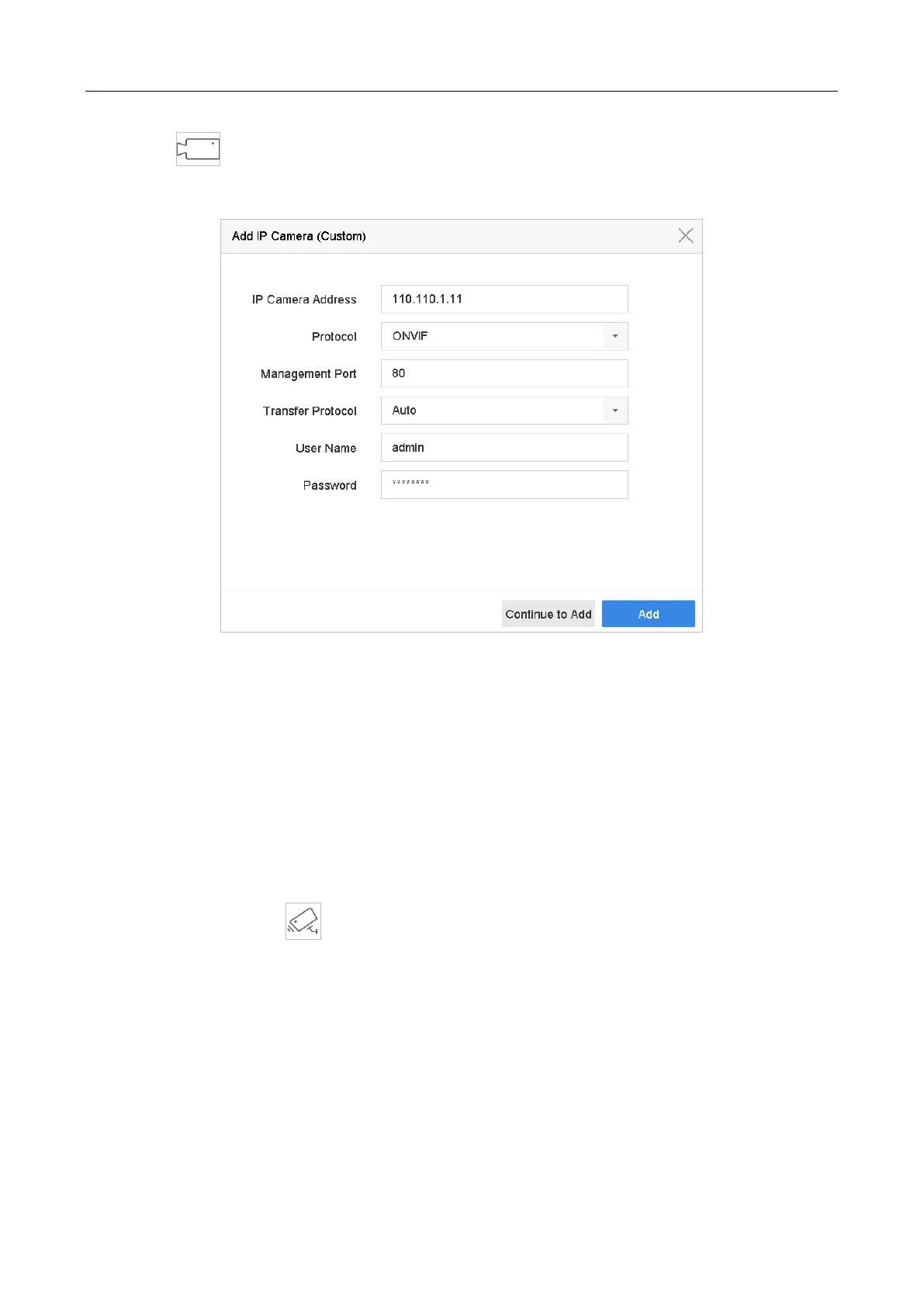
Step 2 Click the Custom Add tab on the title bar to enter the Add IP Camera interface.
Figure 3-6 Add IP Camera
Step 3 Enter IP address, protocol, management port, and other information of the IP camera to
add.
Step 4 Enter the login user name and password of the IP camera.
Step 5 Click Add to finish the adding of the IP camera.
Step 6 (Optional) Click Continue to Add to continue to add other IP cameras.
3.8 Start Live View
Enter the live view mode ( ).
You can select a window and double click a camera from the list to play the video from the
camera in the selected window.
Use the toolbar at the playing window bottom to realize the capture, instant playback, audio
on/off, digital zoom, live view strategy, show information and start/stop recording.
3.9 One-Touch RAID Configuration
Purpose:


 To Next Page
 Loading...