Chapter 3 Playback
3.1 GUI Introducon
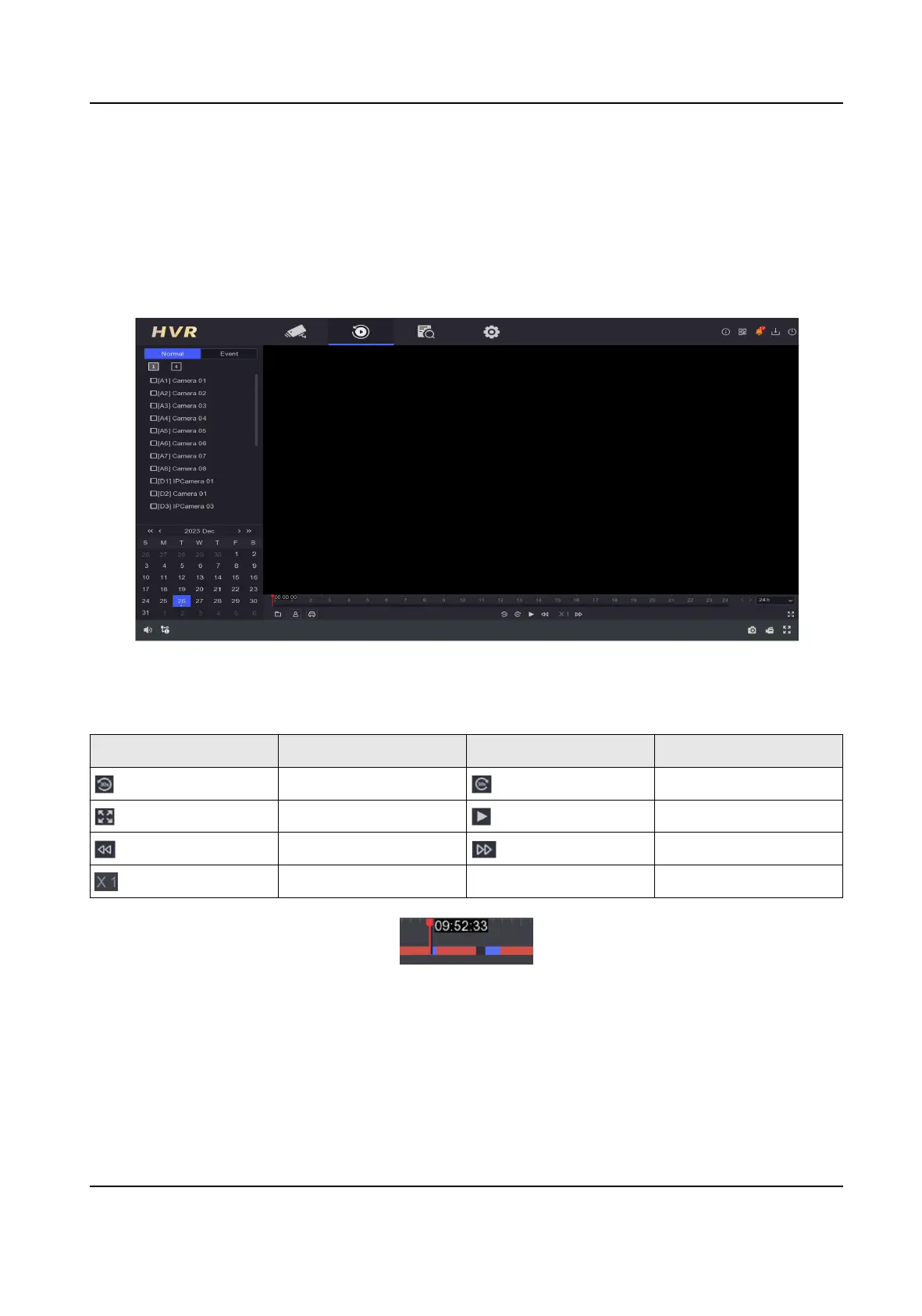
Go to Playback .
Figure 3-1 Playback
Table 3-1 Playback Interface Descripon
Buon Operaon Buon Operaon
30 s reverse. 30 s forward.
Full screen. Start playback.
Speed down. Speed up.
Speed.
Figure 3-2 Timeline
●
Posion the cursor on the meline, drag the meline to posion to a certain me.
●
Period marked with blue bar contains video. Red bar indicates the video in the period is event
video.
●
Scroll up/down to zoom out/in
meline.
Digital Video Recorder User Manual
10



 To Next Page
 Loading...