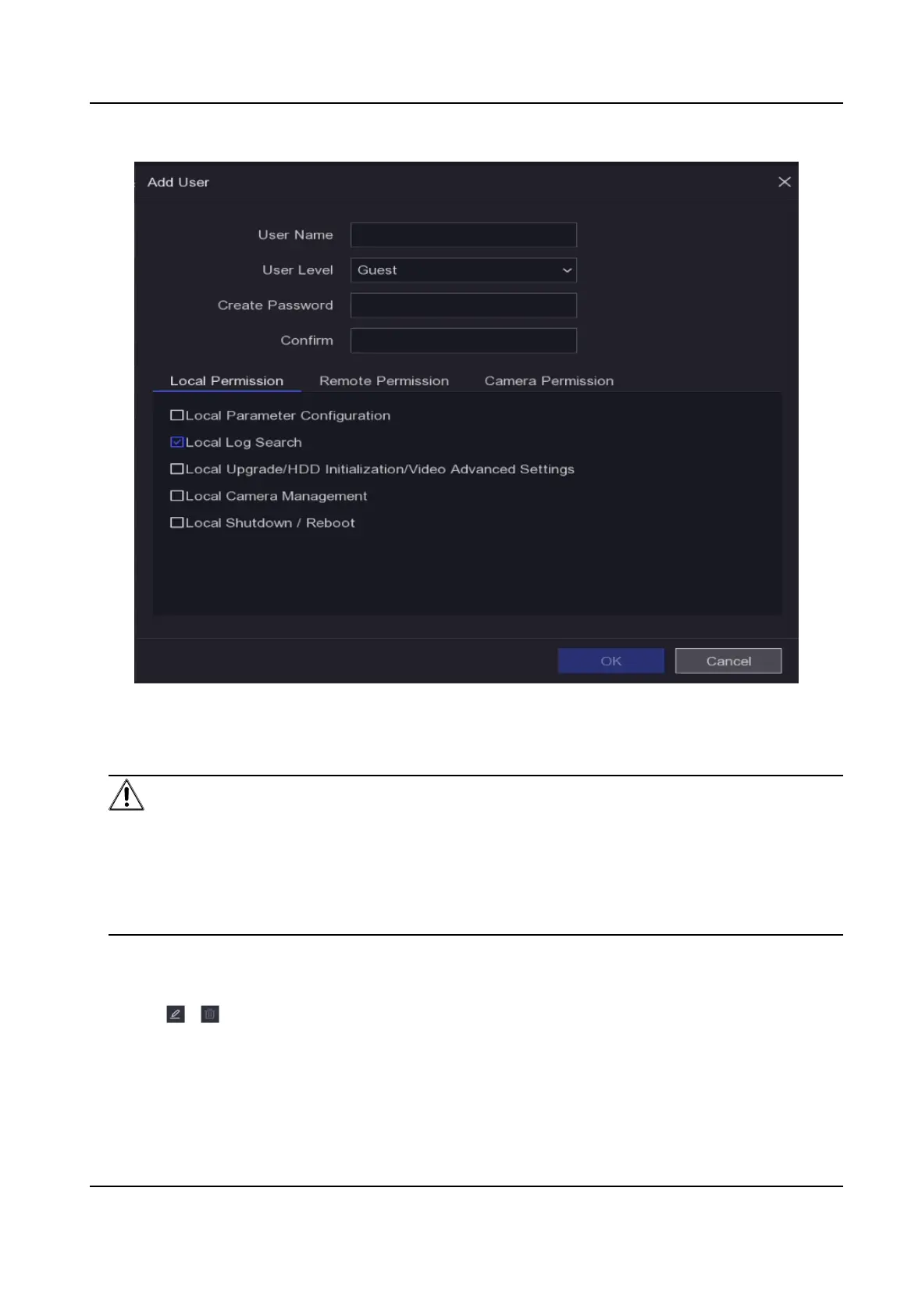
Figure 5-1 Add User
3.
Enter user name.
4.
Enter the same password in Create Password and
Conrm.
Warning
We highly recommend you create a strong password of your own choosing (Using a minimum of
8 characters, including at least two of the following categories: digits, upper-case leers, lower-
case leers, and special characters.) in order to increase the security of your product. And we
recommend you reset your password regularly, especially in the high security system,
reseng
the password monthly or weekly can beer protect your product.
5.
Set Local Permission, Remote Permission and Camera Permission according to the actual
needs.
6.
Click OK.
-
Click
/ to edit/delete user.
Digital Video Recorder User Manual
18



 To Next Page
 Loading...