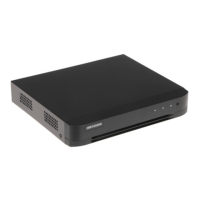
Add a Face Picture Library
Face picture library is used to store face pictures, it is essenal for face picture comparison.
Steps
1.
Go to Conguraon → Face Picture Library .
2.
Enter the admin password for
authorizaon.
3.
Click Add.
4.
Enter the face picture library name.
5.
Click Add.
Note
You can also go to Search → Human to add the search results to the Face Picture Library.
What to do next
Aer a face picture library is added, you can edit its name, delete it, or upload face pictures to it.
Upload Face Pictures to the Library
You can upload a single face picture or import mulple face pictures to the library.
Before You Start
Ensure you have created a face picture library and enabled face picture comparison.
Steps
1.
Go to Conguraon → Face Picture Library .
2.
Find the face picture library that you are going to upload face pictures, and click
.
3.
Click Add.
4.
Import picture(s).
Add one face picture to the library.
Add mulple face pictures to the library.
Note
●
Only JPG and JPEG formats are supported.
●
Each picture size should be less than 1 MB.
●
The picture resoluon shall be between 80 × 80 and 1920 × 1080.
●
Only the pictures in the USB
ash drive can be imported.
Digital Video Recorder User Manual
65



 To Next Page
 Loading...