Figure 3-12 Rotate Fixed Part
3.4.2 Mount Bracket
Steps
1.
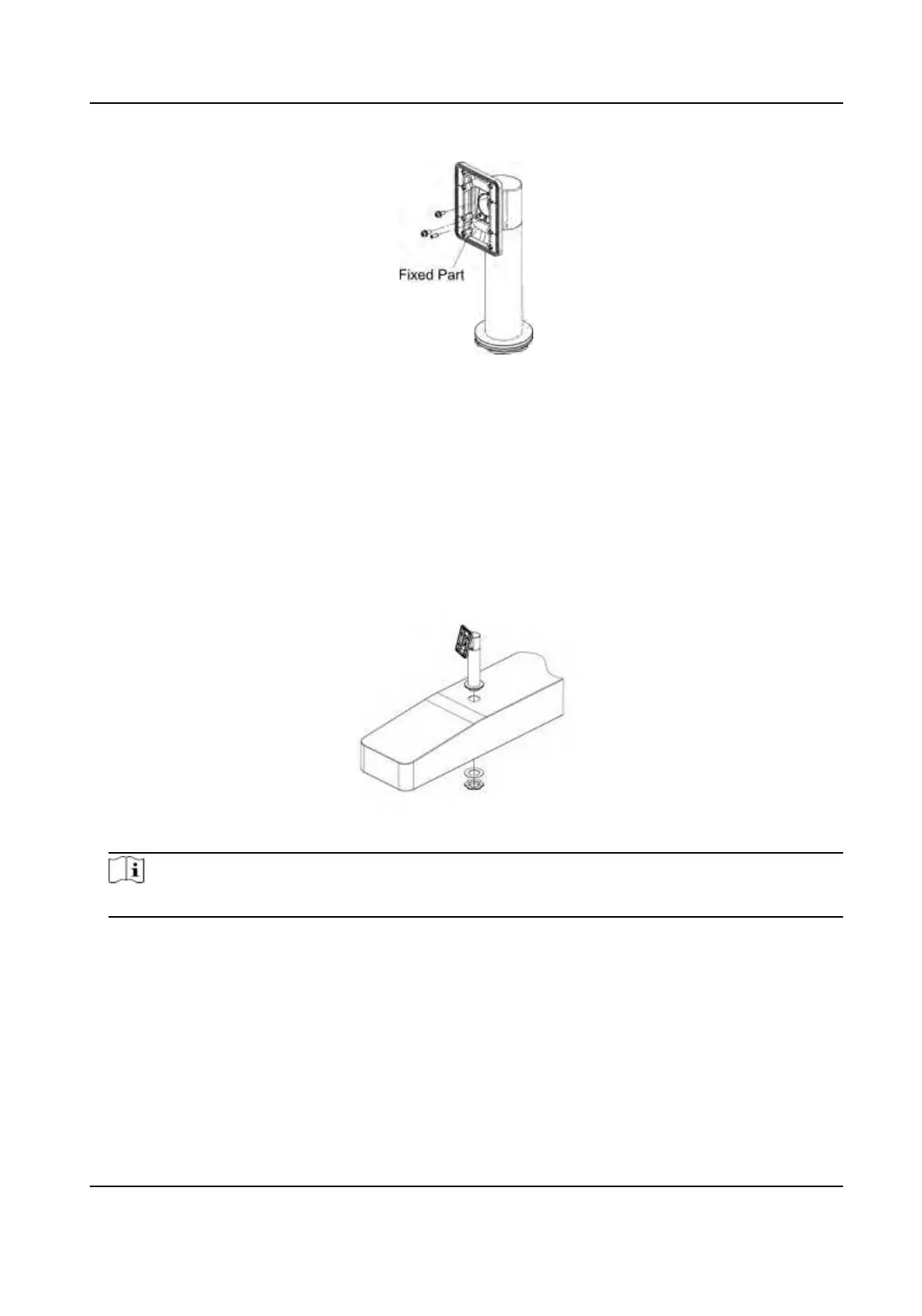
Install the base on the turnsle.
1) Align the hole on the turnsle and place the base on the turnsle.
2) Rotate the base to the acquired place and make sure the device will face a correct direcon.
3) Secure the base with wrench.
Figure 3-13 Install Base
Note
Install a piece of silicone pad on the front and back of the turnsle.
2.
Install the mounng template on the bracket with 4 supplied screw (SC-K1M4×6-SUS).
DS-K1T342 Series Face Recognion Terminal User Manual
15


 To Next Page
 Loading...