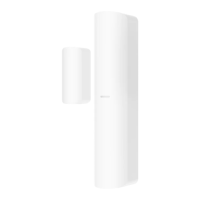
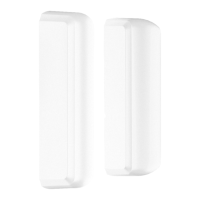
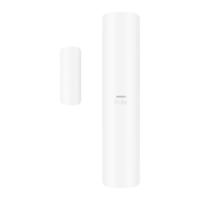
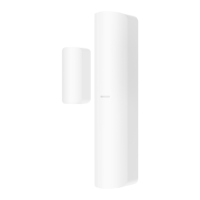
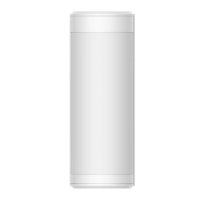
DS-PDMC-EG2-WB/WE
Wireless Magnet Detector
©2020 Hangzhou Hikvision Digital Technology Co., Ltd. All rights reserved.
About this Manual
The Manual includes instrucons for using and managing the Product. Pictures, charts, images and all other informaon hereinaer are for descripon and explanaon only. The informaon contained in the Manual is subject to change,
without noce, due to firmware updates or other reasons. Please find the latest version of this Manual at the Hikvision website (hps://www.hikvision.com/).
Please use this Manual with the guidance and assistance of professionals trained in supporng the Product.
and other Hikvision's trademarks and logos are the properes of Hikvision in various jurisdicons. Other trademarks and logos menoned are the properes of their respecve owners.
Disclaimer
TO THE MAXIMUM EXTENT PERMITTED BY APPLICABLE LAW, THIS MANUAL AND THE PRODUCT DESCRIBED, WITH ITS HARDWARE, SOFTWARE AND FIRMWARE, ARE PROVIDED “AS IS” AND “WITH ALL FAULTS AND ERRORS”. HIKVISION MAKES
NO WARRANTIES, EXPRESS OR IMPLIED, INCLUDING WITHOUT LIMITATION, MERCHANTABILITY, SATISFACTORY QUALITY, OR FITNESS FOR A PARTICULAR PURPOSE. THE USE OF THE PRODUCT BY YOU IS AT YOUR OWN RISK. IN NO EVENT WILL
HIKVISION BE LIABLE TO YOU FOR ANY SPECIAL, CONSEQUENTIAL, INCIDENTAL, OR INDIRECT DAMAGES, INCLUDING, AMONG OTHERS, DAMAGES FOR LOSS OF BUSINESS PROFITS, BUSINESS INTERRUPTION, OR LOSS OF DATA, CORRUPTION OF
SYSTEMS, OR LOSS OF DOCUMENTATION, WHETHER BASED ON BREACH OF CONTRACT, TORT (INCLUDING NEGLIGENCE), PRODUCT LIABILITY, OR OTHERWISE, IN CONNECTION WITH THE USE OF THE PRODUCT, EVEN IF HIKVISION HAS BEEN
ADVISED OF THE POSSIBILITY OF SUCH DAMAGES OR LOSS.
YOU ACKNOWLEDGE THAT THE NATURE OF INTERNET PROVIDES FOR INHERENT SECURITY RISKS, AND HIKVISION SHALL NOT TAKE ANY RESPONSIBILITIES FOR ABNORMAL OPERATION, PRIVACY LEAKAGE OR OTHER DAMAGES RESULTING FROM
CYBER-ATTACK, HACKER ATTACK, VIRUS INSPECTION, OR OTHER INTERNET SECURITY RISKS; HOWEVER, HIKVISION WILL PROVIDE TIMELY TECHNICAL SUPPORT IF REQUIRED.
YOU AGREE TO USE THIS PRODUCT IN COMPLIANCE WITH ALL APPLICABLE LAWS, AND YOU ARE SOLELY RESPONSIBLE FOR ENSURING THAT YOUR USE CONFORMS TO THE APPLICABLE LAW. ESPECIALLY, YOU ARE RESPONSIBLE, FOR USING THIS
PRODUCT IN A MANNER THAT DOES NOT INFRINGE ON THE RIGHTS OF THIRD PARTIES, INCLUDING WITHOUT LIMITATION, RIGHTS OF PUBLICITY, INTELLECTUAL PROPERTY RIGHTS, OR DATA PROTECTION AND OTHER PRIVACY RIGHTS. YOU
SHALL NOT USE THIS PRODUCT FOR ANY PROHIBITED END-USES, INCLUDING THE DEVELOPMENT OR PRODUCTION OF WEAPONS OF MASS DESTRUCTION, THE DEVELOPMENT OR PRODUCTION OF CHEMICAL OR BIOLOGICAL WEAPONS, ANY
ACTIVITIES IN THE CONTEXT RELATED TO ANY NUCLEAR EXPLOSIVE OR UNSAFE NUCLEAR FUEL-CYCLE, OR IN SUPPORT OF HUMAN RIGHTS ABUSES.
IN THE EVENT OF ANY CONFLICTS BETWEEN THIS MANUAL AND THE APPLICABLE LAW, THE LATER PREVAILS.
1
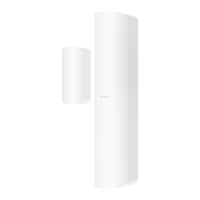
The sensor can detect the door or window opening. When the door or window is open, an alarm will be triggered and it will be sent to the alarm center or mobile client
via security control panel.
Door Magnec Sensor Alarm: When the distance between the sensor and the magnec sck is longer than 3 cm, an alarm will be triggered. The indicator will flash once.
Tamper Alarm: When removing the sensor, an alarm will be triggered.
Introducon
Appearance
2
This product and - if applicable - the supplied accessories too are
marked with "CE" and comply therefore with the applicable harmonized
European standards listed under the EMC Direcve 2014/30/EU, RE
Direcve 2014/53/EU, the RoHS Direcve 2011/65/EU.
replacement of a baery with an incorrect type that can defeat a safeguard (for example, in the case of some lithium
baery types);
– disposal of a baery into fire or a hot oven, or mechanically crushing or cung of a baery, that can result in an
explosion;
– leaving a baery in an extremely high temperature surrounding environment that can
result in an explosion or the leakage of flammable liquid or gas; and
– a baery subjected to extremely low air pressure that may result in an explosion or the leakage of flammable liquid
or gas
2012/19/EU (WEEE direcve): Products marked with this symbol
cannot be disposed of as unsorted municipal waste in the European
Union. For proper recycling, return this product to your local supplier
upon the purchase of equivalent new equipment, or dispose of it at
designated collecon points. For more informaon see:
www.recyclethis.info
2006/66/EC (baery direcve): This product contains a baery that cannot be disposed of as unsorted municipal
waste in the European Union. See the product documentaon for specific baery informaon. The baery is marked
with this symbol, which may include leering to indicate cadmium (Cd), lead (Pb), or mercury (Hg). For proper
recycling, return the baery to your supplier or to a designated collecon point. For more informaon see:www.recy-
clethis.info
CAUTION
RISK OF EXPLOSION IF BATTERY
IS REPLACED BY AN INCORRECT
TYPE.
REPLACEMENT OF A BATTERY
WITH AN INCORRECT TYPE THAT
CAN DEFEAT A SAFEGUARD.
CAUTION
CHEMICAL BURNING DANGER
DO NOT SWALLOW THE
BATTERY
KEEP NEW AND USED
BATTERIES AWAY FROM THE
CHILDREN.
IF YOU THINK BATTERIES MIGHT
HAVE BEEN SWALLOWED OR
PLACED INSIDE ANY PART OF
THE BODY, SEEK IMMEDIATE
MEDICAL ATTENTION.
CAUTION
DISPOSE OF USED BATTERIES
ACCORDING TO THE INSTRUC-
TIONS AND LOCAL REGULATION.
EN 50131-1:2006+A2:2017
EN 50131-2-6:2008
EN 50131-5-3:2017
3
1
2
4
5
6
7
Indicator
Alarm Detecon: Red LED flashes.
Detector Formaed: Red LED flashes 3 mes.
3
4
TAMPER Buon
Tampering Alarm: If the detector is disassembled, an alarm will be triggered.
Formang: Restore the device to default sengs.
Power Switch
External Input
Baery
2
5
6
6
Posioning Line
1 Magnec Sck
1
Hangzhou Hikvision Digital Technology CO.,Ltd. No.555 Qianmo Road, Binjiang District, Hangzhou 310052, China
Security Grade(SG) 2
Environmental Class(EC) II
Cerfied by Teleficaon


 To Next Page
 General