1.
Go to Conguraon → Capture → Capture Parameters → Image Encoding and Composion →
Image Composion/Violaon Picture Composion .
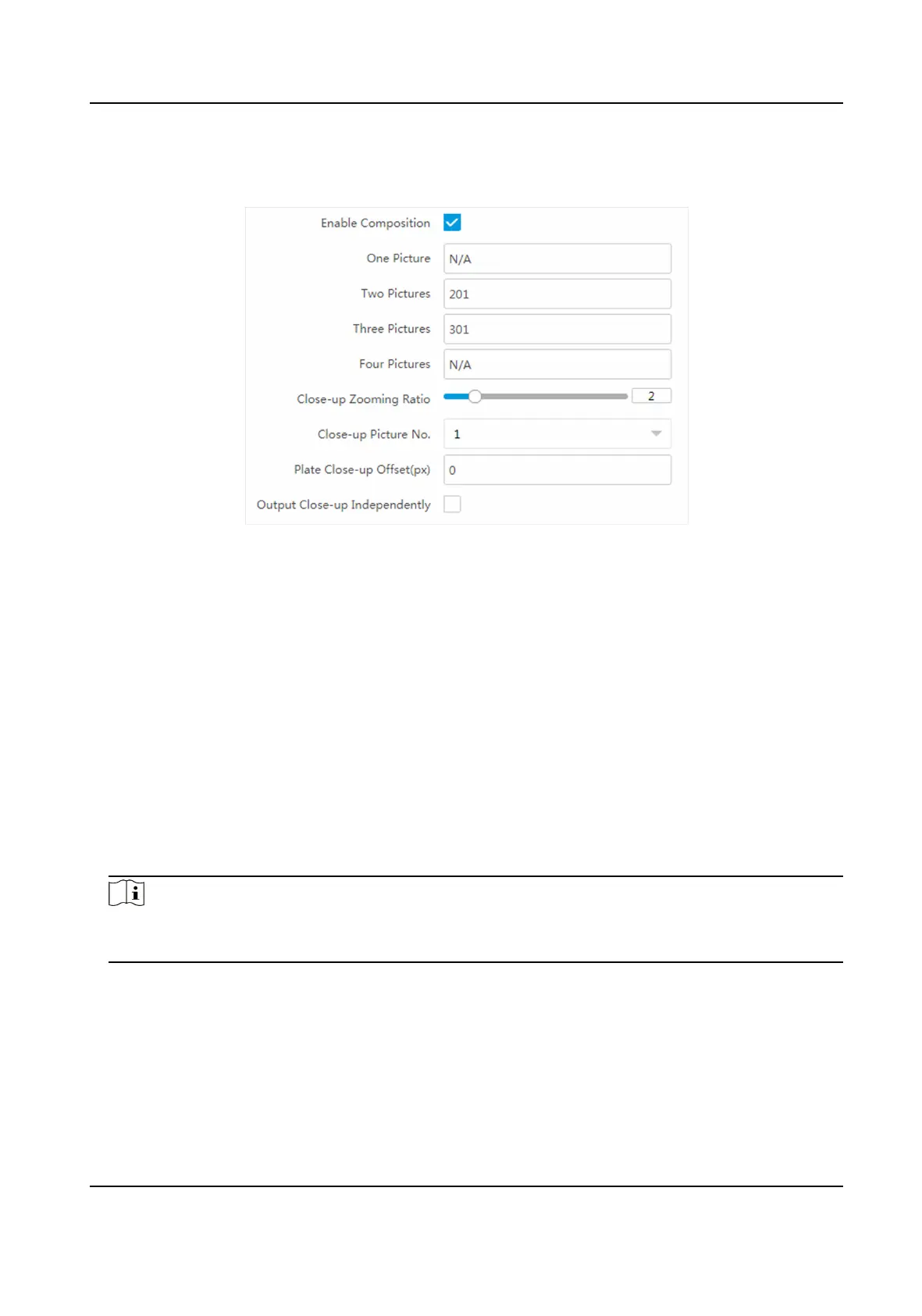
Figure 1-23 Set Picture Composion
2.
Check Enable Composion.
3.
Set composion types for dierent picture quanes.
4.
Set other composion parameters.
Close-up Zooming Rao
The higher the value is, the larger the close-up is.
Close-up Picture No.
It is the picture where the close-up comes from.
Plate Close-up
Oset
The default value is 0, which is recommended to be adopted. The device can capture close-up
pictures according to the set oset when no license plate is recognized.
5.
Oponal: Check Output Close-up Independently to output close-up pictures independently
when the picture
composion is not enabled.
Note
Enabling composion and outpung close-up independently funcons conict with each other.
You can only enable one.
6.
Click Save.
Network Trac Camera Conguraon Manual
48



 To Next Page
 Loading...







