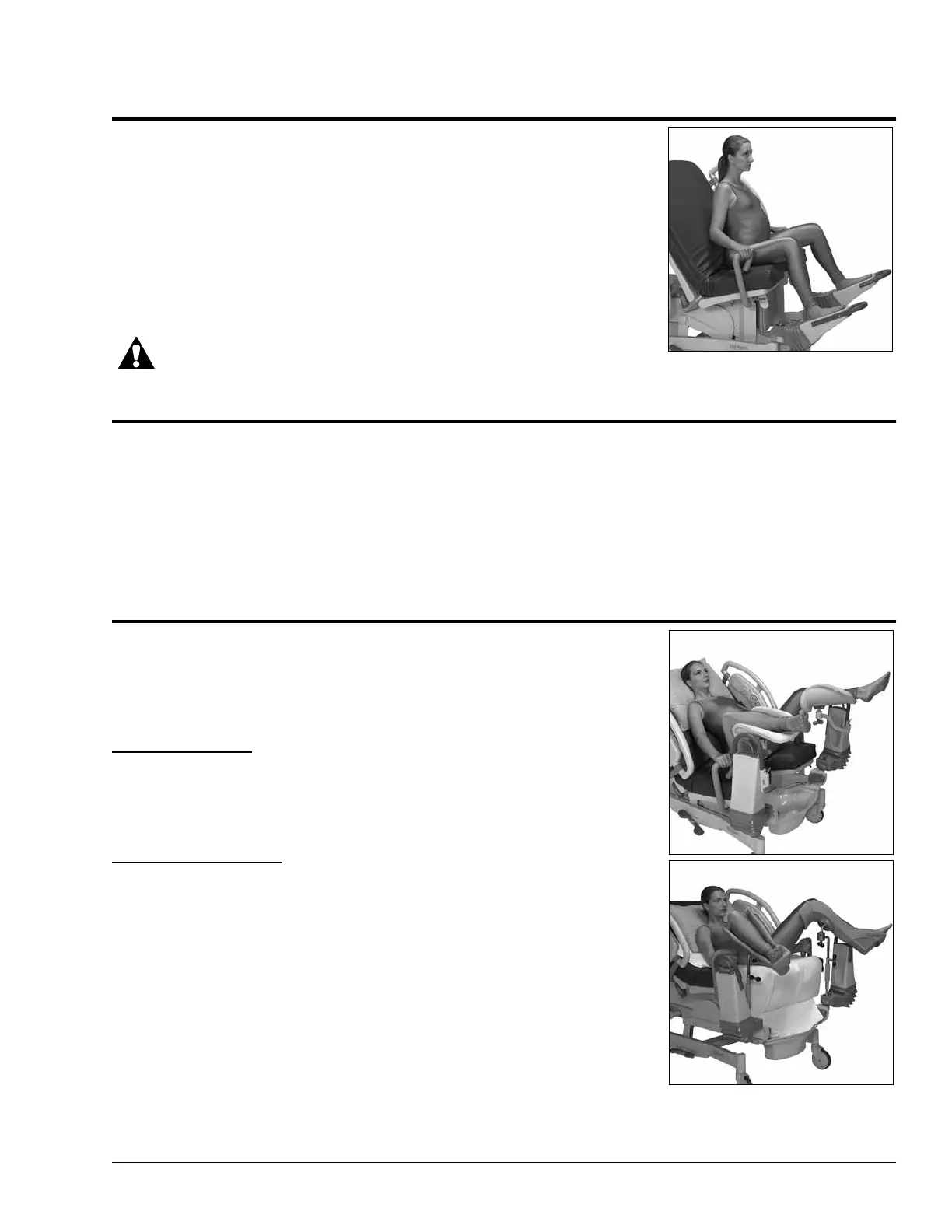
Patient Positioning—Labor and Birth
Affinity® Three Birthing Bed and Affinity® Four Birthing Bed User Manual (USR025 REV 6) 39
Throne Position (Chair)
• Raise the head of the bed to place the patient in a sitting position.
• Pull up the labor grips.
• Position the patient’s feet in the foot supports.
• Remove the foot section.
• Use the Foot control to raise or lower the Foot Supports.
• Tuck the end of the drape into the drainage pan and raise the bed to a
comfortable height by pressing the Bed Up control.
WARNING:
To avoid injury, make sure the patient’s hands are clear of the labor grips when they are raised.
Birthing Bed Mode
• Position the patient’s feet in the foot supports. Raise the supports to a comfortable position.
• Pull up the labor grips.
• Remove the foot section, and tuck the drape into the drainage pan.
• Tilt up the foot support.
• Raise the bed to a comfortable height by pressing the Bed Up control, and position the patient’s perineum
out and over the edge of the seat section.
Delivery Table Mode
• Slide the patient down so that her buttocks are at the division in the
mattress.
• Lower the foot section to its lowest position.
With Calf Supports
• Position the attached calf supports, and place the patient’s legs in the
supports.
• Adjust the angle of the supports, and tighten the ball joints.
With Full Leg Supports
• Adjust the angle of the leg supports, and tighten the black-winged
knob.
• Push the Foot Up control to raise the leg supports, so that they
securely support the patient’s perineum over the cut-out space.
• Remove the foot section, and raise the bed to a comfortable working
height.
NOTE:
Check pressure points.
• Press the Foot Up control to raise the supports so that they securely
support the patient’s perineum over the edge of the seat section.
• Remove the foot section, and raise the bed to a comfortable working height. The drainage pan can also be
removed for extra exposure.



 To Next Page