Part 3 - Conguration
47
• Video Prole: Select Live 1, Live 2, Remote, or
Custom (available from Record Video Prole only).
Live 1 and Live 2 allows the user to change Bitrate
and Quality settings only and congures the
remaining settings automatically.
- Encode: Supports H.264.
- Resolution: Select a resolution supported by the
camera. Maximum available resolution is chosen
automatically based on the selected video prole.
- Quality: Select Very High, High, Standard, or Low.
You can assign dierent Quality settings to dierent
cameras.
- Bitrate: Select CBR or VBR. Transmitted data size
is xed with CBR but varies depending on the
amount of movements in the images with VBR.
- ips: Select a value between 1 and 30. Maximum ips
is determined automatically based on the selected
video prole.
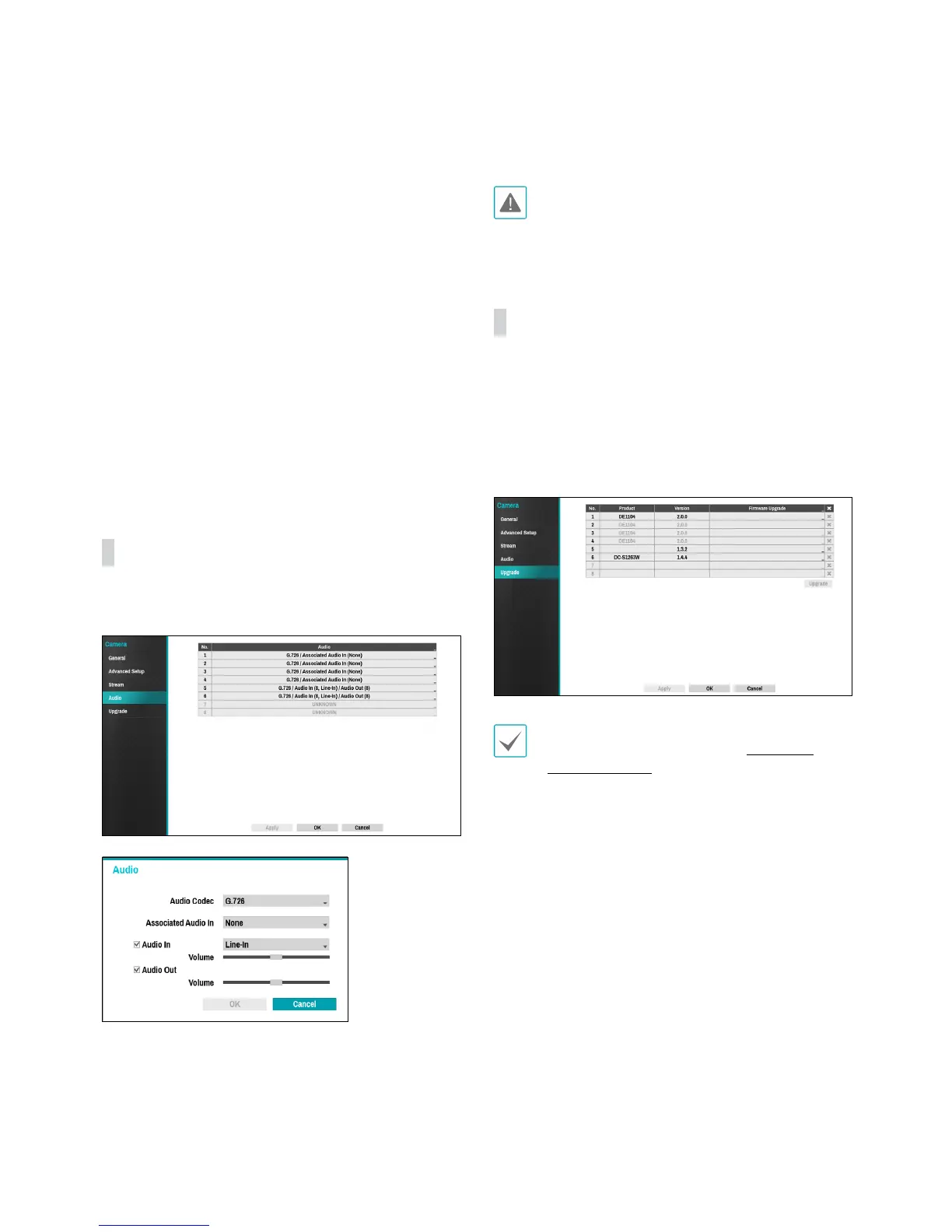
Audio
Congure audio recording settings for all cameras
simultaneously.
• Audio Codec: Select an audio codec. (G.711 u-Law,
G.711 a-Law or G.726)
• Associated Audio In: Associates the selected audio
channel with the camera. It is supported by analog
cameras only.
• Audio In: Select an audio input source (microphone
or line-in) and then adjust the volume.
• Audio Out: Adjust the volume.
Cameras do not feature built-in audio amplier units
and therefore require the user to purchase a speaker
system with a built-in amplier separately.
Upgrade
Select Firmware Upgrade to display the USB search
window.
Select the corresponding upgrade package from the
storage device connected to the NVR's USB port.
After selecting an upgrade package, select Apply to
upgrade the camera.
• If an upgrade attempt fails, an upgrade failure
message will be displayed. Refer to Error Code
Types on page 80 for more details.
• The camera will reboot after the upgrade and then
reconnect automatically.
• Current software version is not checked when
upgrading a network camera.


 To Next Page