Part 5 - WebGuard
77
Web Search Mode
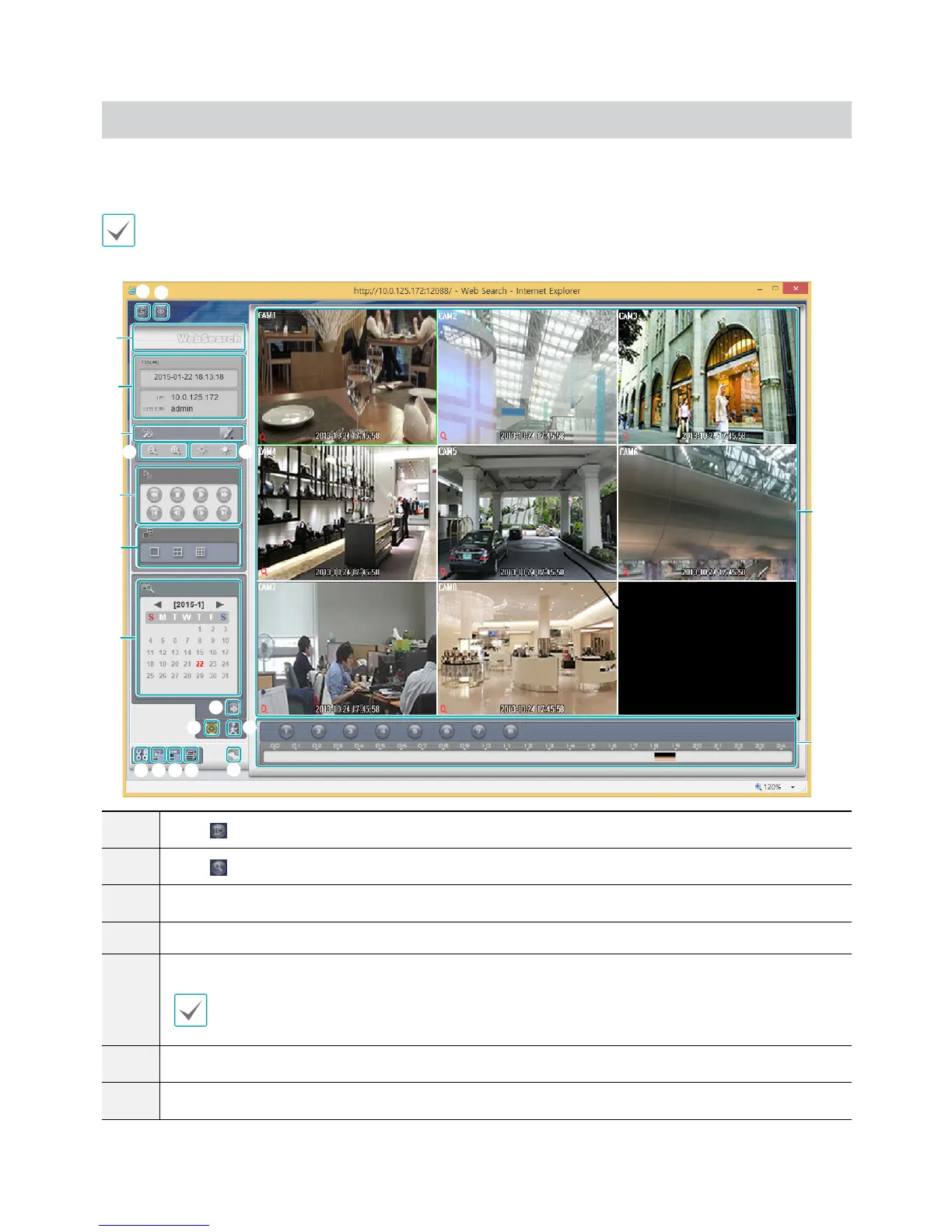
A remote web search program that allows you to search for recordings from remote locales in real-time.
While in Web Search mode, connection to remote locales will terminate automatically after 30 minutes of inactivity.
9
0
!
(
)
5
6
7
8
1
3
4
2
1
Press
to log out WebGuard.
2
Press
to switch over to Web monitoring mode.
3
Place the mouse pointer on the WebSearch logo to check WebGuard's version.
4
Displays the current time and login information of WebGuard.
5
Apply image lters (Sharpen, Blur, Equalizer, Interpolation, and Revert) to the images.
Image calibration is applied only during the paused state.
6
Zoom in or out on the video.
7
Adjust image brightness.
@
#
$ %
^
&
*


 To Next Page