1.0 Quick Guide
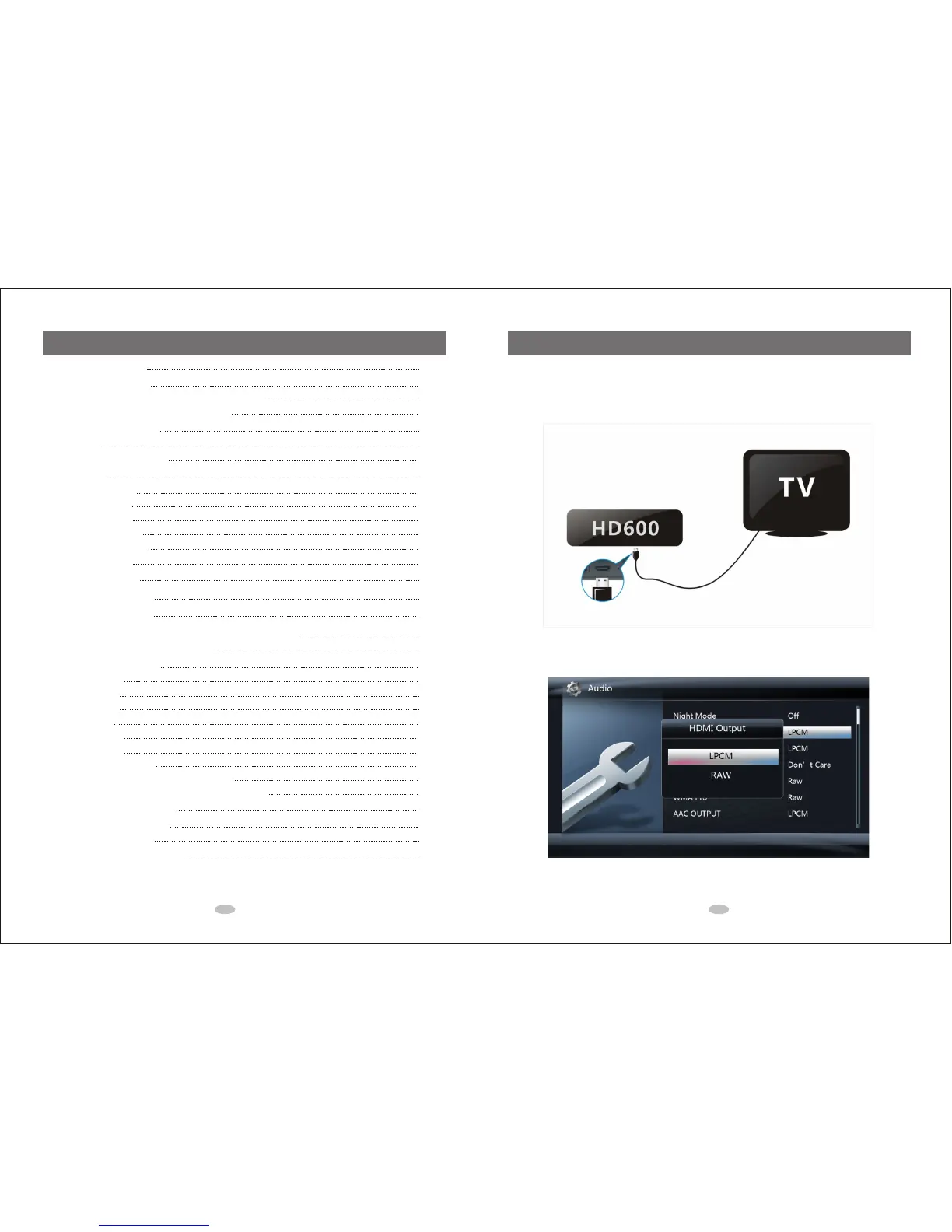
1.1 Connection to HDTV
1. Connect the HDMI cable from media player's HDMI output to HDTV's HDMI input.
2. On the media player, select Setup-Audio-HDMI Output-LPCM.
1 2
1.0 Quick Guide
1.1 Connection to HDTV
1.2 Connection to 5.1CH Amplifier (Digital) and HDTV
1.3 Connection to 7.1CH Amplifier and HDTV
2.0 Remote Control
2.1 Picture
2.2 Remote Control Overview
3.0 Setup
3.1 System Settings
3.2 Audio Settings
3.3 Video Settings
3.4 Network Settings
3.5 Intelligent Settings
3.6 MISC Settings
4.0 Main Menu
5.0 Media Library
6.0 File Manager
7.0 Internet Media Service and Web Browser
8.0 Using your Media Player
8.1 Create Media Library
8.2 Play Movies
8.3 Play Music
8.4 Play Photo
8.5 Cover file
8.6 Music Playlist
8.7 Photo Album
8.8 File Copy and Delete
8.9 Play Media Files through Local Network
8.10 Share Media Files on Windows7 or Smart Phone
9.0 Firmware Upgrade
9.1 Standard Mode Upgrade
9.2 Safe Mode Upgrade
9.3 Tips for Upgrading Firmware
Table of Contents
2
2
3
4
5
5
6
7
7
7
8
8
9
9
10
11
12
13
14
14
14
20
20
20
21
21
22
22
24
25
25
25
26



 To Next Page