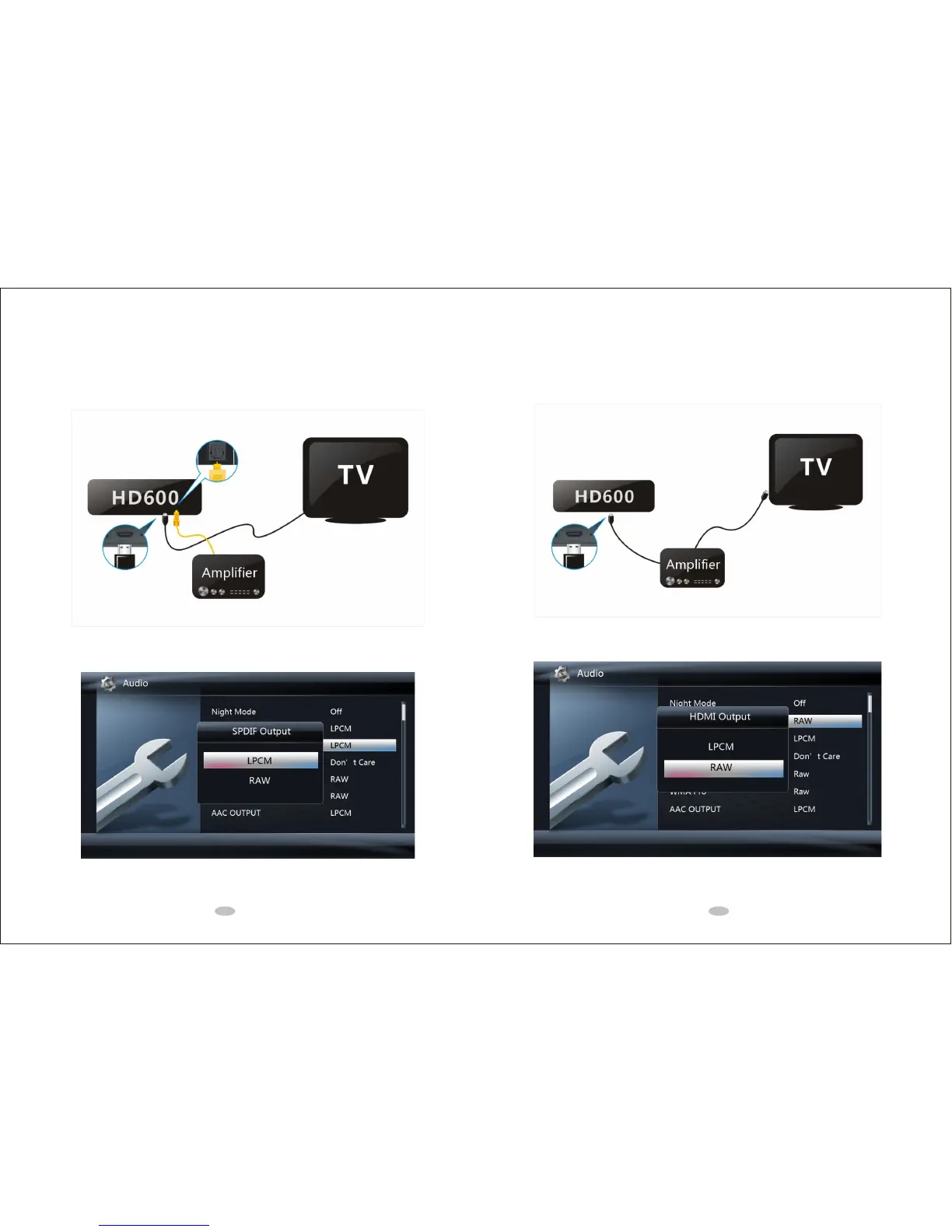
1.3 Connection to 7.1CH Amplifier and HDTV
1. Connect the HDMI cable from media player's HDMI output to 7.1CH amplifier's HDMI input.
2. Connect the other HDMI cable from 7.1CH amplifier's HDMI output to HDTV's HDMI input.
3. On the media player, select Setup?Audio?HDMI Output?RAW.
3 4
1.2 Connection to 5.1CH Amplifier (Digital) and HDTV
1. Connect the HDMI cable from media player's HDMI output to HDTV's HDMI input.
2. Connect the optical fiber cable from media player's OPTICAL output to 5.1CH amplifier's OPTICAL input.
3. On the media player, select Setup?Audio?SPDIF Output?RAW.



 To Next Page