The Test will end when the Target Voltage is reached and the Dwell Time reaches 0:00
or when the Max Leakage current limit is reached.
To turn off High Voltage at any time, press STOP, engage the E-STOP, or open the
Interlock Circuit.
MANUAL Test with Digital Meter Display
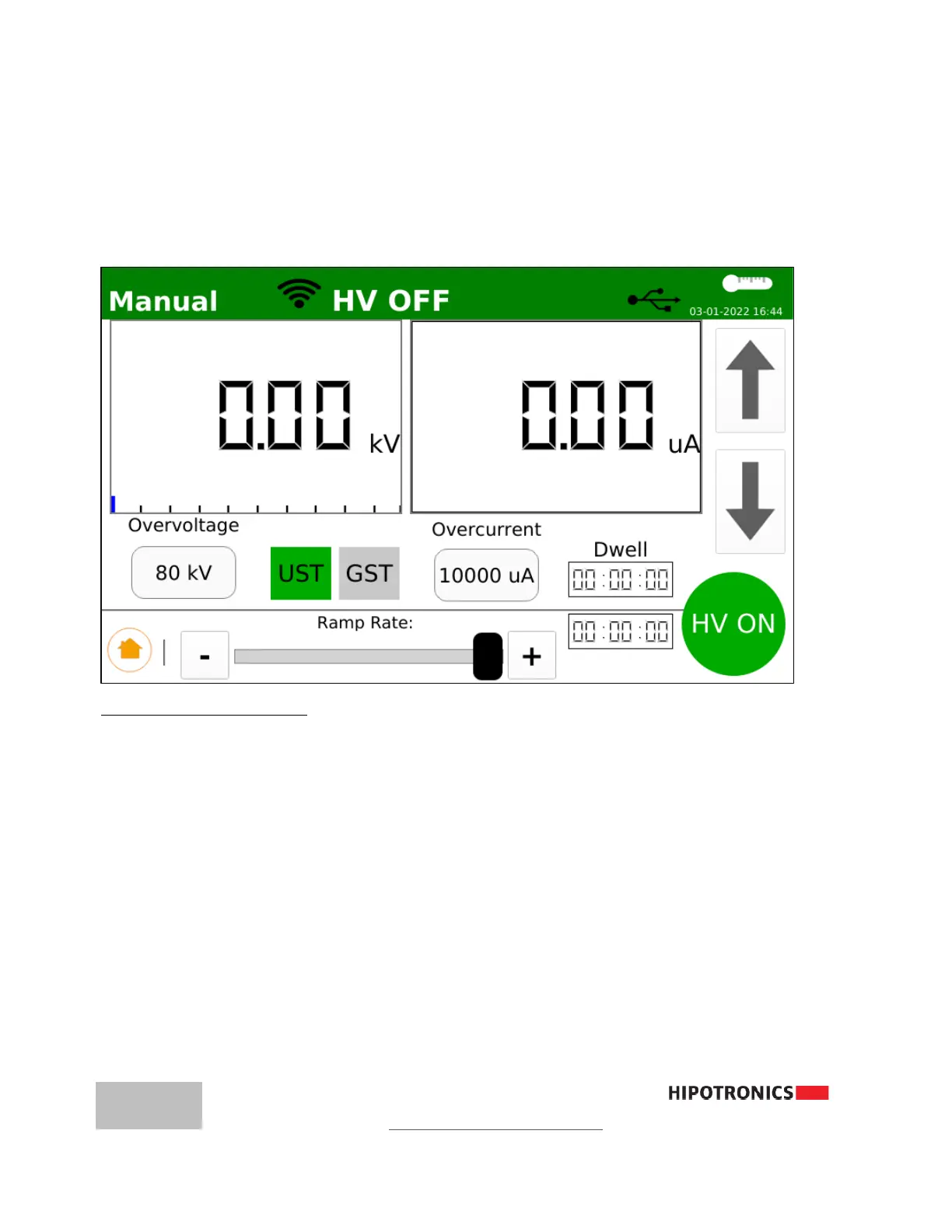
Setting up a Manual Test
1. Input Overvoltage (0.1→ 80kV)
2. Input Overcurrent (0.1 → 10,000µA or 0-10mA)
3. Confirm GST or UST mode
4. Press HV ON
5. Turn Rotary Knob or touch Up-Arrow button to activate and adjust High Voltage
To turn off High Voltage at any time, press STOP, engage the E-STOP, or open the
Interlock Circuit .
Note: When performing withstand tests on cable or capacitive loads, Manual mode is
recommended. At the
conclusion of the test, ramp the voltage back down to Zero before pressing
STOP.



 To Next Page