6
Making Connections
Getting Started
NOTE
Some external devices impossible insert to this set for individual difference. Please replace with appropriate external signal
cable or increase the adapter to match with the port in such case.
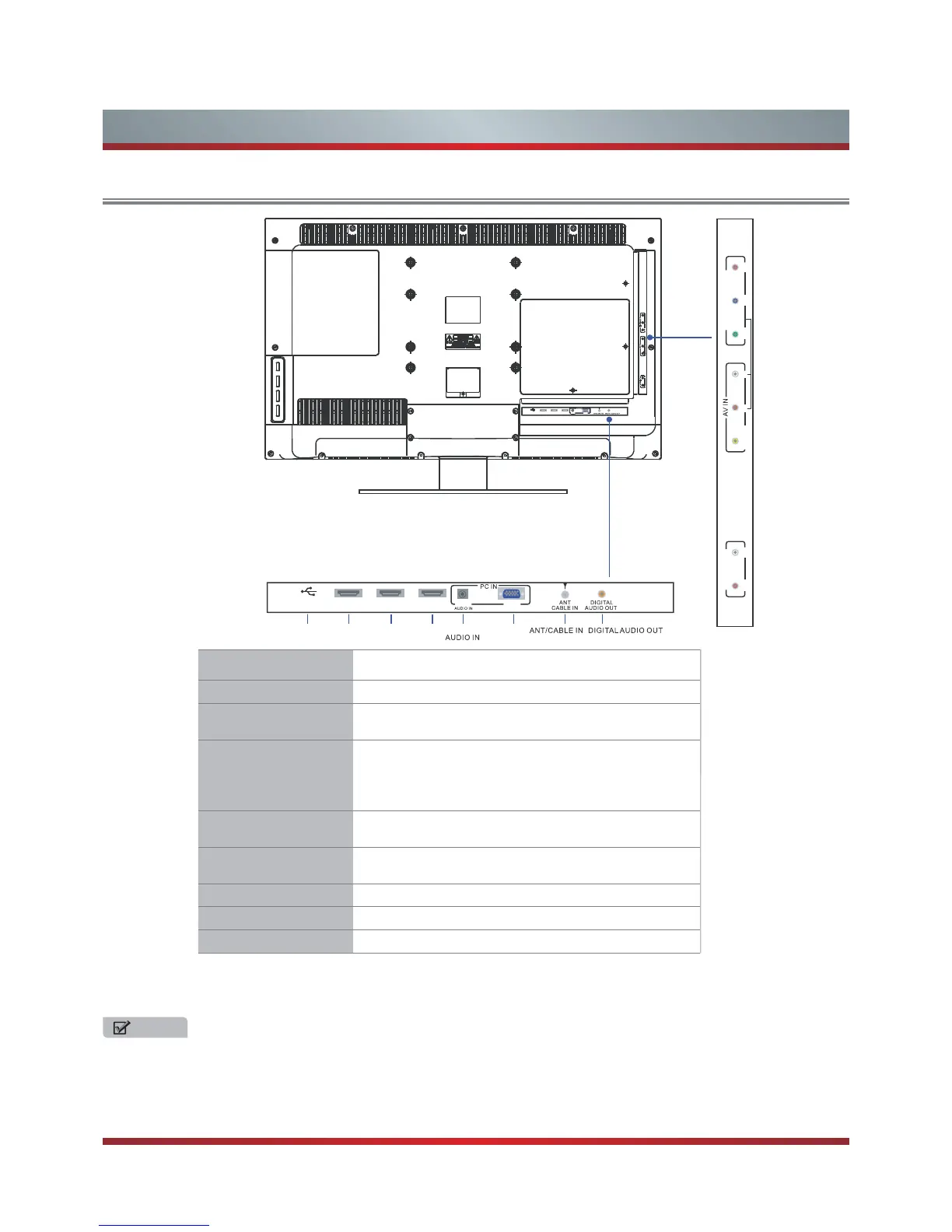
Item Description
ANT/CABLE IN Connect an antenna or cable TV to this jack.
HDMI/DVI
HDMI (High-Definition Multimedia Interface)provides an
uncompressed.Support: 480i\480p\576i\576p\1080i\1080p
COMPONENT IN
Connect to a DVD player, Digital Set-Top-Box, or other A/
V devices with component (YP
B
P
R
) video and audio output
jacks.
Component audio Jack share AV IN audio Jack.
Support: 480i\480p\576i\576p\1080i\1080p
AV IN
Connect to the composite video and audio (L/R) output
jacks on external video devices.
VGA
PC/DVI AUDIO IN
Connect to a PC or other devices with a VGA interface.
AUDIO OUT Connect to a audio device.
DIGITAL AUDIO OUT
Connect to an external digital audio device.
USB
MP3, Jpeg play and software update.
RL
R
YP
B
MOC
P
N
NO ET IN
P
R
L
USB HDMI1 HDMI2 HDMI3 VGA
PC/DVI
USB HDMI1 HDMI2 HDMI3/DVI
PC/DVI
VGA
USB HDMI1 HDMI2 HDMI3/DVI
PC/DVI
VGA
AUDIO OUT
VIDEO



 To Next Page