22
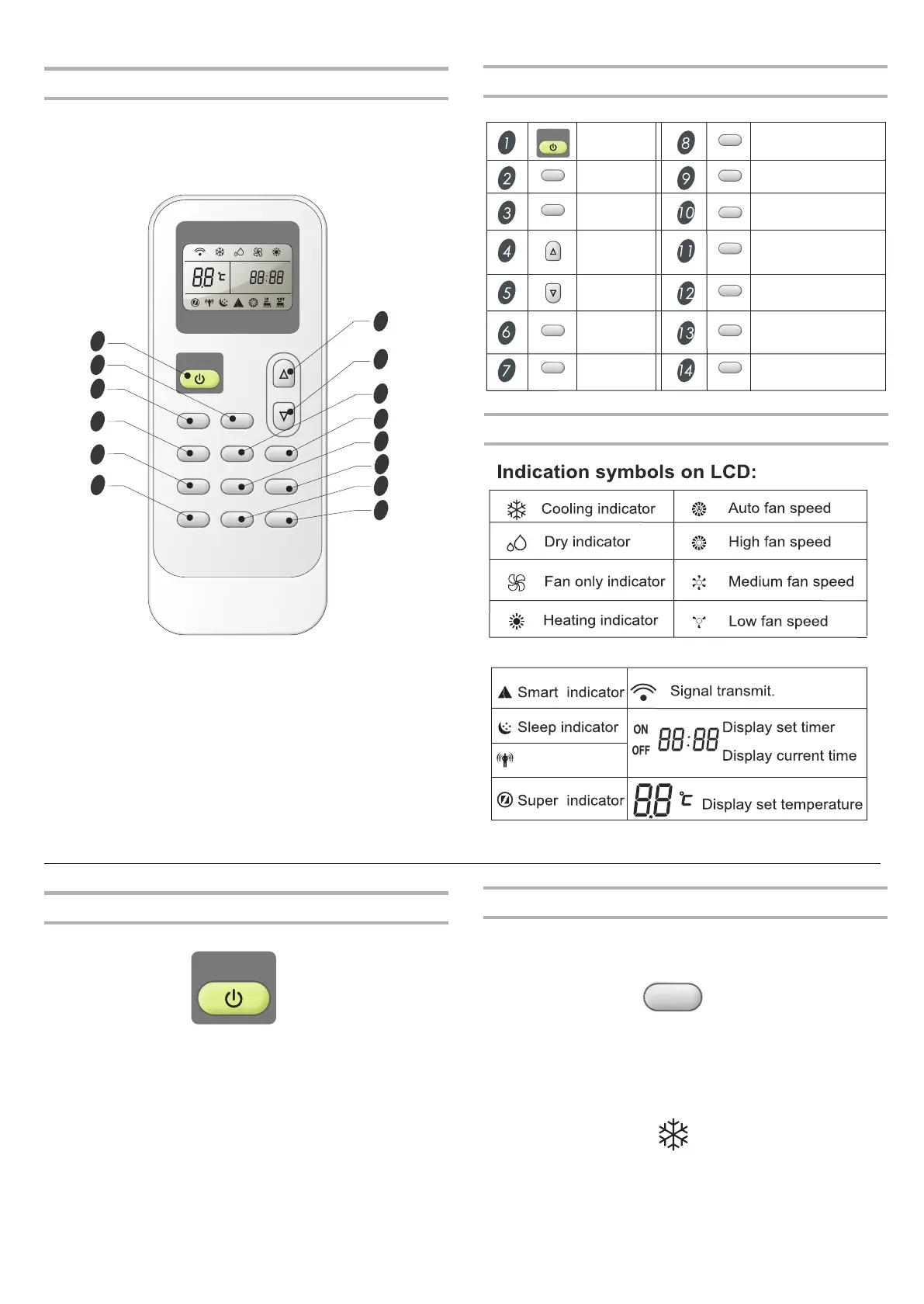
Indication symbols
Ifeel indicator
Remote control may differ in appearance.
NOTE:
Remote control
10
11
12
13
14
3
4
ON/OFF
MODE FAN
SWING
SLEEP
SUPER
SMART
IFEEL DIMMER
TIMER ON TIMER OFF CLOCK
ON
OFF
ON
OFF
1
2
6
7
5
8
9
Button and Function
MODE
ON/OFF
SUPER
CLOCK
IFEEL
SLEEP
SWING
SMART
DOWN
UP
FAN
ON/OFF
MODE
FAN
SWING
SLEEP
SUPER
SMART
DIMMER
Timer On
TIMER ON
Timer Off
TIMER OFF
CLOCK
DIMMER
IFEEL
Power On or Off
Press ON/OFF button to turn on or off the unit
NOTE:
Changing modes during operating. Sometimes the unit
Wait 3 minutes before restarting the appliance.
■
■
does not response at once. Wait 3 minutes.
ON/OFF
Mode
1. Press MODE repeatedly until you see the symbol flashes for the
desired setting.
2. Choose Cooling, Dry, Fan Only and heating.
■
Cooling-Cools the room. Press FAN
MID or LOW.
Press the UP or DOWN button to adjust the temperature.
to select AUTO, HIGH,
MODE





 To Next Page