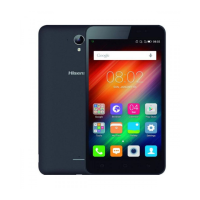
Key’s function
Physical key
• Power key: Press to light up or close the screen,
press and hold to show the pop-up menu to select
from Power off/Reboot/Airplane mode. Long press
Power Key 10s to shutdown phone, and keep pressing
to reboot phone. Press the Power key and Down
volume key to capture a screenshot.
• Volume Keys: In call mode, adjusts the earpiece or
headset volume; In Music/Video/Streaming mode,
adjusts the media volume; In general mode, adjusts
the ringtone volume; Mutes the ringtone of an
incoming call.
Virtual key
• Home key: From any application or screen, touch to
return to the Home screen
• Recent key: Touch to open a list of thumbnail images
of applications you've worked with recently.
• Back key: Touch to go back to the previous screen, or
to close a dialog box, options menu, the notification
panel, etc.
This device supplies OTG function, please use standard
OTG data cable.



 To Next Page