18
Main Function
Making and receiving a call
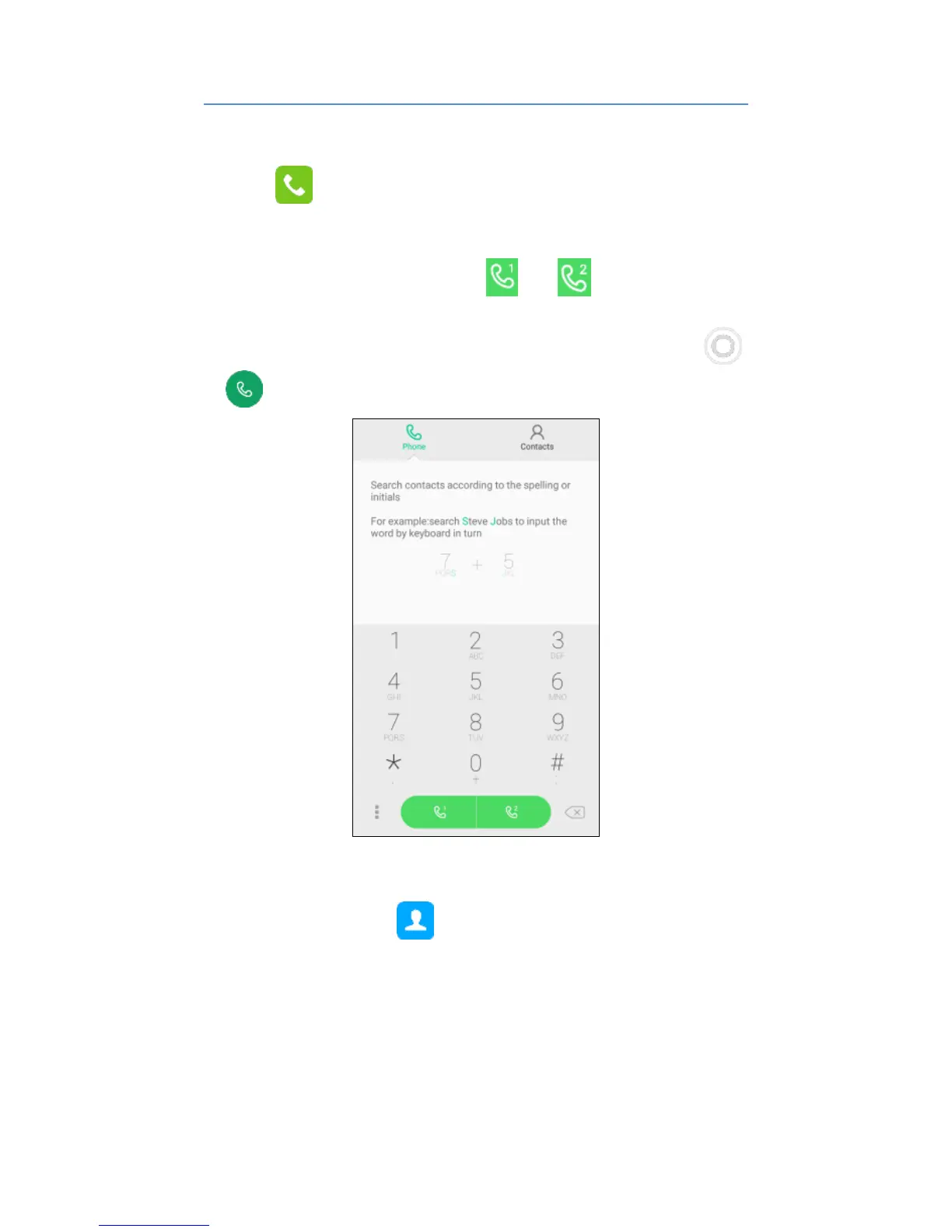
Touch to enter dialer interface on idle screen.
Inputting the part of phone number can search the saved
phone number automatically. Then select the right
number, and click call button or to make a
call.
If there is an incoming call, press and drag the button
to to answer the call.
Adding contacts
Tap the contact icon .
Click “Create a new contact”, you can add a new contact
to the phone or card.
Click Find contacts search bar on the top of the screen ,
then input the part of the phone number or name, all the
contacts with the information appear.



 To Next Page