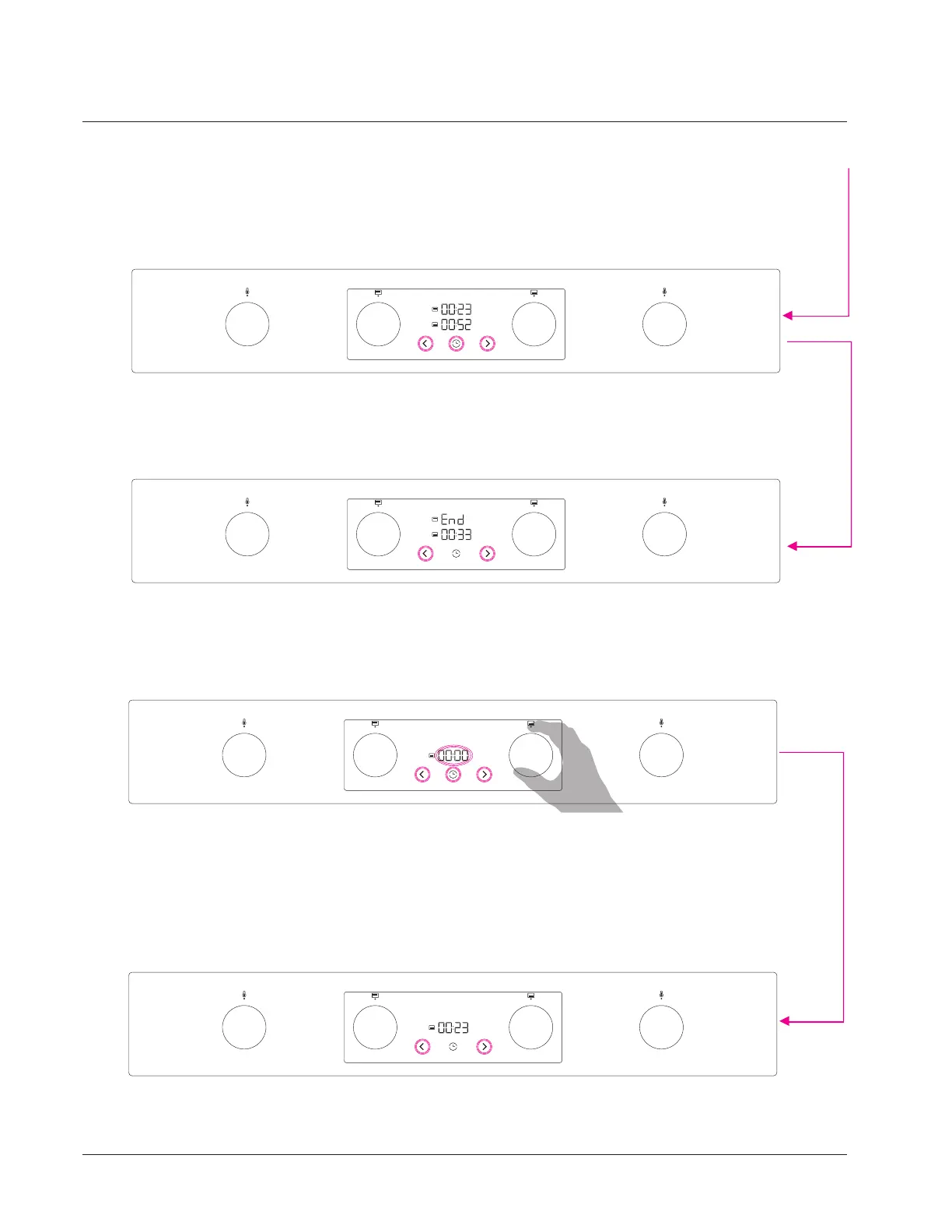
When the duration is set and the time touch keys are not pressed for 5 sec time function/digits starts automatically
counting down up to 00:00.In running digits are not blinking, only dots between digits blinking all the running process.
Last setted/ adjusted time is in primary position and can be adjusted in running mode anytime by pressign the
decrease/increase touch keys directly.By pressinf the time touch key we can toggle between bottom or upper
durations and later adjust it if needed,
When the program is completed digits/display toggle between 00:00 and End for 2 min. Finish sound /Alarm is
active.Upper oven icon is illuminated fully and not blinking. Oven function is automatically switched off,
program is completed.
Bottom oven duration is still active and can be adjusted directly by pressing the decrease or increase touch keys.
By roatating the knob bottom oven systems/programs can be selected.Time digits for the bottom oven are
automaticaly active/pre-set and blinking periodically. Bottom ovenicon is fully illuminated and not blinking.
Duration can be selected by pressing the decrease or increase touch key on the same way like all time
realted functions.
1.
2.
*If time touch keys are not pressed in 10 sec, digits disapere time function is not active anymore.
Time function can be activated by pressing the time touch key.Time functions for the bottom or
upper oven are possible to select only if system knob (upper or bottom oven) is rotated and the
program is selected.
When the duration is set and the time touch keys are not pressed for 5 sec time function/digits starts
automatically counting down up to 00:00.In running digits are not blinking, only dots between digits
blinking all the running process.
Hisense Display- Upper and bottom oven activated at the same time -Running
Hisense Display-Upper and bottom oven activated at the same time - Upper oven process completed
Hisense Display- Bottom oven - program selection - time function
Hisense Display- Bottom oven - program selection - time functions - running
2.
Duration can be selected by pressing the decrease or increase touch key on the same way like all time realted functions.
*If time touch keys are not pressed in 10 sec, digits disapere time function is not active anymore. Time function
can be activated by pressing the time touch key. With time touch key we can toggle between bottom or upper
oven duration and than set the values by decrease or increase touch keys. Time functions for the bottom or upper
oven are possible to select only if system knob (upper or bottom oven) is rotated and the program is selecteld.
17
Using your Freestanding Cooker



 To Next Page