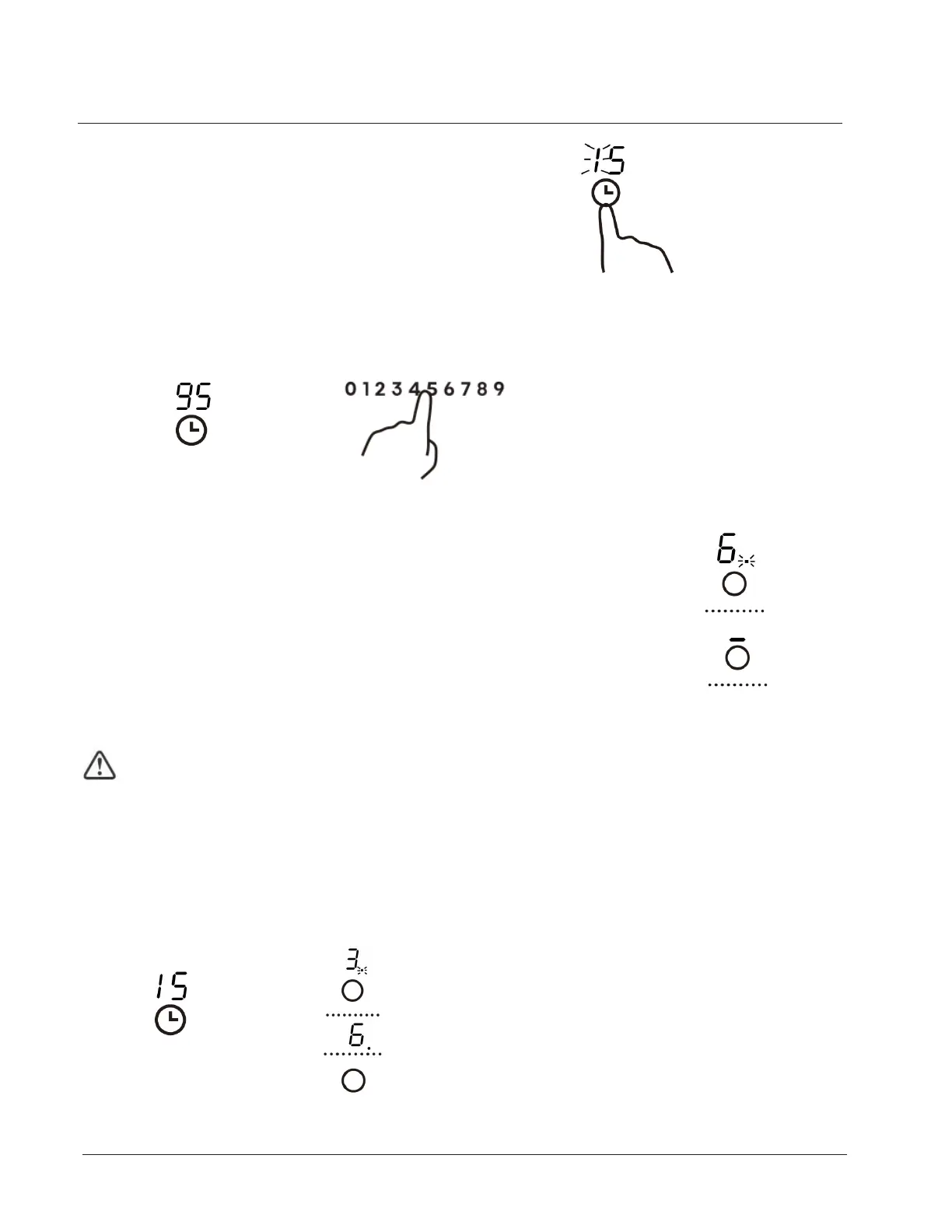
4. Touch timer control again, the “1” will flash.
5. Set the time by touching the slider control (e.g.9), now the timer you
set is 95 minutes.(You can set the timer up to 99 minutes.)
6. When the time is set, it will begin to count down
immediately. The display will show the remaining time.
NOTE: The red dot next to power level indicator
will illuminate indicating that zone is selected.
7. When cooking timer expires, the corresponding cooking
zone will be switch off automatically.
Other cooking zone will keep operating if they are turned on previously.
If the timer is set on more than one zone:
1. When you set the time for several cooking zones simultaneously, decimal dots
of the relevant cooking zones are on. The minute display shows the min.timer.
The dot of the corresponding zone flashes.
(set to 15 minutes)
(set to 45 minutes)
Using your Freestanding Cooker
30



 To Next Page